Chapter 2: Installation and Setup
Procedure 9: Confirm the Ethernet Link
SmartBits 600x/6000x Installation Guide | 53
Checking the TCP/IP Stack/Address/Gateway on Your PC
The PC must be configured for TCP/IP to be able to connect to the SmartBits chassis via
Ethernet. If you are uncertain about how to configure TCP/IP on the controlling PC and
how to specify the correct IP address, contact your local System Administrator.
To check these parameters, you must access the Network window and the related TCP/IP
adapter for your Ethernet connection, and then define the PC’s IP address and subnet mask
as needed. If the PC is on a subnet different from that of the SmartBits chassis, you will
also need to set a gateway address.
To check IP address parameters:
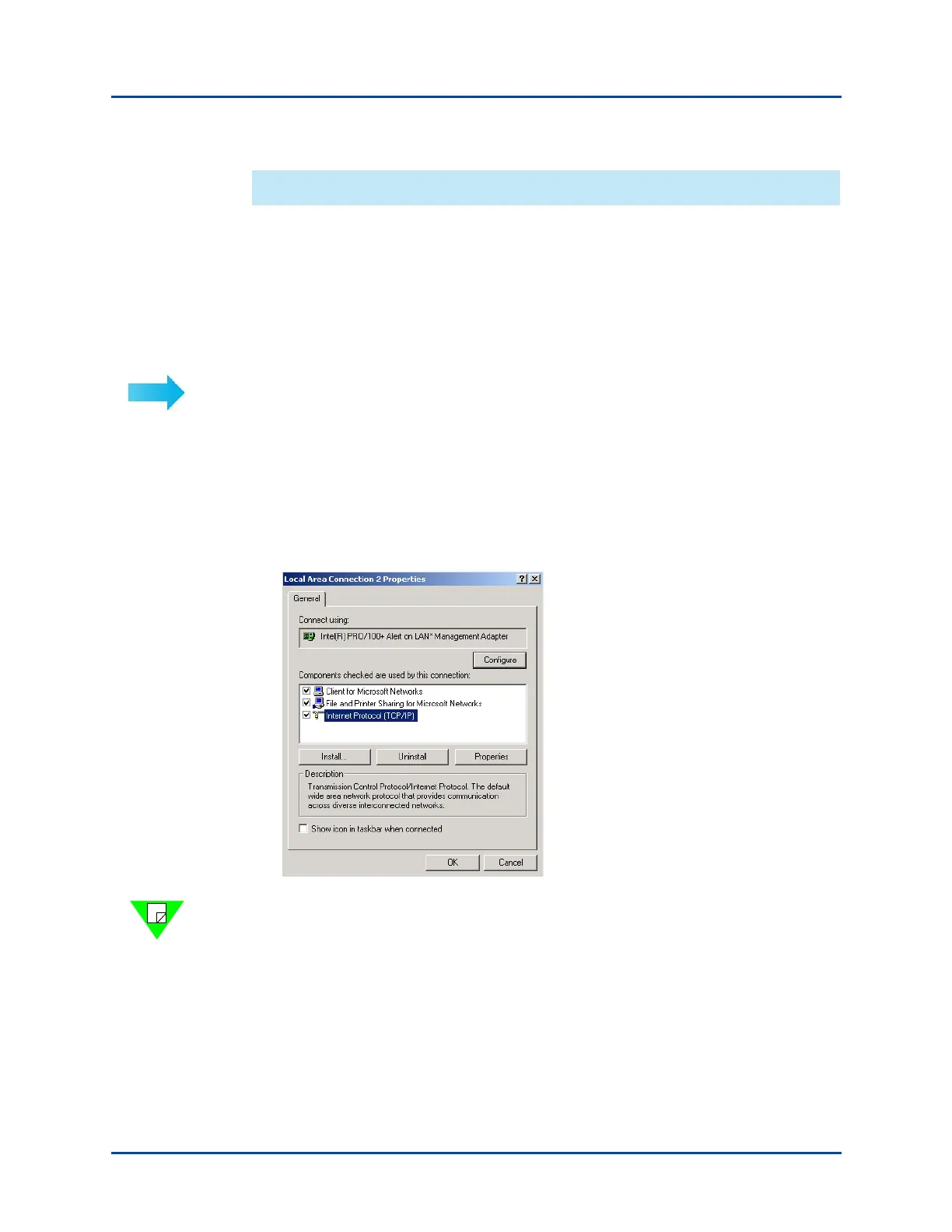
1 Select Start > Settings > Control Panel.
2 In the Control Panel window, click on Network and Dial-up Connections.
3 In the window that appears, right-click on Local Area Connection and select
Properties.
4 In the next window, select the Ethernet interface to be used (e.g., Internet Protocol
(TCP/IP) and click on Properties.
Note: Depending on the SmartWindow version you are running, you may see a different
window after selecting Start > Settings > Control Panel > Network. For example, a PC
Configuration window may appear. In this case, click on the TCP/IP adapter card, and
then click on the IP Address tab to review IP address parameters.
Artisan Technology Group - Quality Instrumentation ... Guaranteed | (888) 88-SOURCE | www.artisantg.com



 To Next Page