Chapter 2: Installation and Setup
Procedure 10: Update Firmware Version (optional)
SmartBits 600x/6000x Installation Guide | 59
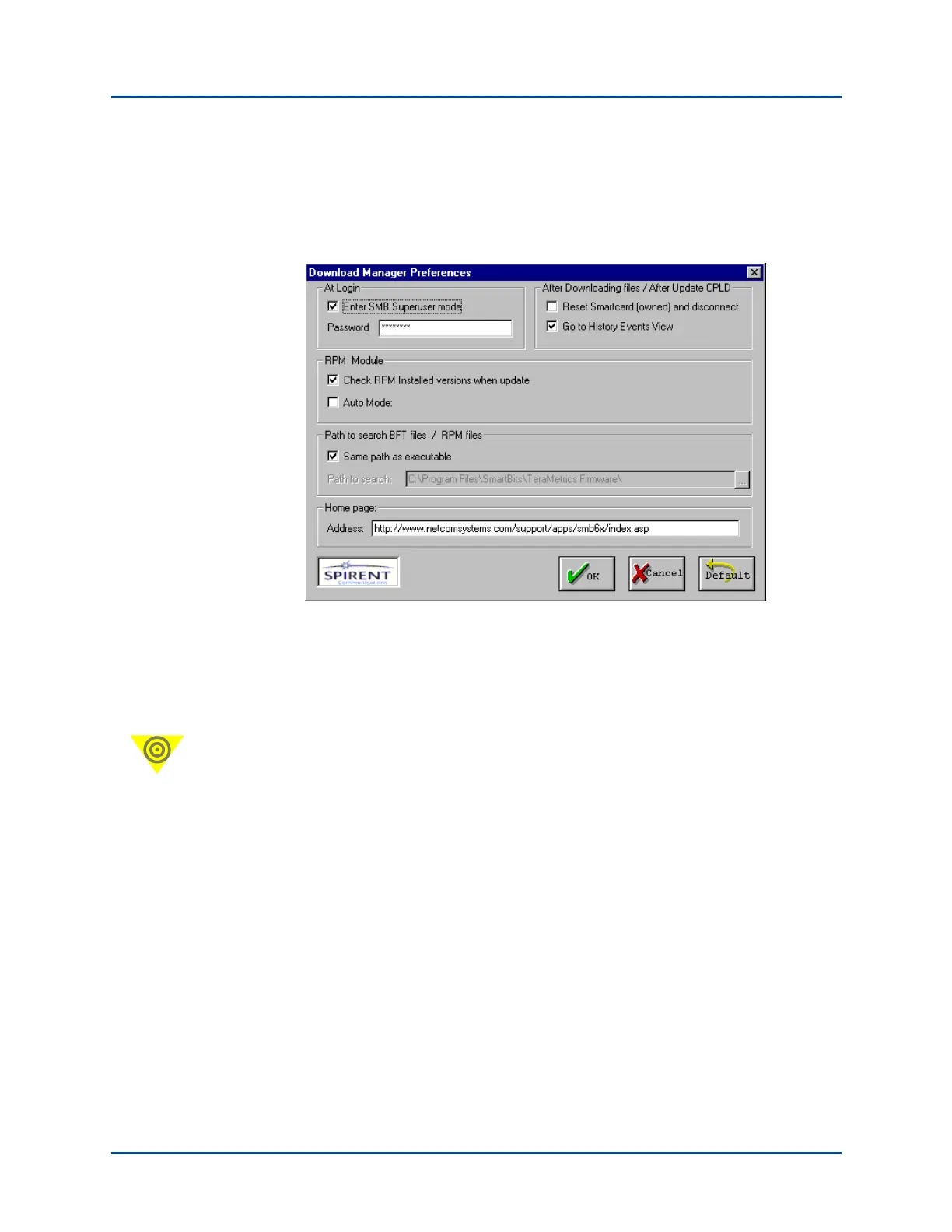
7 If you are downloading chassis firmware, make sure that Superuser mode is activated.
To do this,
a Choose Action > Preferences. You will see the Download Manager Preferences
window shown below.
b Check the Enter SMB Superuser mode checkbox and enter the Superuser
Password (default is SMB-6000). If you only plan to download module firmware,
you do not need to activate the Superuser mode.
c Click OK. This takes you back to the Download Firmware window shown in
Step 6 above.
Important: It is important to record your password for easy reference. If you lose the
password and later need the password to download new chassis firmware, you may
need to return the chassis to the factory to reset the firmware.
Artisan Technology Group - Quality Instrumentation ... Guaranteed | (888) 88-SOURCE | www.artisantg.com



 To Next Page