Chapter 2: Installation and Setup
Procedure 10: Update Firmware Version (optional)
SmartBits 600x/6000x Installation Guide | 61
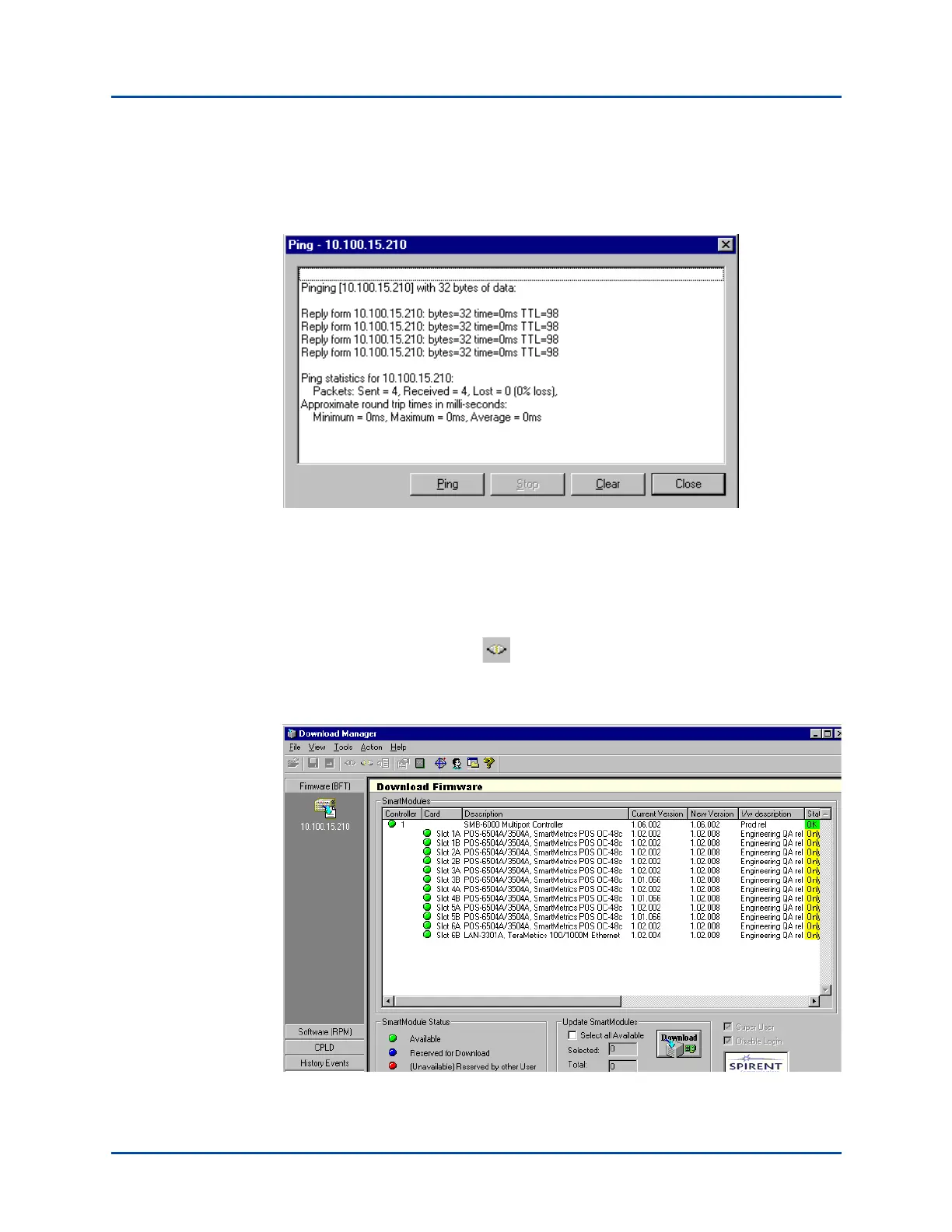
9 Enter the IP address of your SmartBits chassis (refer to “Procedure 8: Set the IP
Address” on page 41). Click on the Ping button to make sure the connection is
working properly. The following window appears.
Check to see if the system is “pinging;” click on Close and then click OK on the
Connection Setup window.
10 There are three options for connecting to the chassis:
•Select Action > Connect to connect to the chassis.
• Press the F8 key.
• Click on the Connect icon in the tool bar.
The Download Firmware window appears, displaying the current firmware versions
for the chassis and for every module installed in the chassis.
Artisan Technology Group - Quality Instrumentation ... Guaranteed | (888) 88-SOURCE | www.artisantg.com



 To Next Page