Rotor balancing F:17
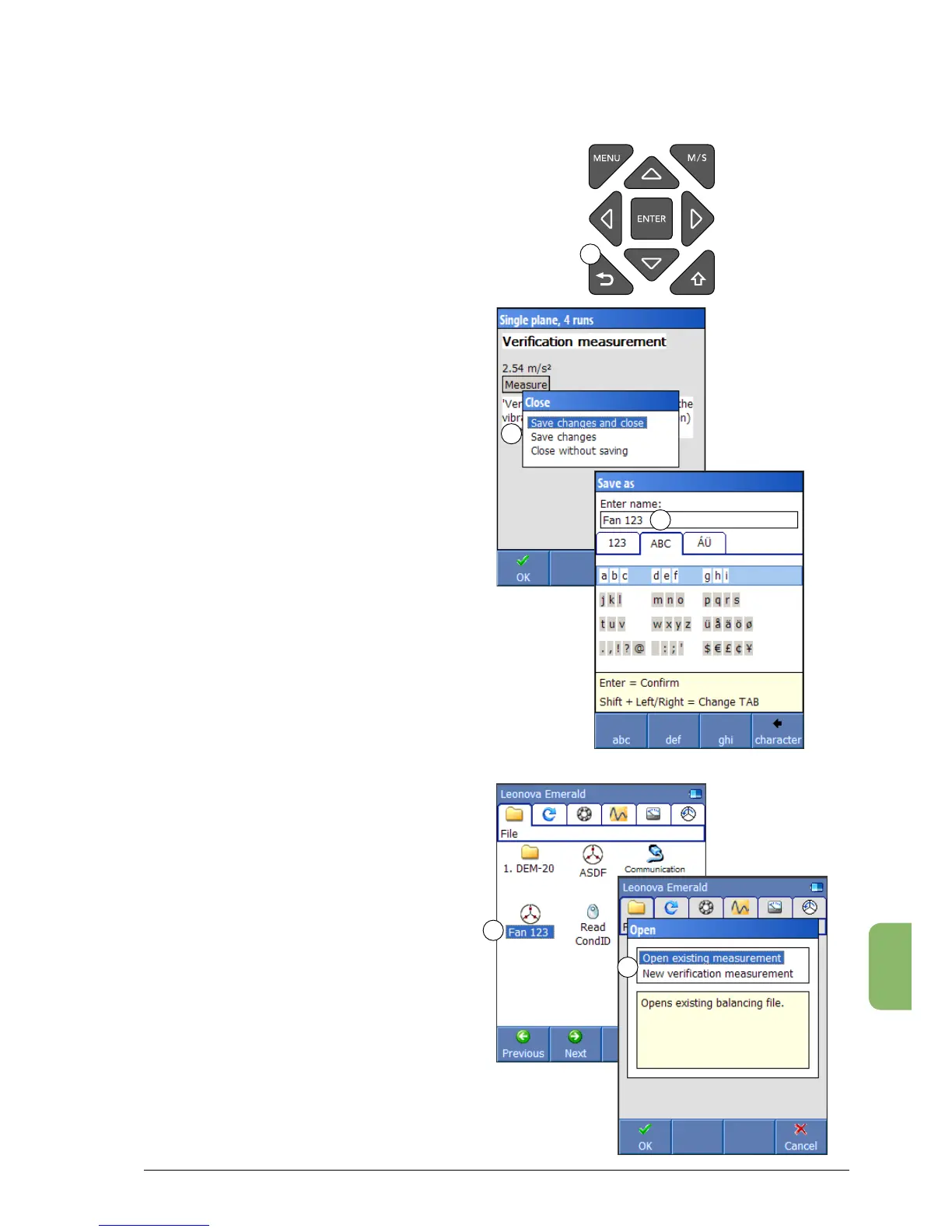
To close and save a balancing job, press BACK (1).
The display shows three alternatives (2):
• ‘Save changes and close’ -after entering a
file name (3), this function saves the balancing
work in a file which will be stored in the ‘File’
menu (4), see below.
• ‘Savechanges’-ifyouareworkinginanexisting
file and have done additional readings on the
machine, this alternative will save the result,
but not close the file.
• ‘Closewithout saving’closes thefunction
without saving any data.
Open an existing file from the ‘File’ menu by
choosing it and press ENTER. The display shows
two alternatives (5):
• ‘Openexistingmeasurement’makesitpossible
to edit data in the file. The changes will be
stored in the same file.
• ‘Newverificationmeasurement’opensthefile
and when a new measurement is done, this
will be saved in a new file.
Finish the balancing job
1
2
3
4
5



 To Next Page