A
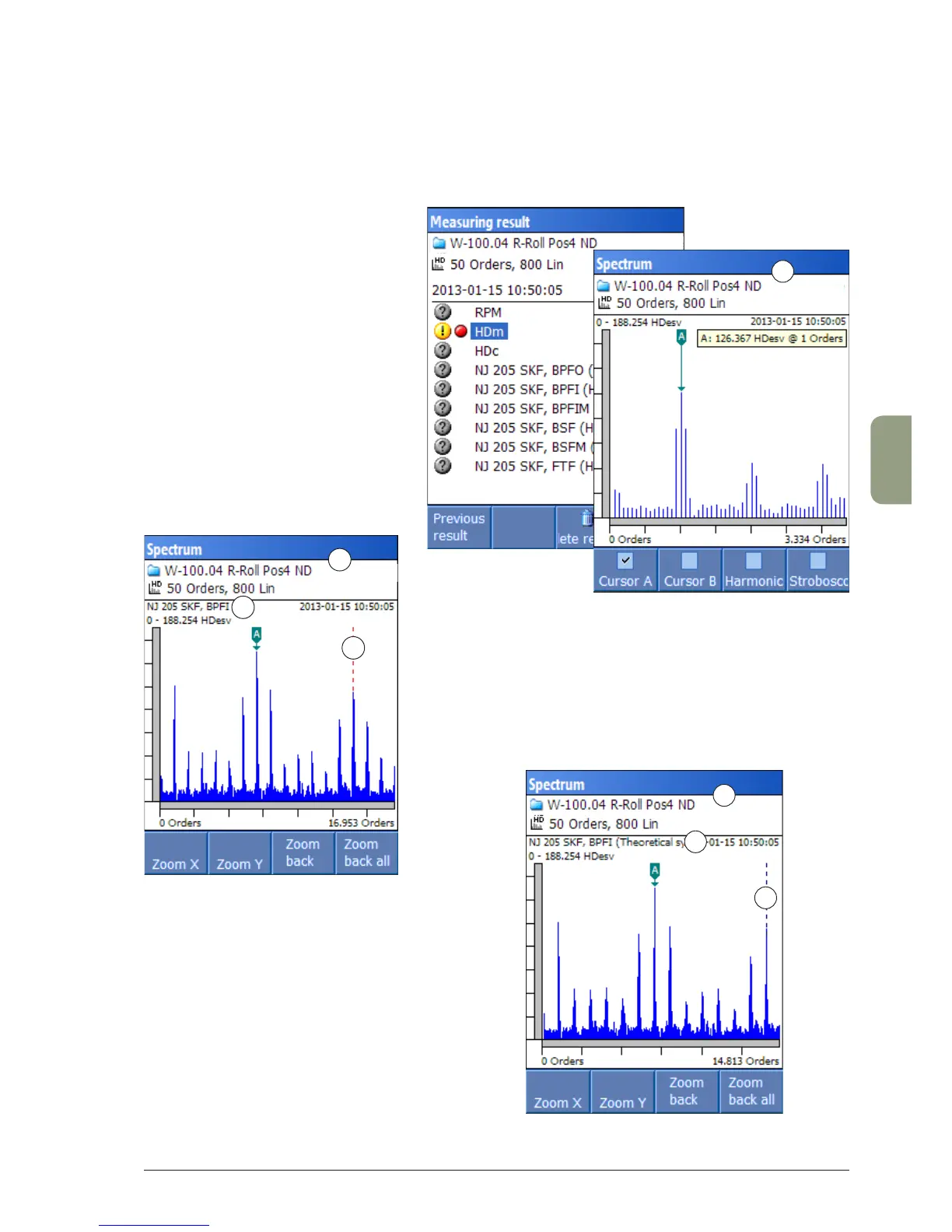
Highlighted symptoms in the spectrum
The following examples show different options on the ‘Settings’ menu and their effect on the spec-
trum display.
A. Symptoms are not marked in the
spectrum.
B. The symptom name is shown (1). The symptom line is marked
with a red dashed line (2) if a match is found in the spectrum.
To find the match, Leonova searches for the closest peak
line within the tolerances programmed in Condmaster.
C. The symptom name is shown, plus
the text ‘Theoretical symptom’ (3).
The line in the calculated symptom
position is marked with a blue dashed
line (4). Leonova does not search for
the closest peak.
B
1
2
3
4
C



 To Next Page