P340 flexiprobe Operation Manual 18
5.3 Getting help
The controller has a built-in, context sensitive help screen. To access the help page, press Fn + F1
simultaneously on the keypad or Shift + F1 on the keyboard.
You can also view a list of keypad and keyboard shortcuts. Shortcuts allow direct access to main features
and help to make operation of the system more efficient. To see a list of shortcuts press Fn + F2 on the
controller keypad simultaneously, or press Shift + F2 on the keyboard.
A list of shortcuts is included in Appendix 11.1.
5.4 Welcome screen
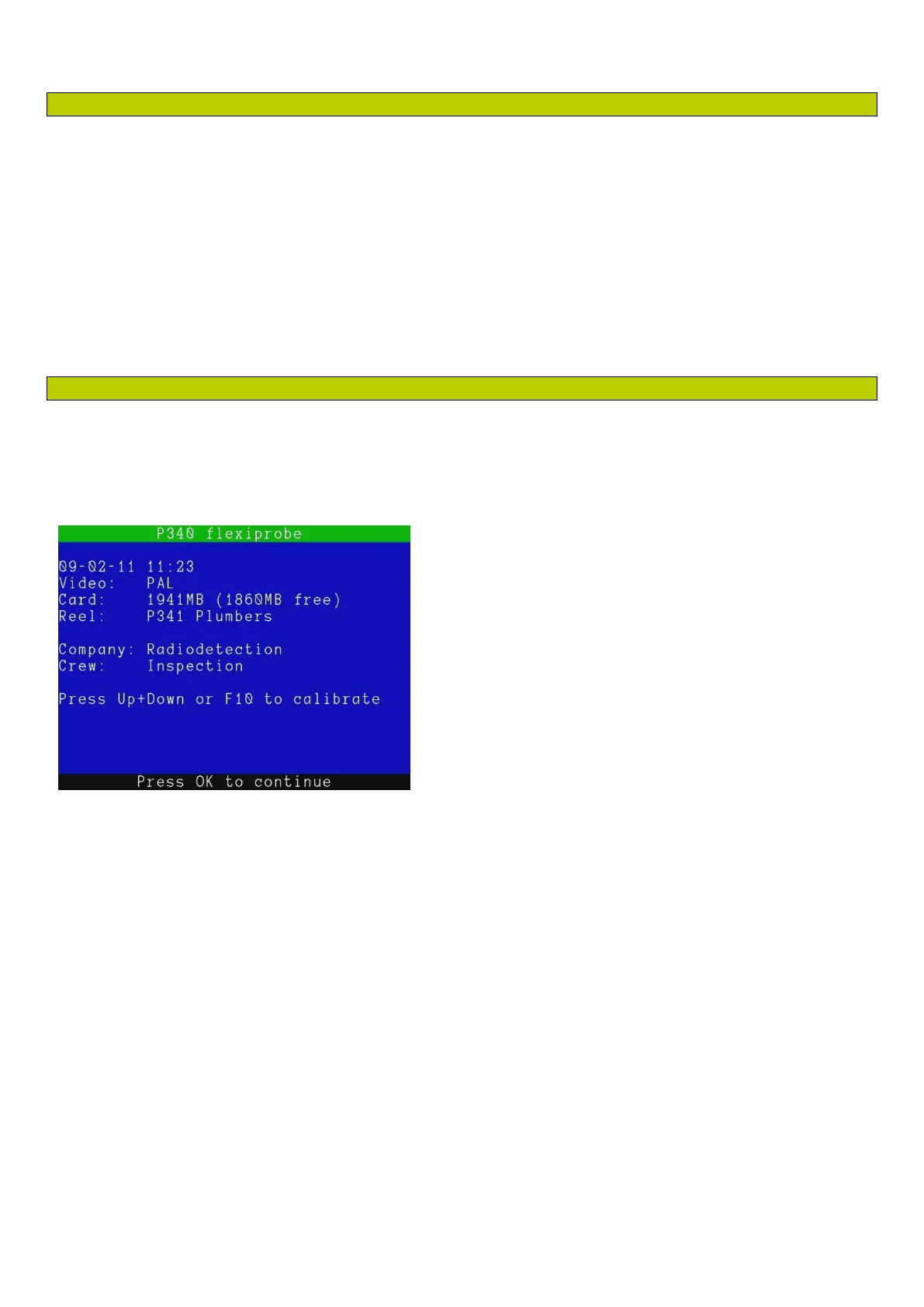
The welcome screen is the first screen to appear after the SPX logo and the optional splash screen. It
provides important information about the status and settings of your system and should not be ignored. The
welcome screen is illustrated in Figure 5.1.
The welcome screen includes the following information:
System model
System date and time.
Video mode (PAL or NTSC depending on model purchased).
Compact Flash card or USB flash drive size and free space.
Reel type (see Section 5.7 and 5.9).
Company as defined in the Company Details menu (see Section 5.11).
Crew as defined in the Company Details menu (See Section 5.11).
To clear the welcome screen, press OK on the keypad.
Figure 5.1: Welcome Screen



 To Next Page