P340 flexiprobe Operation Manual 22
Maintenance: allows you to perform maintenance task such as updating the P340 software, format
memory cards, restore factory defaults, review the Controller log and change the job templates used
to enter observations and generate a report on a PC using FlexiSight manager.
5.8 Setting up your controller
Enter the Setup menu, followed by Controller to configure the main controller settings: you can choose
between Basic settings and Recording
5.8.1 Basic Settings
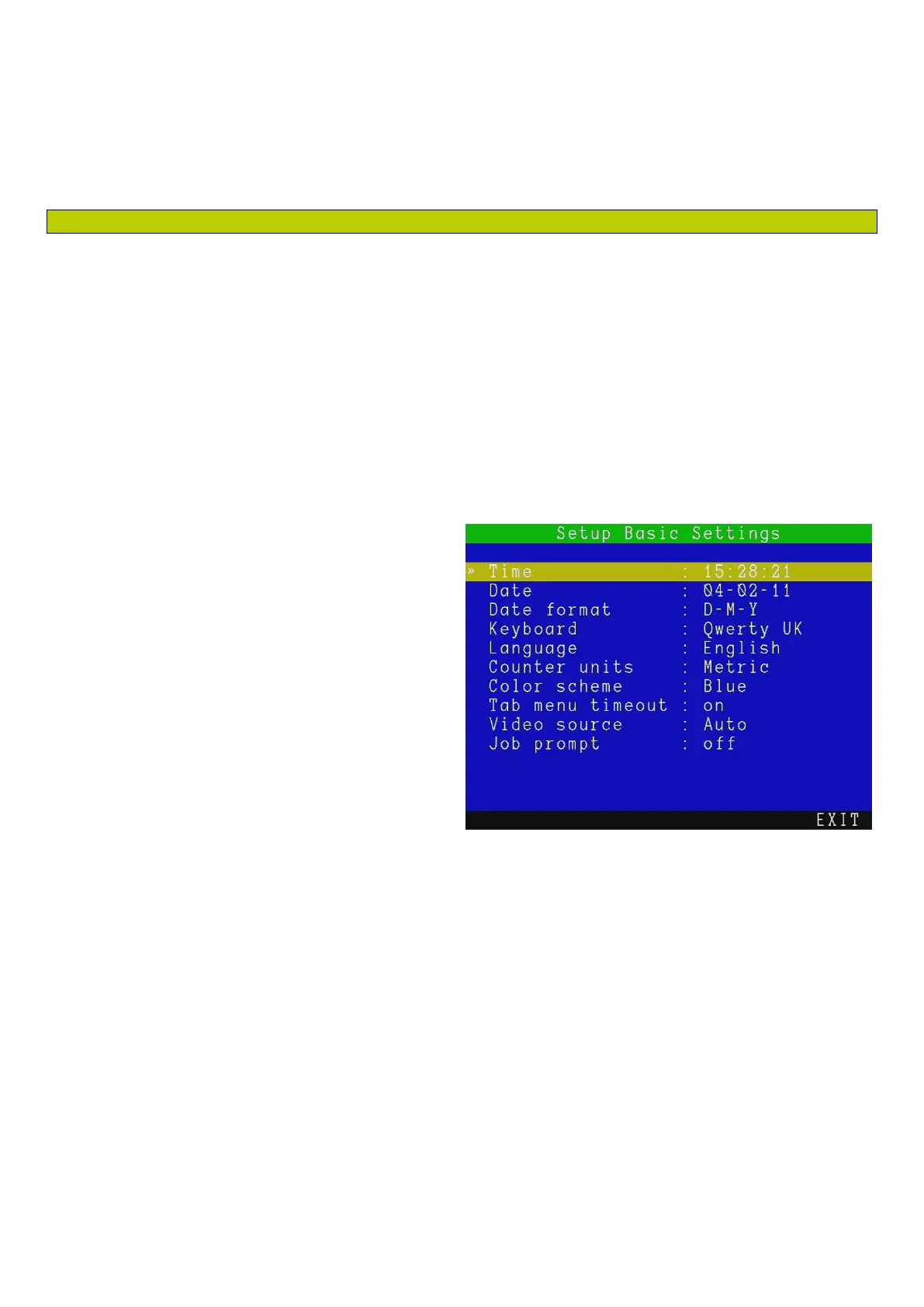
By entering the Basic Settings menu, see Figure 5.5, you will be able to modify, if required, the basic
configuration of your P340 controller.
Select the setting you wish to vary and press
OK or Enter to modify.
Enter the required data or make a selection by
using the ▲ or ▼ keys.
Press OK to confirm your choice or press the ◄
key to cancel.
There are 10 basic settings you can modify:
Time: enter time in hh:mm:ss format.
Date: enter today’s date as specified by the
Date format.
Date format: choose between D-M-Y and
M-D-Y.
Keyboard: select your keyboard type / language.
Language: select the system language.
Counter Units: chose between Metric and Imperial.
Color scheme: select your preferred color scheme.
Tab menu timeout: if “on”, the menu bar will disappear after 20 seconds. Any function keys will
make it visible again.
Video Source: set the video source for display and recording.
There are 3 choices: Auto, Camera and External:
o Auto gives preference to the external video source (if present).
Figure 5.5: Basic Settings menu



 To Next Page