P340 flexiprobe Operation Manual 25
NOTE: Video titles are limited to 13 entries (rows) per title. As all forms (company, survey, site and
observations) are customizable and may exceed this limit, only the first 13 non-empty entries will be
displayed.
5.8.3 Video Quality
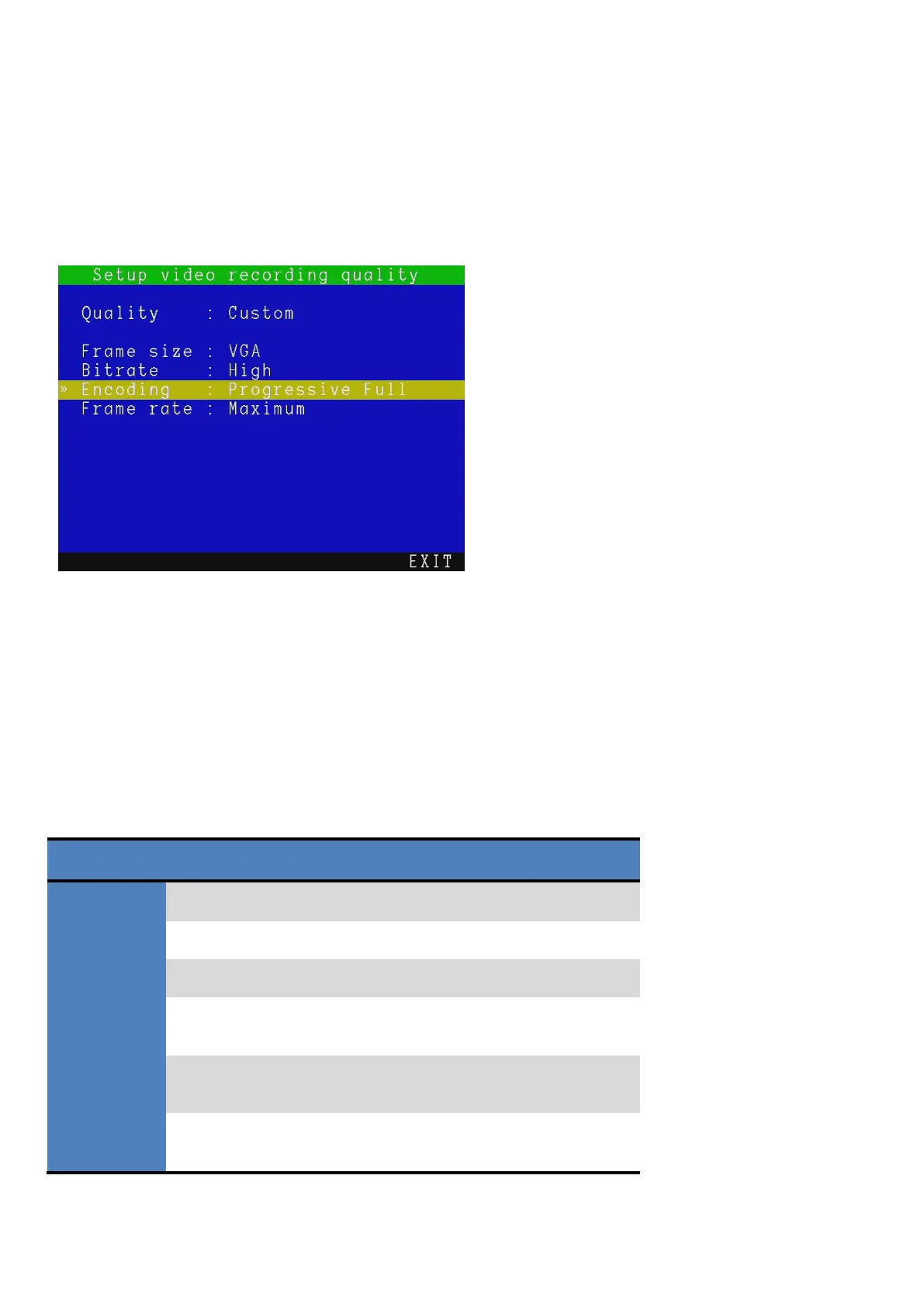
Enter this menu, see Figure 5.9, to review or modify the video recording quality.
The P340 controller can record video using several predefined quality profiles. The system also allows you
to configure video quality settings to suit your requirements.
There are three predefined video quality profiles. The High quality setting provides high quality recordings
but produces larger file sizes, which reduces the number of recordable hours per gigabyte. The medium
and low quality settings produce smaller file sizes and provide more recording hours per gigabyte. In most
circumstances, the predefined quality profiles are sufficient; however, you can define your own quality
profile (custom) to suit your recording requirements.
NOTE: “Full” frame size cannot be set with “Progressive Half” encoding.
Table 5.1: Video Quality profiles
*Approximate recording time based on 2GB storage memory device.
** Recordings exceeding 2 hours in length are split into multiple files
Figure 5.9: Setup video recording quality
menu



 To Next Page