P340 flexiprobe Operation Manual 51
NOTE: Only the first 17 characters of the client name or site address or the first 8 characters of the start
and finish references will be included in the File name to ensure the full file name remains visible at all
times.
9.2 One-click recording and Quick Job start
The P340 controller supports one click recording which allows you to switch
on the unit and start recording (photos or videos) with just one key press on
the keypad without starting a Job and entering the minimum amount of
information required to create a unique Job structure.
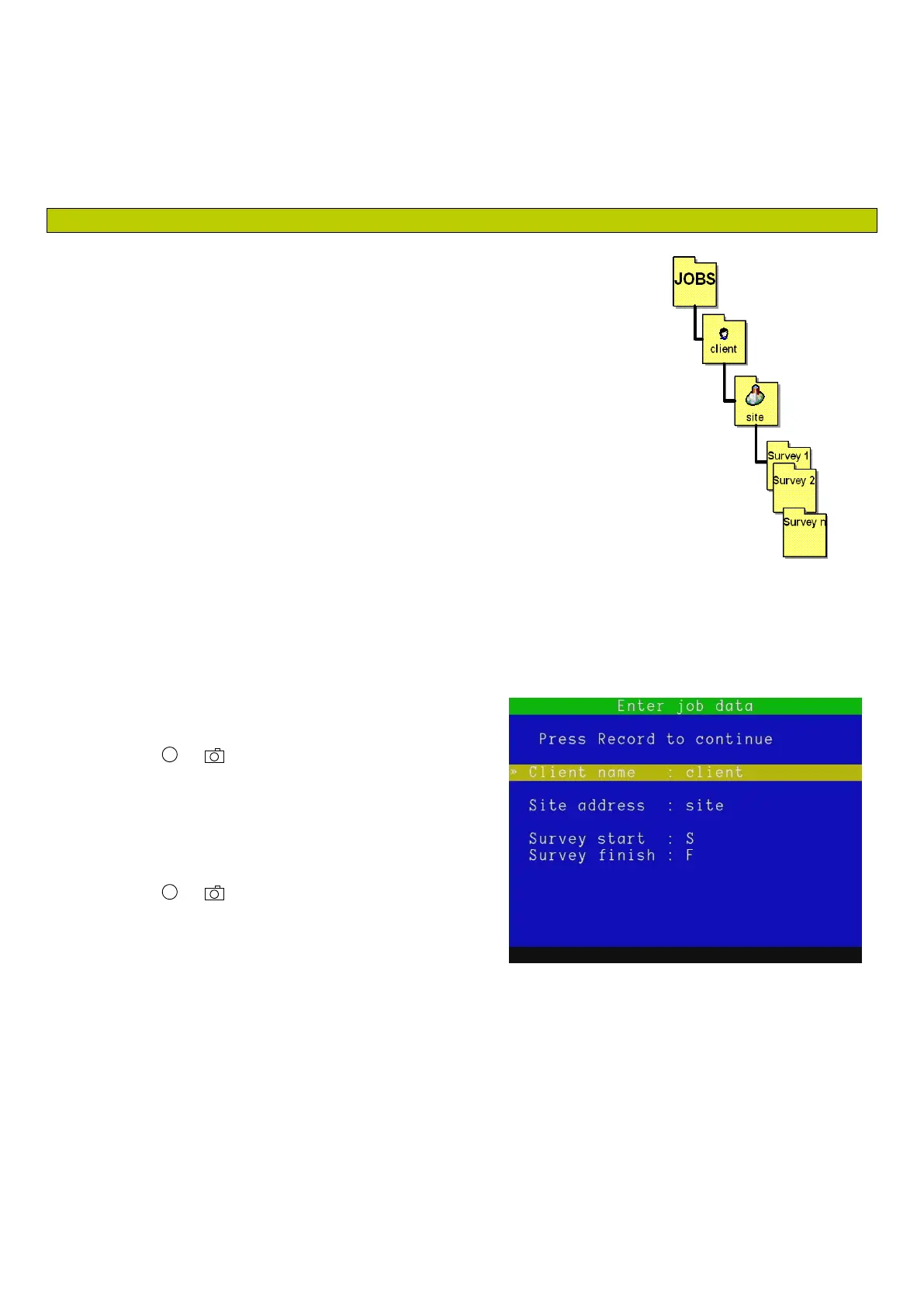
In this case the P340 controller will default to “client”,“site”, and “S_F” as
references for the folder structures. See Figure 9.2.
All your recordings will appear under a single client - single site folders
structure.
For each inspection (where the unit is powered on and used without being
powered off) all the inspection files will appear under a survey folder which will
be identifiable by the date and time stamp. For example S_F_110129_1200
identify a survey done at 12:00 on 29-January-2011.
The P340 Quick job start function can be disabled by turning off the job
prompt. See Section 5.8.1
While enabled the Quick job start function on the P340 controller will prompt you, Figure 9.3, to enter client
name, site address and survey start and finish references once per inspection (while the unit is powered
up)) at the beginning of your first recording (video or
photo).
1. Press or to start your first inspection video
recording or take your first photo.
2. Select the field you want to change
3. Press OK to edit and again to confirm your entry
4. Press or to continue with your video or
photo.
Figure 9.2: “Default” JOBS Structure



 To Next Page