P340 flexiprobe Operation Manual 24
Scheme
In this menu you can set your video and photo file names structure scheme: the file is named in
accordance to your choice with a numeric counter added at the end.
Date or current job information, such as client name, site address and survey start and finish references
can be chosen. See Section 9.1 for more details about Jobs and how to set them up.
You have 4 scheme options:
Date: will use ddmmm_xxx. For example 30NOV_001.
Client: will use name_xxx. For example J. Smith_001.
Site: will use address_xxx. For example Elk Rd_001.
Survey: will use start_finish_xxx. For example MH001_MH002_001.
NOTE: Only the first 17 characters of the client name or site address or the first 8 characters of the start
and finish references will be included in the File name to ensure the full file name remains visible at all
times.
Video Titles
Enter this menu to setup automatic titling at the
beginning of your recordings and observation splash
screens. You can choose between:
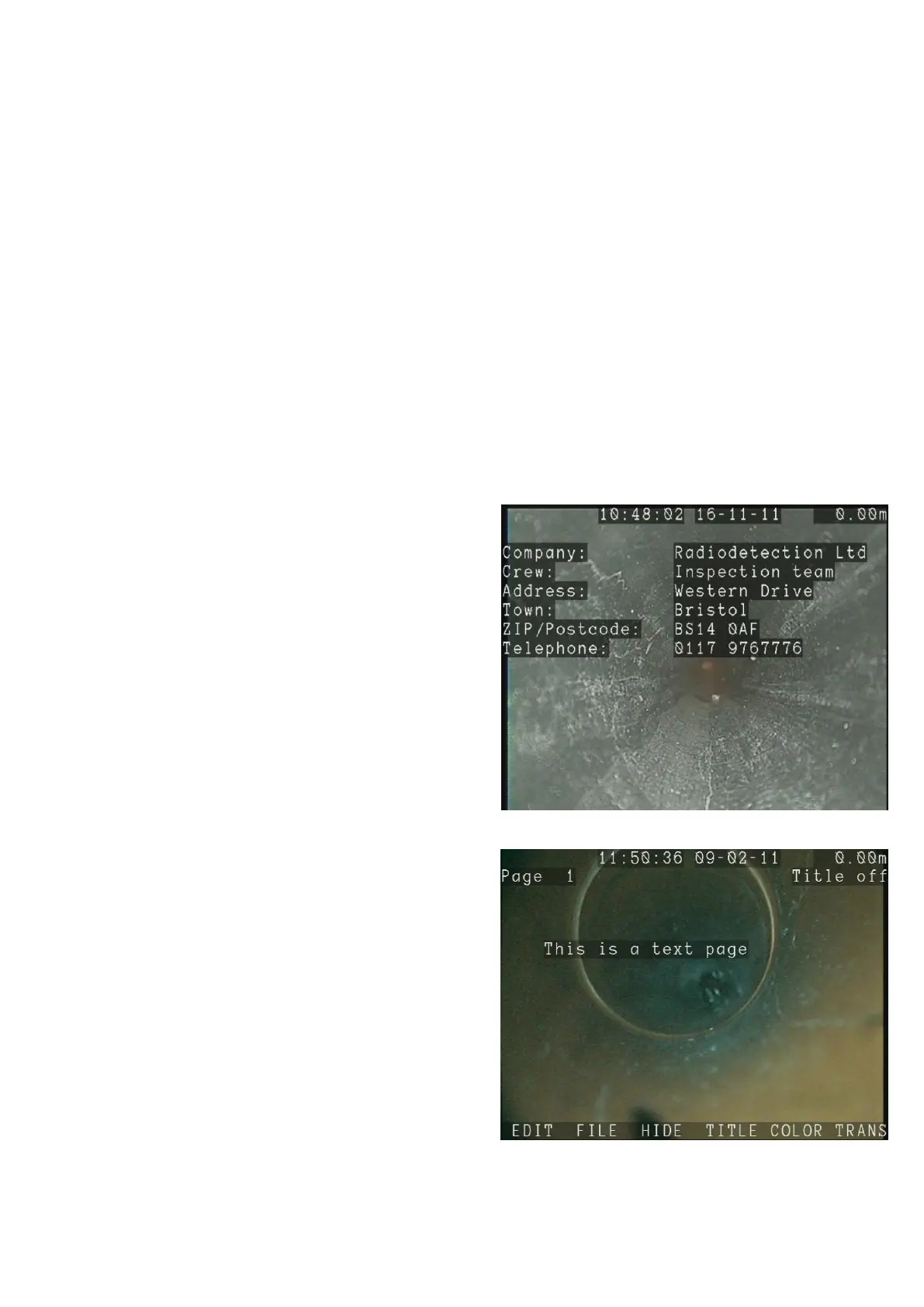
Company: activate this option to display, Figure
5.7, the non-empty entries from the company
details form (see section 5.11).
Client: activate this option to display the non-
empty entries from the client details form (see
section 9.5).
Site: activate this option to display the non-empty
entries from the site details form (see section
9.5).
Survey: activate this option to display the non-
empty entries from the survey details form (see
section 9.5).
Text page: chose this option to select text pages
to display at the beginning of videos. Text pages
are displayed in ascending order (0-1-13-16 for
example). Page number is displayed in the top
left of the screen in the TEXT button menu. Use
the ▲ and ▼ keys to select a text page, see
Figure 5.8. Press TITLE to toggle between
select or deselect the text page displayed.
The Title on/off message at the top right corner
of the text page indicates if the page is selected
(Title on) or not.
Observations: activate this option to display
observations in the video recordings. See Section
9.7 for details about observations.
Figure 5.7: Company title
Figure 5.8: Text page menu



 To Next Page