P340 flexiprobe Operation Manual 28
Normal Layout
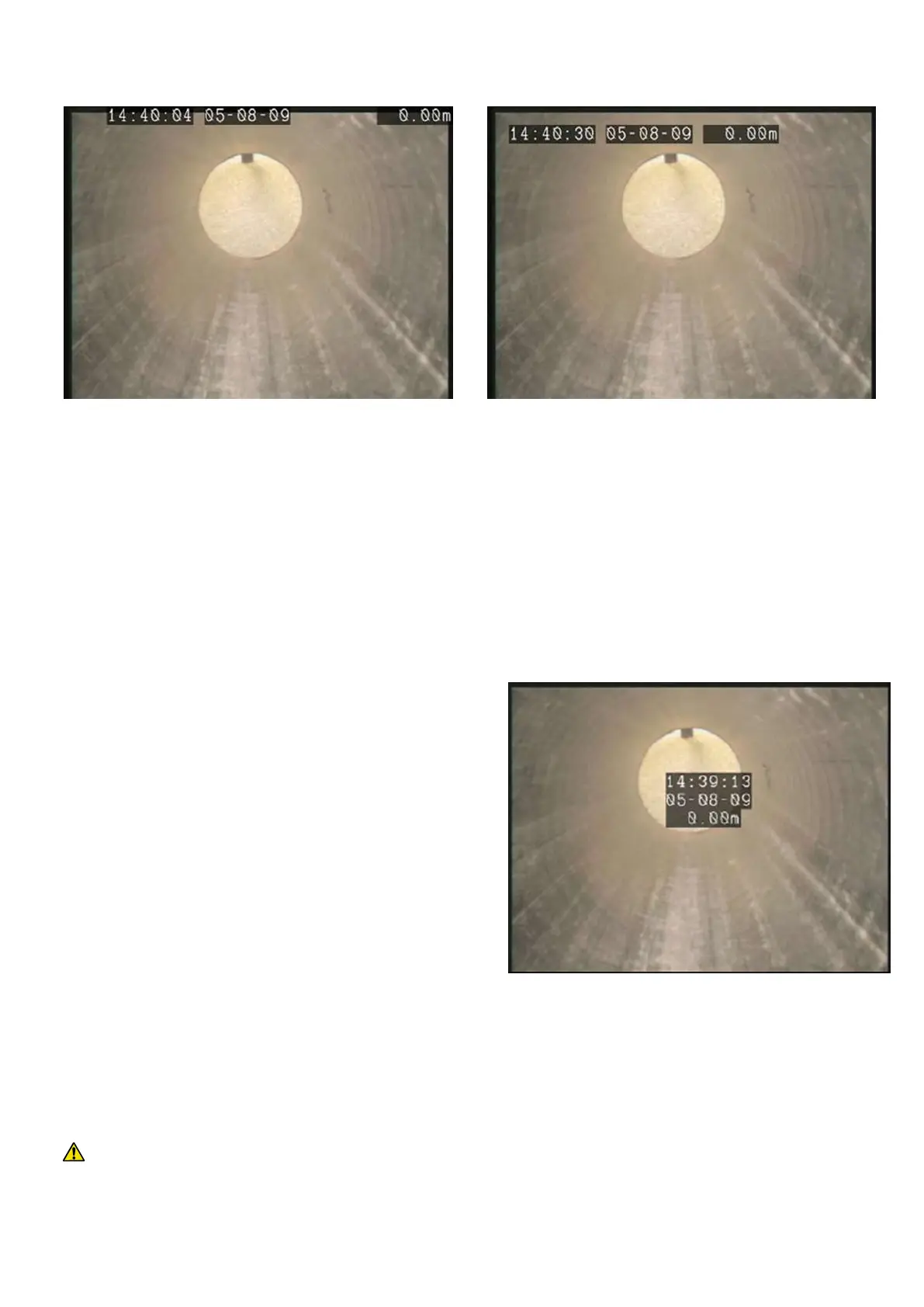
This is the standard layout optimized to make use of the entire screen (See Figure 5.11). On-Screen
information fields are positioned at the very edges of the display. Overlaid text pages will also have
characters which may be positioned at the edges of the display.
TV Layout
This layout is optimized for a DVD Recorder/TV screen (See Figure 5.12). On-Screen information fields and
overlaid text pages are positioned in the graphic safe
area of the display. Consult Section 10.5 for more details
on producing TV compatible recordings.
Custom Layout
This layout is customizable. The position of time, date
and distance counter fields can be moved anywhere on
the screen.
Text pages may still have characters which may be
positioned at the edges of the display.
To personalize this layout, select Custom layout to
enter the layout setup screen:
Select the field you wish to move: TIME, DATE
or COUNT and use the arrow keys to position the field. The field selected will flash on the screen.
Press RSTOR to restore the default position.
Press OK to confirm your choice and leave the setup screen
CAUTION: Be careful not to overlap the On-Screen information fields as this will affect their readability
on the screen and in recordings.
Figure 5.11: Normal Layout
Figure 5.13: Custom Layout



 To Next Page