P340 flexiprobe Operation Manual 45
Disconnecting
CAUTION: Eject the command module from the PC BEFORE you disconnect the USB cable. Failure to do so
may corrupt your card and all data.
Windows 7 computer
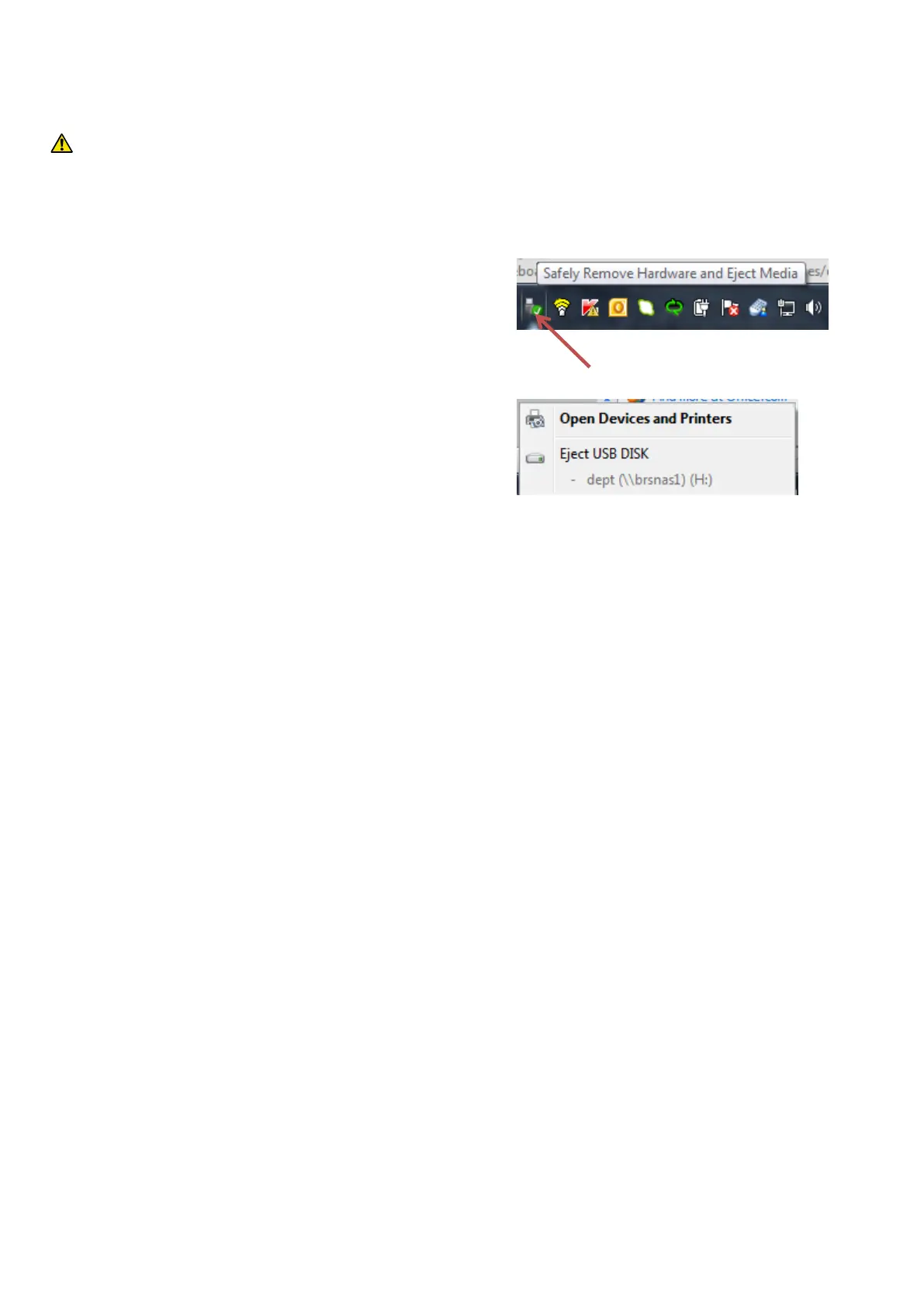
To disconnect the controller from the computer you must use
the Windows USB hub manager, see Figure 7.6 before
removing the cable. To do so:
1. Locate the USB device icon on the Windows Task Bar
(usually bottom right-hand corner of the screen).
Right click your mouse on this icon and a tool tip
‘Safely Remove Hardware’ window will appear.
2. Left-click the controller icon with your mouse,
3. Click Eject to disconnect safely
4. You can now disconnect the USB cable from the
computer and command module.
Other versions of Windows may operate differently.
5. You can now disconnect the USB cable from the computer and command module.
Other versions of Windows may operate differently.
.
Figure 7.6 Example of a Windows 7 USB eject window



 To Next Page