Stonex R20 – User Manual 16
Charging
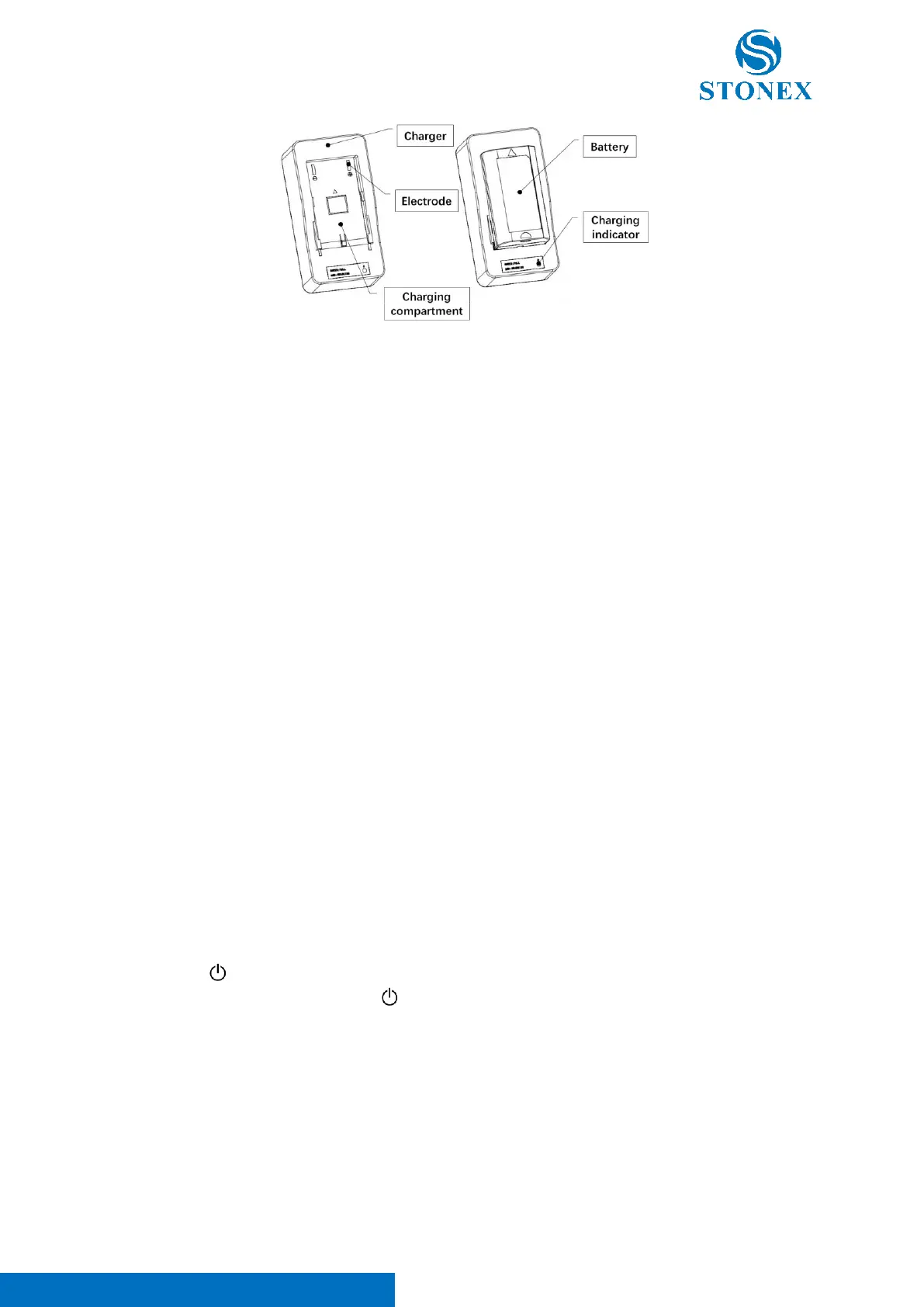
1. Remove the charger and cable from the transport case, insert the C8 plug into the charger's
corresponding socket for proper connection.
2. Insert the plug of other end properly into a qualified socket with 220V AC, at this time the charging
indicator will show green, waiting for charging.
3. With the battery electrodes facing down, push the arrow forward to align with the charger compartment
until the battery is stable and settled.
4. If the battery is not fully charged, the charger will begin charging the battery and the charger indicator
will now appear red and will turn green again when the battery charge is complete.
5. When charging is complete, pull the battery back to remove it, and then you can install it or use it as a
backup battery.
Batteries must be charged before first use. For new batteries or batteries that have been stored for a long time (e.g.
more than 3 months), a complete charge/discharge operation can effectively improve battery performance.
It is normal for the temperature of the battery and charger to rise during the charging process. If the temperature
is too high, the charger will automatically suspend charging the battery.
Battery operating temperature range: -10℃ to +50℃. Low temperature will shorten the operating time of the battery,
and too high temperature will shorten the life of the battery.
Remove the battery and unplug the charger after each battery charge. Keep the battery and charger in a safe place.
If you find that the battery level display is significantly inaccurate, it is recommended that you perform a complete
charge/discharge operation.
4.2. Power on / off
Press and hold [ ] for more than 1 second in the power off state, the instrument will start and automatically enter
the measurement interface. Press and hold [ ] for more than 2 seconds in the power-on state, the instrument will
prompt to turn off the power and save the current settings, press [ENT] to confirm and turn off the power.
Ensure that the battery is charged and properly installed as required.



 To Next Page