Stonex R20 – User Manual 31
6. Survey
Applications are programs that perform various specific surveying, stake out, and calculation functions.
The applications are divided into two categories, which are in 〈2.Survey〉 and 〈3.Apps〉 in {Main Menu}.The
most commonly used {Surveying} and {Stake Out} are in the 〈2.Survey〉 {Surveying & Stake Out}, while the
rest are in 〈3.Apps〉 {Applications}.
Before performing an application task, some necessary preparations are generally required (e.g., set station, job,
orientation). After accessing an application (Suveying, Stake Out, Offset, Reference Line, etc.), the corresponding
pre-setting programs are accessed, which allows the operator to select and follow the step-by-step instructions to
set them up.
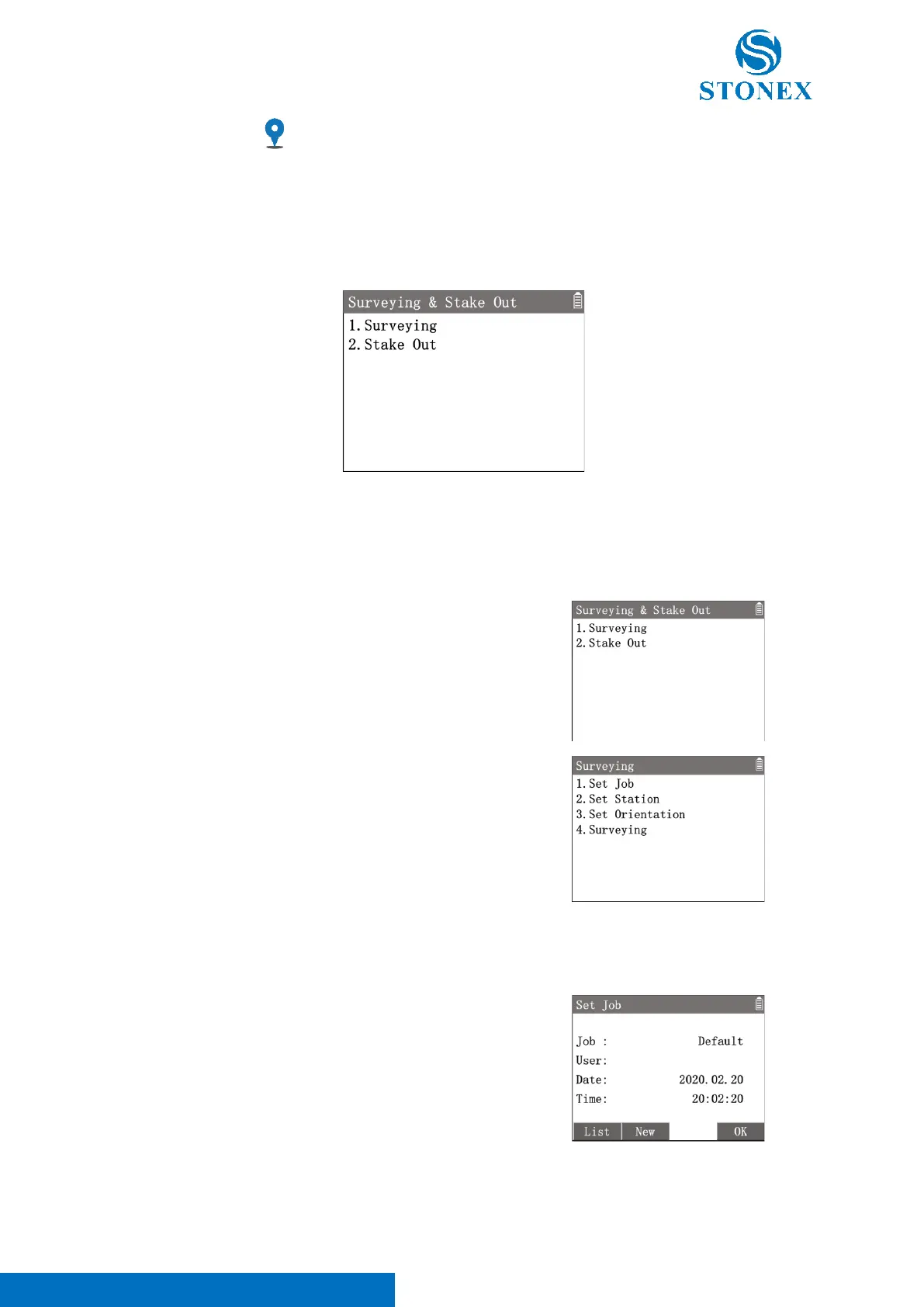
For example, in the measurement interface, press [M] to enter {Main
Menu}, use the navigation keys to select 〈2.Survey〉and press [ENT],
or simply press the numeric key [2] to enter {Surveying & Stake Out}.
Then select 〈1.Surveying〉and press [ENT] to enter {Surveying}.
Set Job:
All data is saved in jobs, which contain different types of data (e.g. measurements, codes, fixed points, stations,
etc.). The job can be created, read, edited, or deleted.
In {Surveying} Press [1] 〈1.Set Job〉to enter {Set Job}. The workspace
displays current job’s information.
[F1]【List】: Enter {Job Manager}, list all the existing jobs, which can be
selected, deleted or checked.
[F2]【New】: Create a new job by inputting the names of 〈Job〉and
〈User〉(User name can be left out).
[F4]【OK】: Set the job as current job.
If the application is started without setting a job, the default job will be the previous job. If there is no any job been



 To Next Page