Stonex R20 – User Manual 59
9. Instrument Settings
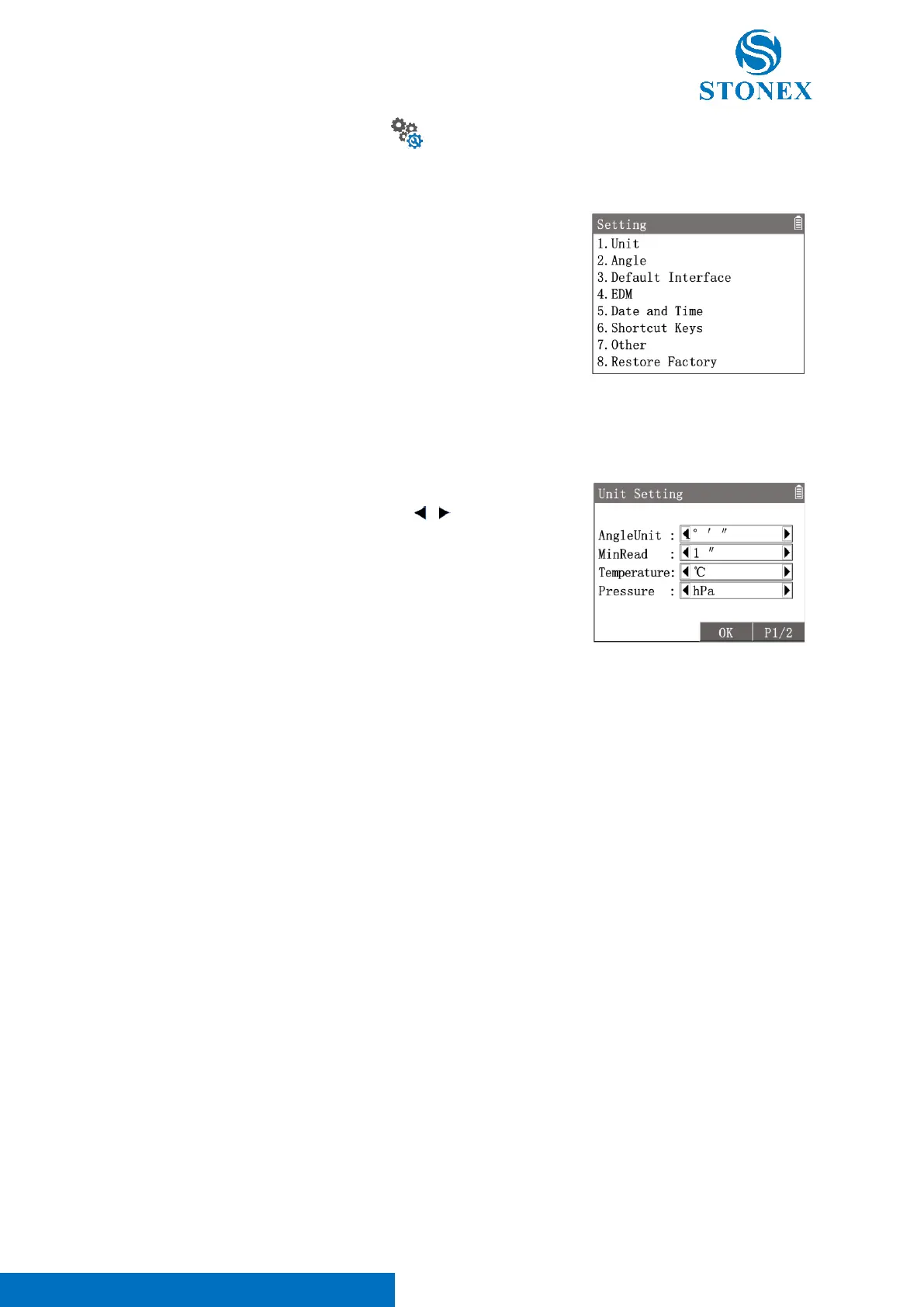
All customisable parameters and options for the instrument and system can be configured in the instrument settings.
1. In the measurement interface, press [M] to enter {Main Menu}.
2. Use the navigation keys to select 〈4.Setting〉and press [ENT], or
simply press the numeric key [4] to enter {Setting}.
1. In {Setting}press [1]〈1.Unit〉to enter {Unit Setting}.
2. Use [▲] [▼] to highlight a item then use [ ] [ ] to toggle the
options available.
3. Press [F3]【OK】to confirm the settings.
〈AngleUnit〉: Set the unit of angle.
• ° ′ ″ : 0°00′00″- 360°00′00″
• gon : 0gon – 400gon
• mil : 0mil - 6400mil
• ° : 0°- 360°
〈MinRead〉: Set the mnimum reading of angle.
• 〈AngleUnit〉° ′ ″ :1″/5″/10″
• 〈AngleUnit〉gon :0.1mgon/0.5mgon/1mgon
• 〈AngleUnit〉mil : 0.01/0.05/0.1
• 〈AngleUnit〉° : 0.0001/0.0005/0.001
〈Temperature〉:Set the unit of air temperature: ℃/℉.
〈Pressure〉: Set the unit of atmospheric pressure: hPa/mbar/mmHg/inHg
〈DistUnit〉: Set the unit of distance and coordinates: m/US-ft (ft)/INT-ft(fi)/ft-in1/16
〈Decimals〉:Set the number of decimal places of distance and coordinates:3/4



 To Next Page