Stonex R20 – User Manual 48
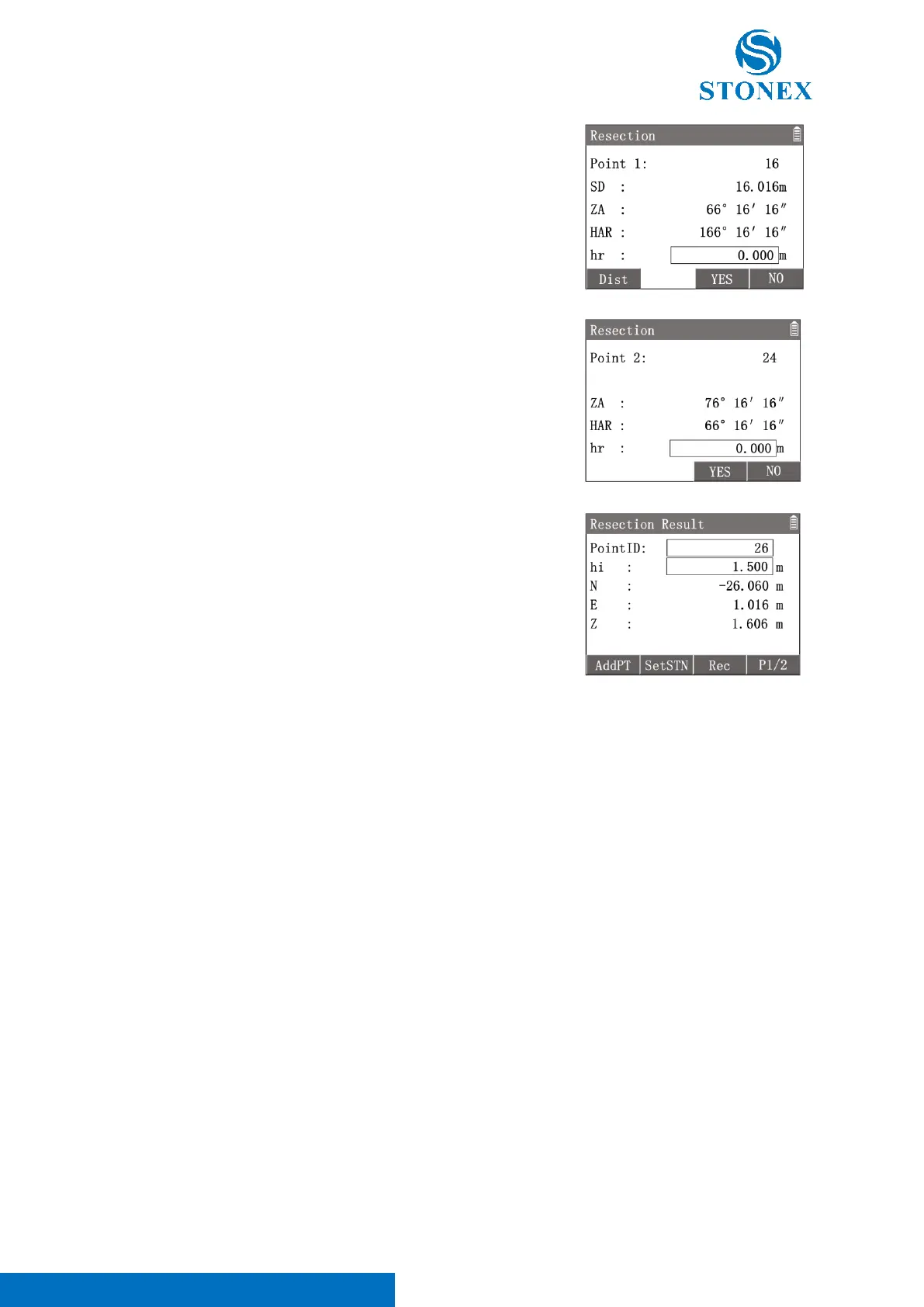
Distance Method : Press [F1]【Dist】to enter distance method interface.
Aim at the known point 1 and press [F1] 【 Dist 】 to trigger the
measurement.
[F1]【Dist】: Remeasure the point.
Angle Method : Press [F2]【MeasA】to enter angle method interface.
Aim at the known point then press [F3]【YES】to measure and record the
angle data.
[F3]【YES】: Record the data and enter the next point measurement.
[F4]【NO】: Back to last step.
Repeat the steps to measure all the known points.
While the known points measured are enough to calculate the result,
[F2]【CAL】will be available. Press [F2]【CAL】 to enter in {Resection
Result}.
Workspace displays the calculated coordinates of station.
Press [F4]【P1/2】to 2
nd
page of interface, Workspace display the residuals
of each direction.
〈PointID〉: Station point name.
〈hi〉:Instument height.
〈N〉:Station coordinates N.
〈E〉:Station coordinates E.
〈Z〉:Station coordinates Z.
〈dN〉: The residual of N.
〈dE〉: The residual of E.
〈dZ〉: The residual of Z.
[F1]【AddPT】: Add known point and perform resection again.
[F2]【SetSTN】: Set the calculated result as the current station coordinates.
[F3]【Rec】: Record the calculated result.
[F4]【P1/2】: Turn to the 2
nd
page of interface.
7.6. Reference Line
This application can easily stake out or checking of lines for buildings, sections of road, simple excavations, etc. After
defining a reference line by two points, the user can use the programs to stake out or measure based on the
reference line.



 To Next Page