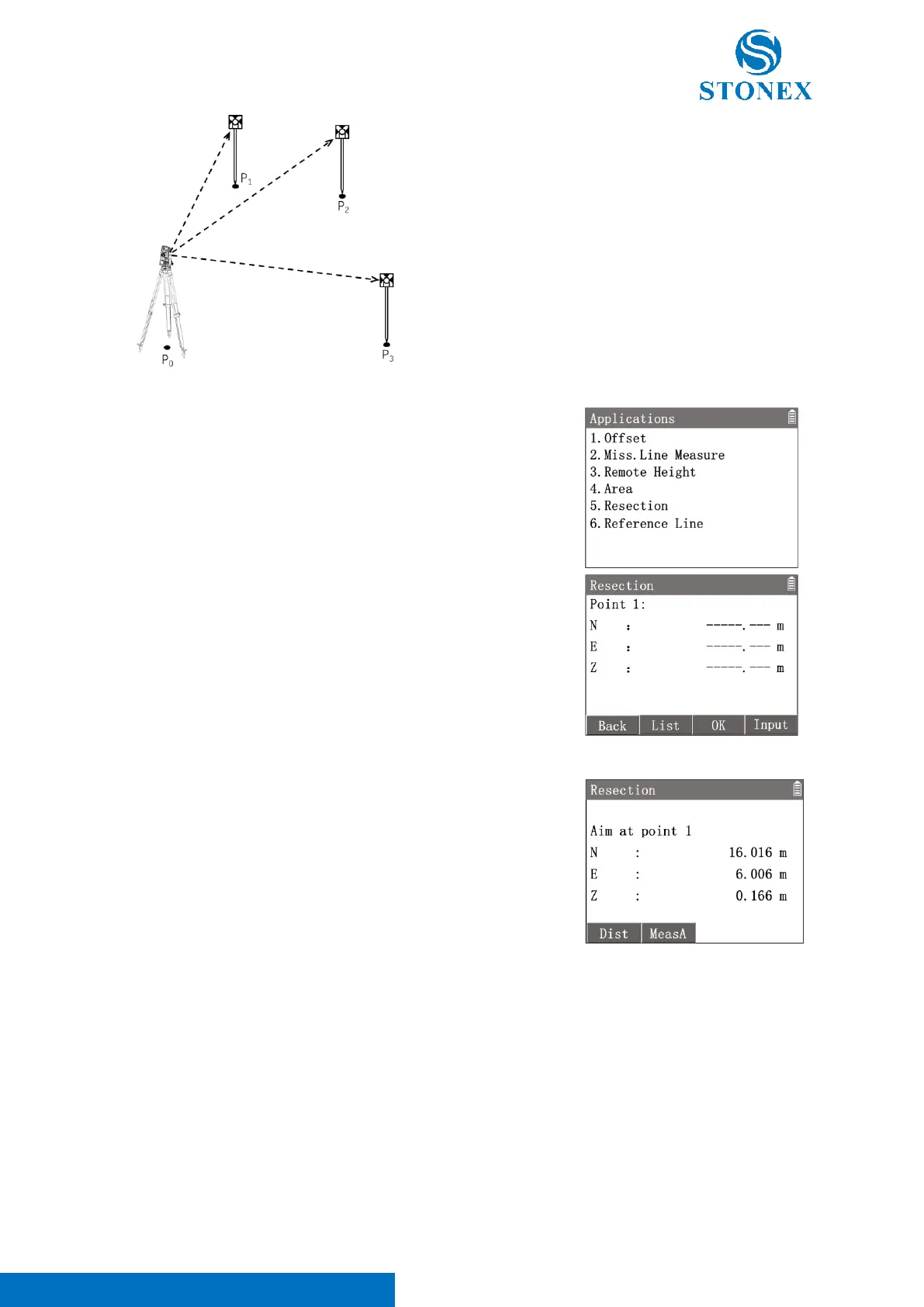
1. In the measurement interface, press [M] to enter {Main Menu}.
2. Use the navigation keys to select 〈3.Apps〉and press [ENT], or
simply press the numeric key [3] to enter {Applications}.
3. Press [5] 〈5.Resection〉to enter {Resection}. Workspace guide
to get the point 1 coordinates. Two methods can be used.
[F2]【List】: Enter {Known Point List} to select a known point as
the target point.
[F4]【Input】: Enter {New Point} to create a known point by
manual input.
4. After getting point 1 coordinates, press [F3]【OK】 to the point 2
interface.
5. Enter point 2, point 3, etc. up to 5.
After getting point 2, [F1]【Meas】will be available.
6. Press [F1]【Meas】then Press [ENT] to confirm points and enter
resection measurement interface.
Resection measurement can be implemented by two methods.
[F1]【Dist】: Enter distance method.
[F2]【MeasA】: Enter angle method.
Distance method will measure the distance and the angle of known point.
Angle method will measure the angle only.
The distance method requires at least two known points to calculate the result. Angle method requires at least
three known points for calculation.



 To Next Page