Stonex R20 – User Manual 44
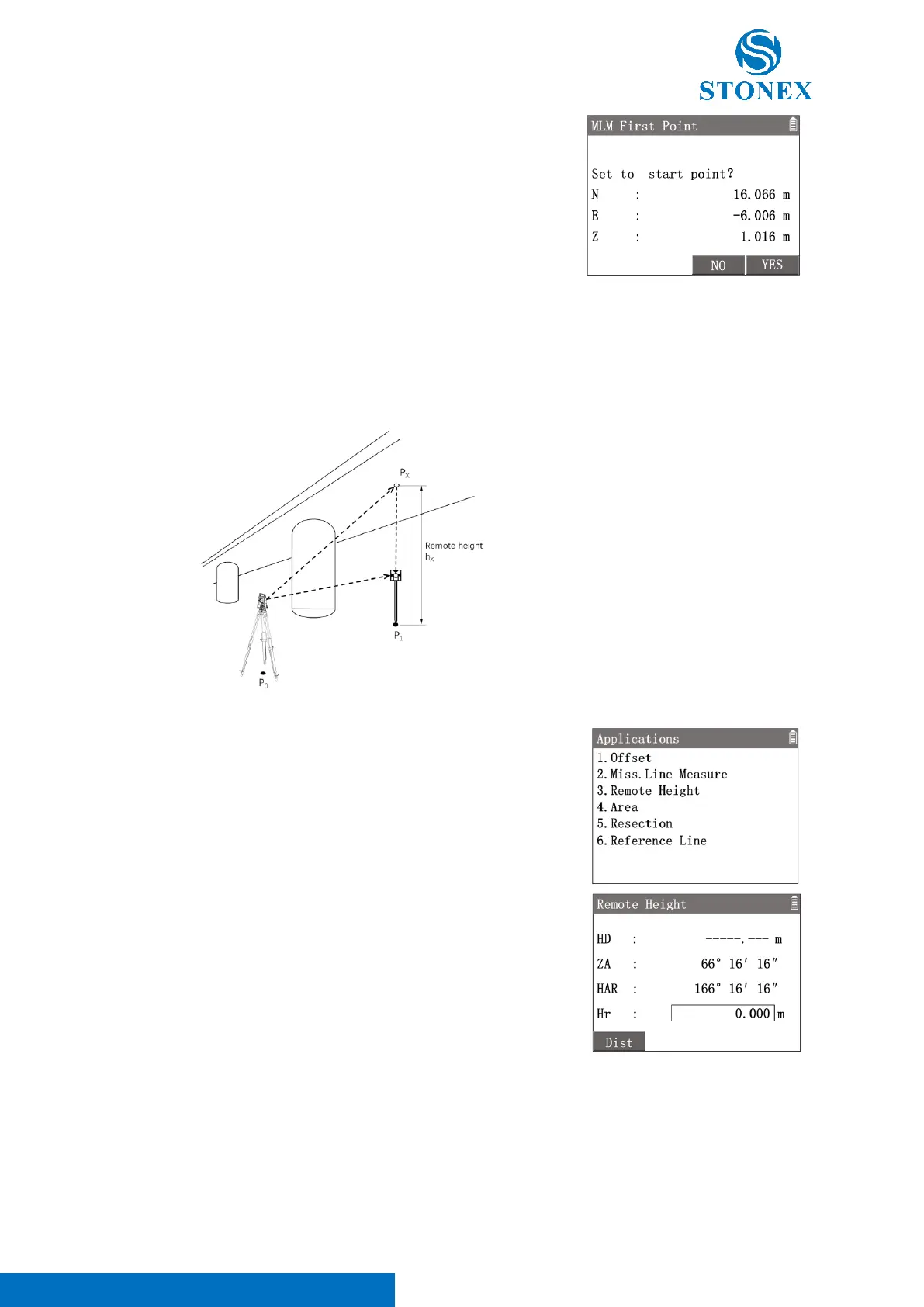
When press [F2]【Move】to transform the start point. Workspace displays
the coordinates of the last measured point.
[F3]【NO】: Back to the last MLM result and remain the old start point.
[F4]【YES】: Set the last second point as new start point and begin new
MLM.
7.3. Remote Height
This application is used to measure a target point where a prism cannot be set up easily, but there is a measurable
point directly below (or above) this point.
P
0
: Station
P
X
: Target point
P
1
: Measurement point (directly
below the target point)
h
X
: Remote height
1. In the measurement interface, press [M] to enter {Main Menu}.
2. Use the navigation keys to select 〈3.Apps〉and press [ENT], or
simply press the numeric key [3] to enter {Applications}.
3. Press [3] 〈3.Remote Height〉to enter {Remote Height}.
4. Set up the prism on the measurement point (which is directly below
or above the target point). Input the 〈hr〉.
5. Aim at the prism and press [F1]【Dist】to trigger the distance
measurement.



 To Next Page