Stonex R20 – User Manual 57
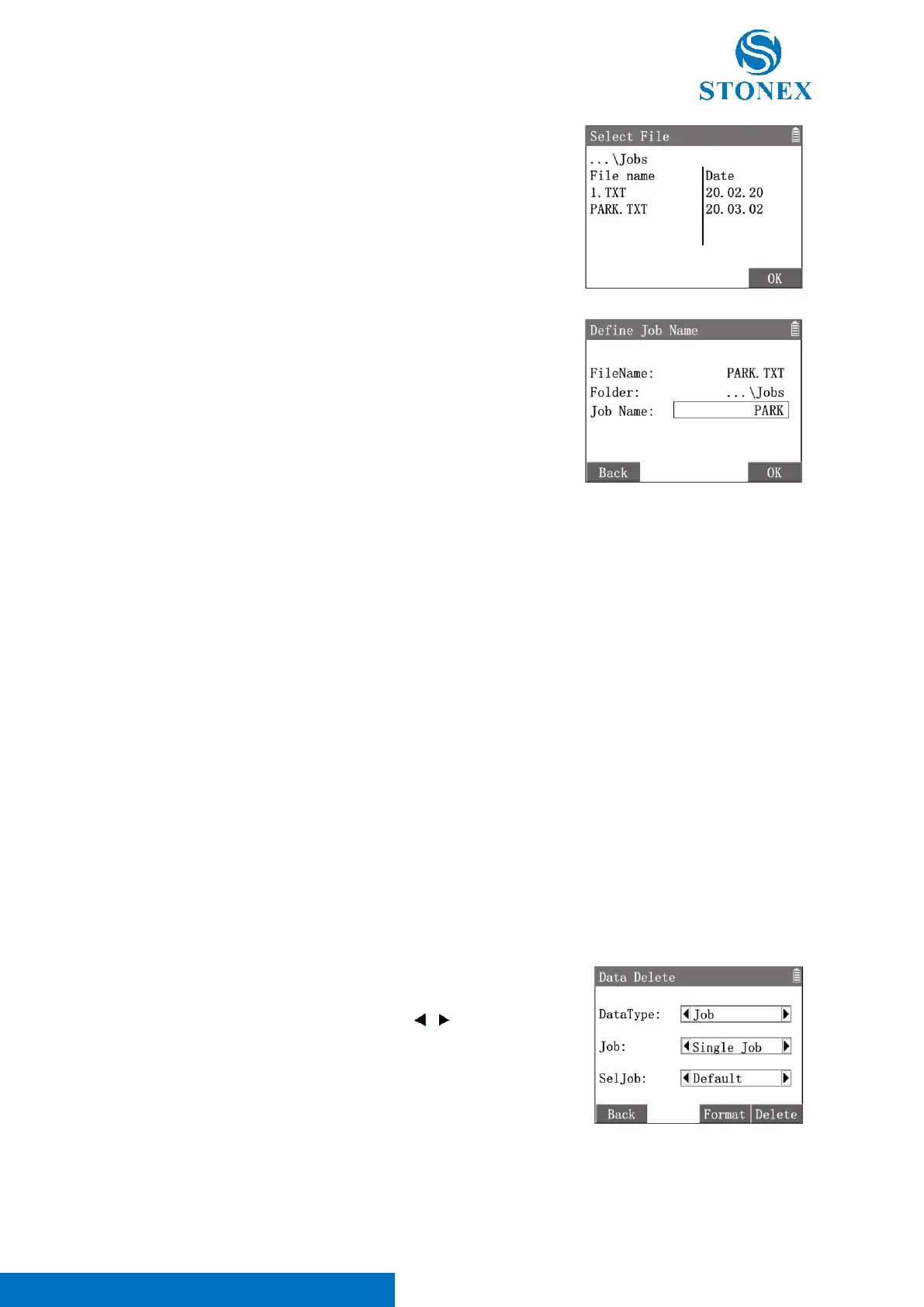
8.6. Data Delete
Delete jobs, or delete part of data in a job.
1. In {File Manager}press [6]〈6.Data Delete〉to enter {Data
Delete}.
2. Use [▲] [▼] to highlight a item then use [ ] [ ] to toggle the
options available.
〈DataType〉: The datatype to be deleted, can be Job, Measurement or
Fixed Point.
〈Job〉: Select Single Job or All Jobs to operate.
〈SelJob〉: If above Single Job was actived, a job name can be selected.
[F4]【Delete】: Erase the data selected by above options.
The instrument automatically searches the data files in the Jobs folder in the root directory of the USB stick. The
import file must have the extension "TXT".
As a media of measurement data, the USB stick is an important equipment. Some important notes need to be
followed when using it to avoid losing important measurement data or causing damage to the instrument or the
USB stick itself:
• We recommend the use of industry standard USB sticks and cannot be held responsible for data loss
or any other errors caused by users using non-standard USB sticks.
• Avoid removing the USB stick during import and export transfer.
• Too much data on the USB stick may cause operation to lag.
• Both the USB port and the USB stick need to be kept dry and clean. Any contact with liquids needs to
be completely dry and clean before operation.
• Avoid dropping the USB stick or giving it a violent shock.
• Store and use the USB stick within the specified temperature range.
About the temperature range refer to Technical Data.



 To Next Page