Stonex R20 – User Manual 20
4.5. Touch Trigger Key
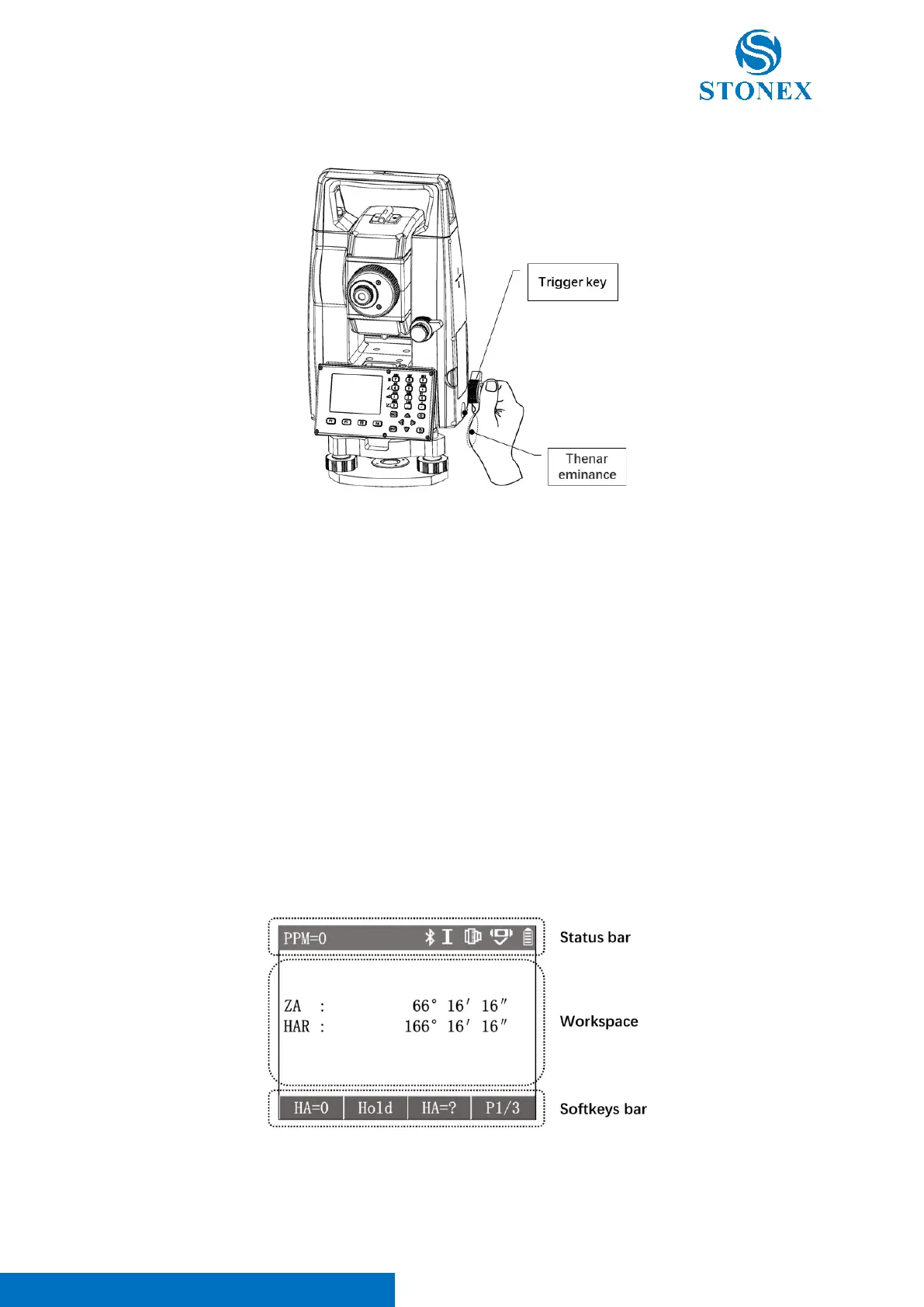
The trigger key is a special area on the side cover of the instrument near the horizontal drive. The trigger key is
touch driven. It is designed to trigger the measurement function by lightly touching the area with the thenar
eminance or any finger.
In the actual operation, the right hand is often held at the horizontal drive when aimming, so that when a
measurement is required it can be triggered by simply touching the trigger area. Due to the fixed position and near
to the the hand during operation, there is no need to move the hand away from the horizontal drivel or to take the
eye off the eyepiece to determine the position of a function key on keypad. Neither the eye nor the hand needs to
leave the working position, which is a significant efficiency gain for continuous and extensive measurement work.
The trigger key’s function can be set as the function of softkey【Dist】or 【All】or inactive.
Refer to Other Settings.
4.6. Display & Main Menu
When the instrument is switched on, the display will show different interfaces in different working procedures.
Generally the interface is divided into three areas from top to bottom, including status bar, workspace and softkey
bar.
Status bar: Displays the current measurement status information icons under the measurement interface. Other
interfaces indicate the name of the current interface or procedure, as well as necessary information icons.



 To Next Page