Stonex R20 – User Manual 45
6. Rotate the telescope vertically and aim at the target point, then
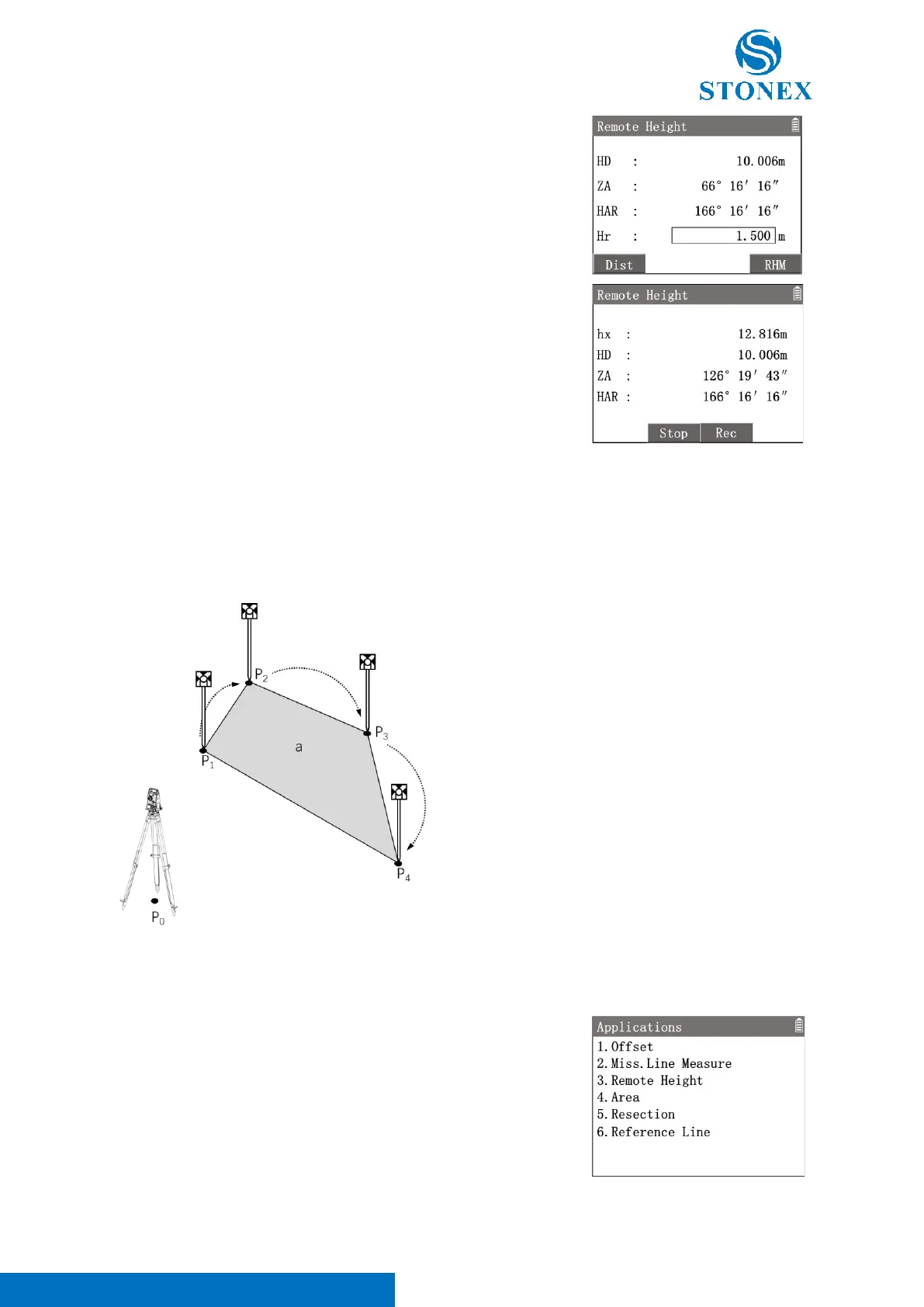
Press [F4]【RHM】. Workspace displays the height and
coordinates of the target point.
〈hx〉: The height of target point. The value is updated in real time by
rotating the telescope vertically.
〈HD〉: HD of the target point.
〈ZA〉: ZA of the target point.
〈HAR〉: HA of the target point.
[F2]【Stop】: Back to previous interface.
[F3]【Rec】: Record the target point coordinates.
7.4. Area
This application is used to calculate an area enclosed by max. 50 vertices and straight edges. The vertice coordinates
can be measured, selected from memory or input manually.
P
0
: Station
P
1
: Start point 1#
P
2
: Target point 2#
P
3
: Target point 3#
P
4
: Target point 4#
a: Area closed by P
1
-P
4
All the target points must be distributed continuously in clockwise or anti-clockwise order, otherwise the area
calculation will not give the correct result.
1. In the measurement interface, press [M] to enter {Main Menu}.
2. Use the navigation keys to select 〈3.Apps〉and press [ENT], or
simply press the numeric key [3] to enter {Applications}.
3. Press [4] 〈4.Area〉to enter {Area Calculate}. Workspace displays
the list of target points.
[F1]【Dist】: Enter in the point measurement interface to measure a target
point.



 To Next Page