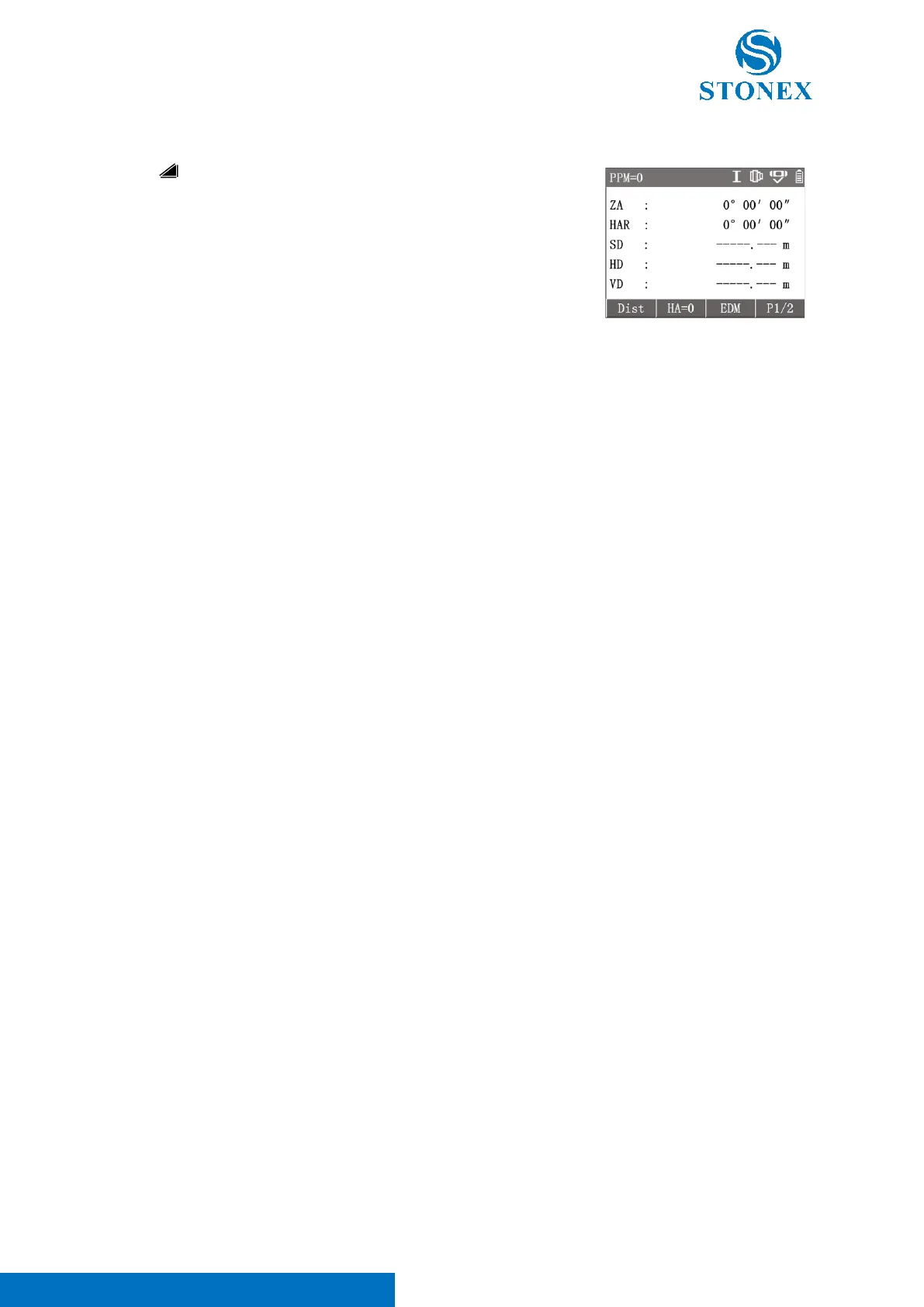
Press [ ] in the measurement interface to enter the distance measurement
mode.
Workspace contain 〈ZA〉,〈HAR〉,〈SD〉,〈HD〉,〈VD〉.
Aim at the target, press [F1]【Dist】 to trigger the distance measurement
and get result.
[F3]【EDM】: enter {EDM setting}.
2
nd
page of softkeys [F3]【m/ft】: Convert distance units between meters
and inches.
EDM is the abbreviation for Electronic Distance Meter. The total station has a built-in laser EDM, which uses the red
visible laser emitted by the telescope coaxially to reach the target and then return to measure the distance.
There can be three types of EDM targets:
• Prism: The targets are various specialized reflector prisms which may have different prism constant.
• Tape: The targets are specialized reflector tapes which can adhere to the target suface.
• NonPrism: Reflectorless. The targets are on the surface of objects.
Caution:
• When performing distance measurements, if there are any obstacles (such as passing pedestrians, cars, or
dust, smoke, leaves etc. that affect the passage of laser) on the optical path where the distance is
measured, the EDM function may not work, or the measured result may be the distance to the nearest
obstacle.
• Avoid objects such as glass, water, traffic signs, etc. near the measurement target or light path, that may
alter the light path.
• Do not use 2 instruments to measure a single target at the same time.
• Avoid measuring any strongly reflective targets that are not reflector prisms, such as traffic lights, traffic
signs, etc., in prism mode.
• When using a reflector tape for distance measurement, the laser beam is required to be as perpendicular
to the tape as possible to ensure measurement accuracy.
• Precise measurement operations must be carried out in the prism mode and the correct prism constant
must be set according to the prism type.



 To Next Page