Stonex R20 – User Manual 28
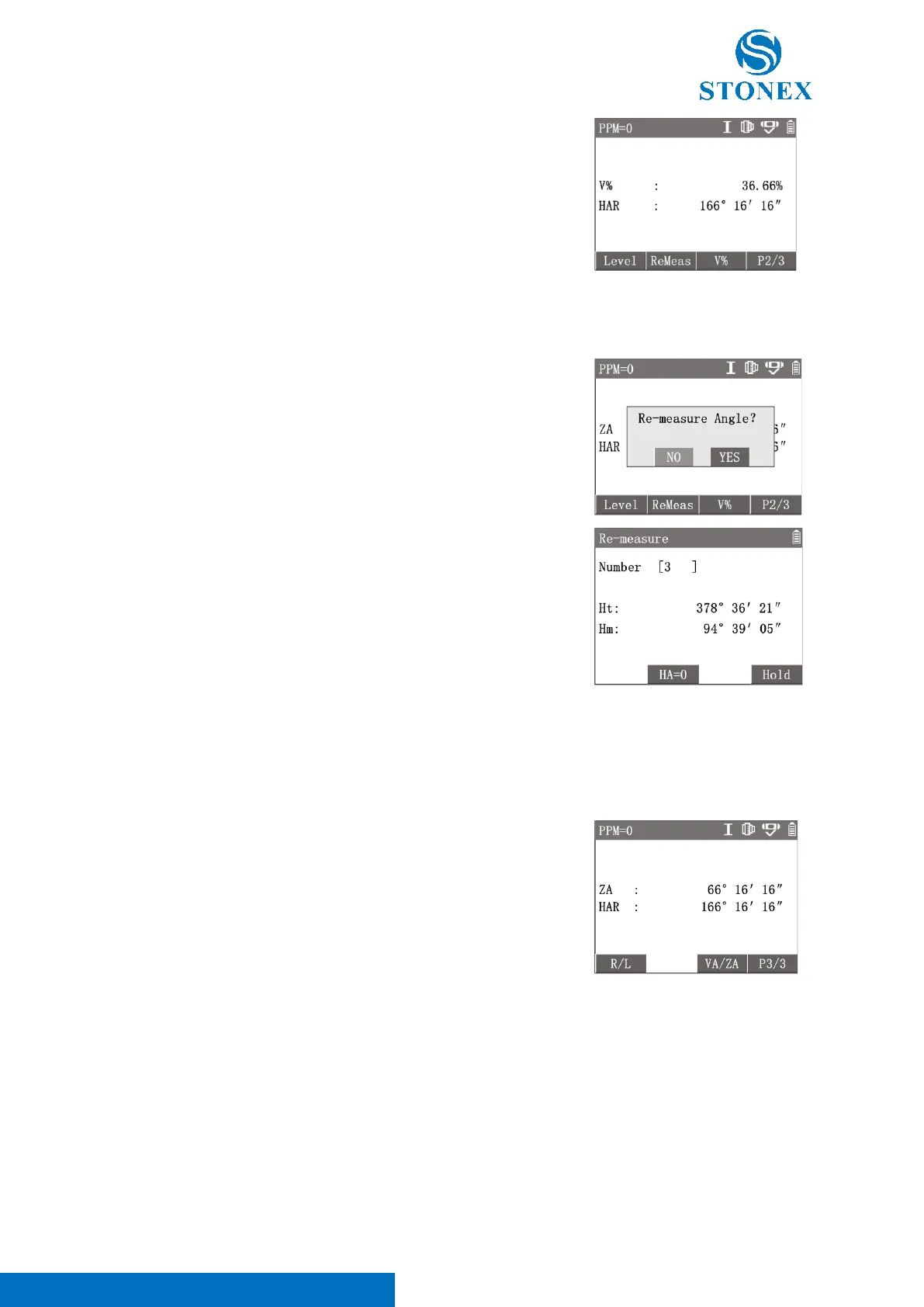
1. Press [F4] to 2
nd
page of softkeys.
2. Press [F3]【V%】 to switch the modes between vertical angle and
slope.
Each time the [F3] key is pressed, the display mode switches alternately, and [V%] value is no longer displayed
when the slope is greater than 300%.
1. Press [F4] to 2
nd
page of softkeys, press [F2]【ReMeas】.
2. Pre [ENT]【YES】enter {Re-measure}.
3. Aim at target A, Press[F2]【HA=0】, Press [ENT]【YES】.
4. Aim at target B, press [F4]【Hold】, complete the first observation.
5. Aim at target A again, press [F3]【Leave】.
6. Aim at target B again, press [F4]【Hold】, complete the second
observation.
7. Repeat steps ⑤ and ⑥ for the required number of
measurements.
8. Press [ESC] to exit {Re-measure} to the angle measurement.
〈Ht〉: The cumulative value of HA.
〈Hm〉: The Average of multiple measurements.
Ht〉 can be angle values over 360 degrees. The maximum value of 〈Ht〉 is 3600°00′00″.
If the absolute value of the difference between this round angle value and the current 〈Hm〉 value is greater
than 10″, “Aiming error. Ignore. Release again!” will pop up. Then you need to press [F3]【Leave】and aim the
target more precisely again.
1. Press [F4] twice to 3
rd
page of softkeys.
2. Press [F3]【VA/ZA】 to switch the 〈ZA〉 to 〈VA〉. The
horizontal direction is zero.
3. Press [F3]【VA/ZA】again, switch the 〈VA〉 back to 〈ZA〉. The
zenith direction is zero.
〈ZA〉is the vertical angle that defines the zenith as zero. 〈VA〉is the vertical angle that defines the horizontal
as zero. Each time the [F3] key is pressed, the mode switches alternately. This softkey is not available when the
vertical angle is switched to slope.



 To Next Page