Stonex R20 – User Manual 64
〈Auto-OFF〉: The instrument will automatically switch off after 15 minutes without any operation.
• OFF : Inactive.
• 10/20/30 Min. : The instrument will automatically switch off after 10/20/30 minutes without any
operation.
〈Backlight〉: LCD display brightness setting: 0% to 100% in 10 steps.
〈Beep〉:Set the beep sound ON or OFF.
〈Sector Beep〉:Set the sector beep sound ON or OFF. On : When the HA value is within ±5° of the quadrant
angles 0°, 90°, 180°, 270°, etc., the buzzer emits a short continuous beep sound.
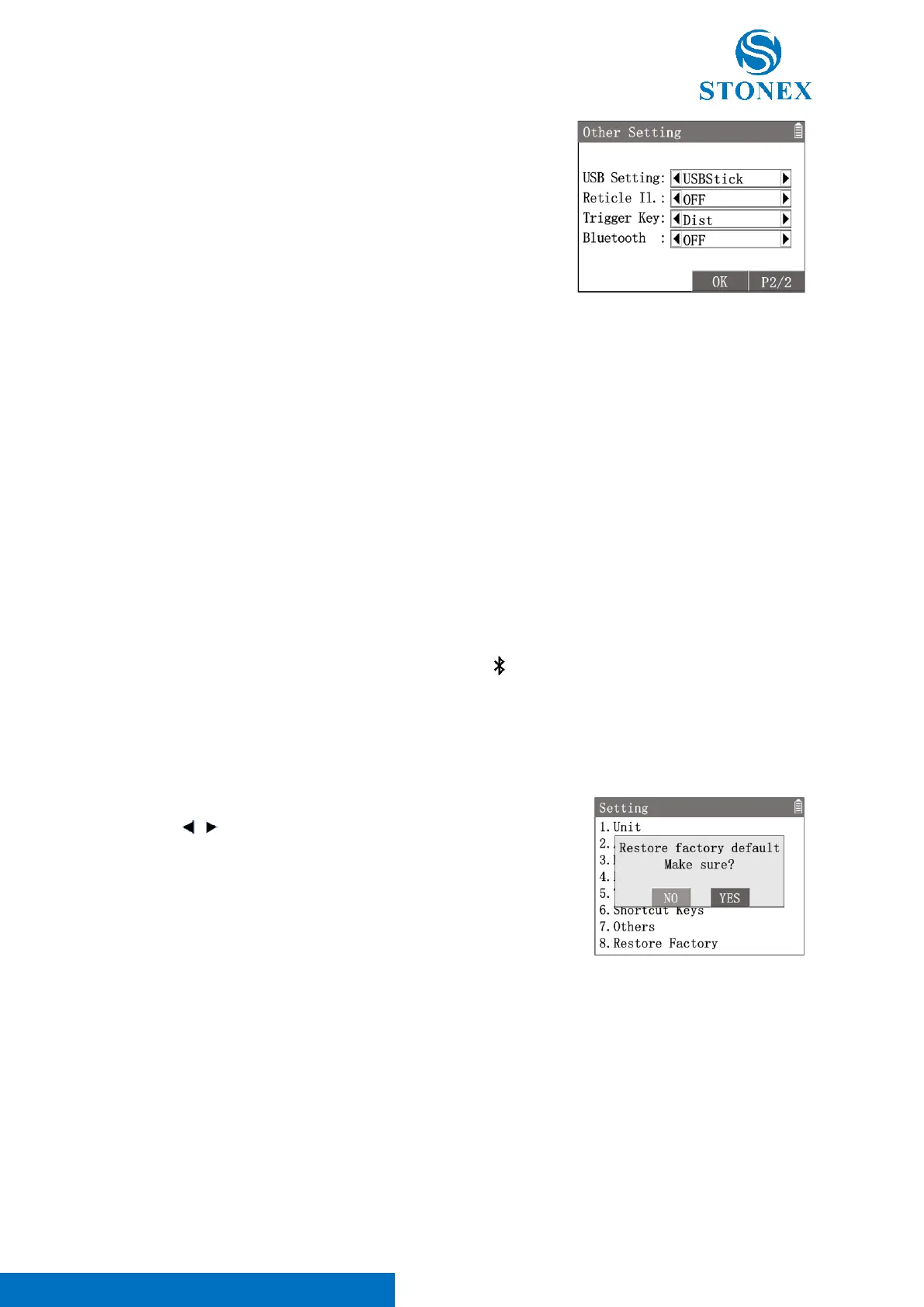
〈USB Setting〉: The default function of USB port is support USB stick.
〈Reticle Il.〉: Switch the illumination for the reticle OFF or set a brightness level G1-4.
〈Trigger Key〉: Set the function of trigger key.
• Dist : Touch the trigger key will trigger the function of softkey【Dist】.
• Dist&Rec : Touch the trigger key will trigger the function of softkey【All】(【Dist】then【Rec】).
• OFF : Inactive.
〈Bluetooth〉: Set the blurtooth function ON or OFF. On : will display on the status bar.
1. In {Setting}press [8]〈8.Restory Factory〉.
2. use [ ] [ ] to select YES or NO then press [ENT].
If choose YES, all the settings will be reset to default values or
options.
Restoring the factory settings does not delete any measurement data.
To delete the data, refer to Data Delete.



 To Next Page