Stonex R20 – User Manual 18
2. Adjust the tripod legs and the tribrach footscrews to centre the plummet laser spot over the station
point.
3. Adjust the tripod legs to level the circular level of tribrach.
4. Turn the tribrach footscrews to precisely level the instrument by using the electronic level or tubular
level.
5. Slightly loosen the central knob, observe the relative position of the laser spot and the station point,
slowly push the tribrach to slide on the tripod plate until the laser spot is precisely aligned with the
station point, and then tighten the central knob.
6. Repeat steps 4 and 5 until the required accuracy of leveling and centering is achieved.
If you can't level the instrument by the tubular level, please calibrate the tubular level.
Avoid looking directly at the laser or its strong reflective light.
Under different lighting and ground conditions, the plummet laser spot on the ground may be too bright or too
dark to affect centring judgments. In this case, you need to adjust the brightness of the laser. In {Level & Plummet},
use the [ ] / [ ] to directly adjust the laser brightness level, each key press will be adjusted by 25%.
4.4. Tilt Compensation
When using the instrument for measurement, since the instrument is not precisely leveled up, that is, the SA of the
instrument still has an inclination relative to the direction of the zenith (plumbing), this will bring errors to the
measurement of VA/HA. The SA tilt is not the error of the instrument itself, which cannot be eliminated by double-
faced observation. The automatic tilt compensation function of the instrument can reduce the influence of SA tilt
on the measurement accuracy.
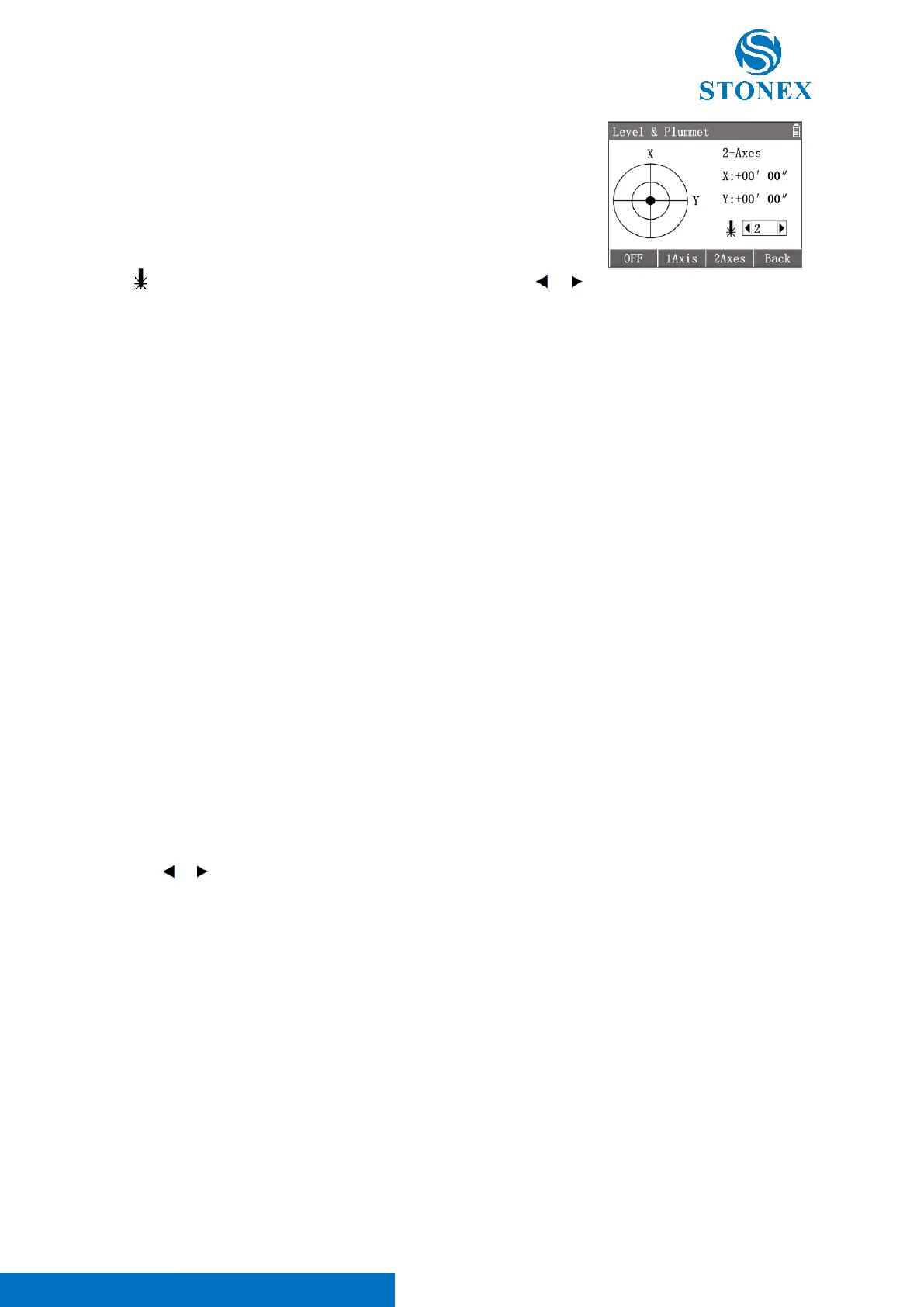
When the function of 〈2-Axes〉in {Level & plummet} is switched on, the instrument can automatically correct
the error caused by the SA tilt, i.e., it can compensate the VA/HA automatically.
〈2-Axes〉: Indicates the current setting status of tilt compensation, 2-Axes/
1-Axis/ off.
〈X〉: Indicates the tilt angle of the SA in the X direction, backward positive
forward negative.
〈Y〉: Indicates the tilt angle of the SA in the Y direction, right positive left
negative.
〈 〉: Indicates the brightness level of the plummet laser. Press [ ] / [ ]
can adjust the levels with 0-4. 0 means off.
[F1]【OFF】: Switch off tilt compensator and exit.
[F2] 【 1Axis 】 :Switch on single axis tilt compensation, automatically
compensate the VA error caused by the SA inclination in X direction.
[F3] 【 2Axes 】 : Switch on dual-axis tilt compensation, automatically
compensate the VA/HA error caused by the SA inclination in both directions.
[F4]【Back】: Close {level & Plummet}.



 To Next Page