Stonex R20 – User Manual 68
11.2. USB Stick
The USB stick can be used to exchange data between the instrument and other devices such as computers, and
for firmware upgrades.
The USB stick is supplied with the instrument with a capacity of 4GB and supports up to 32GB. Please use our
standard USB stick or a qualified USB stick.
The USB stick can be inserted into the USB port of the instrument to export and import data such as measurement
points, fixed points, etc. It is also used to upgrade the firmware of the mainboard, EDM etc. by copying the
firmware file onto the USB stick.
11.3. Data conversion
The total station allows to download data in the following formats: TXT, R20, CASS, R20 (refer to Data Transfer).
R20 format files exported from the instrument on a USB stick can be converted to other data format by using the
Cube-link or Cube-manager software.
The Cube-link setup is available on USB stick provided with the instrument. It can be installed on a PC and used
directly, whitout need of any license activation.
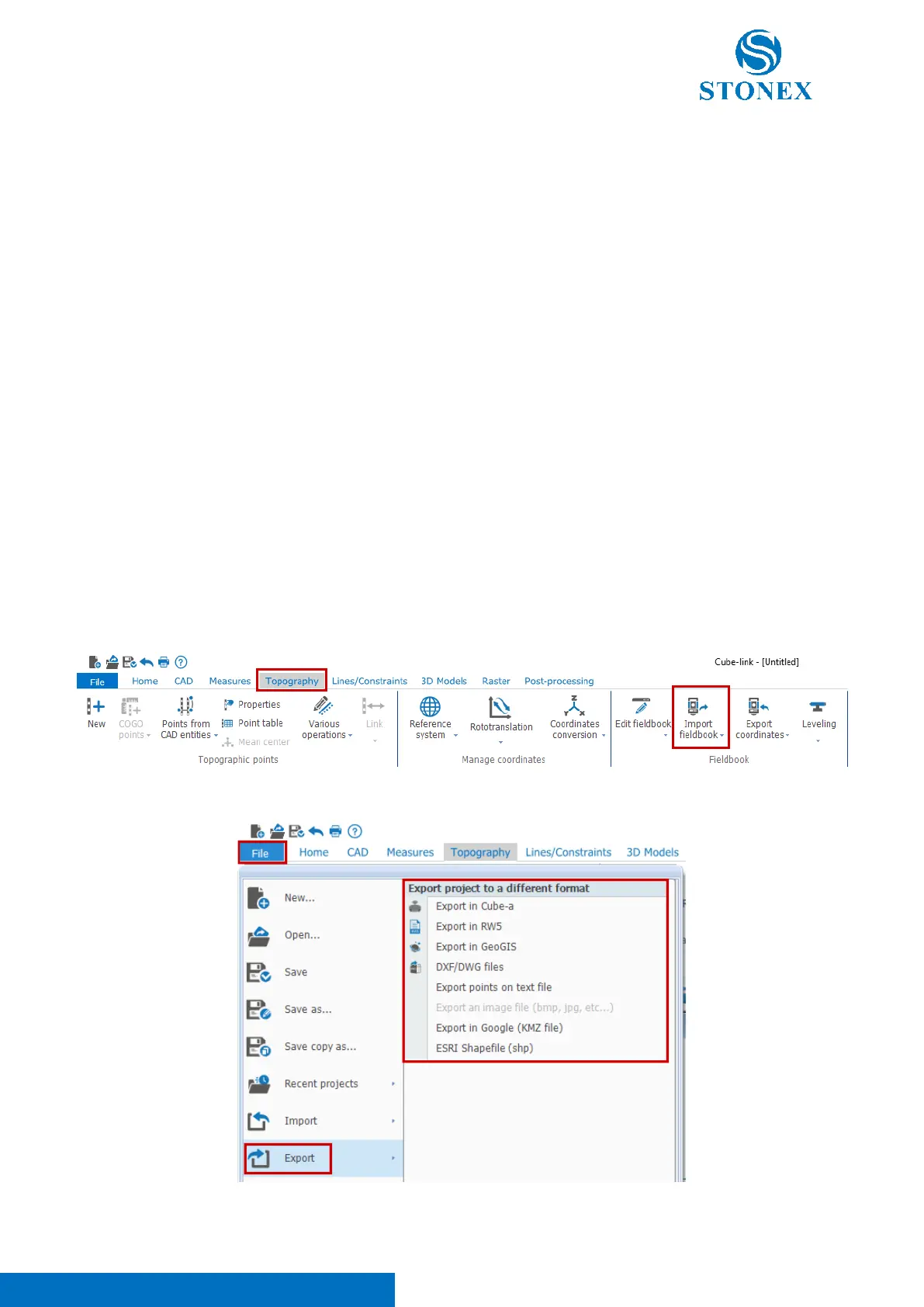
To import *.r20 file, open the Topography tab and click on Import fieldbook. Then select R20 as instrument model
and follow the guided procedure.
To export a file, click on File/Export and choose the desired format:



 To Next Page