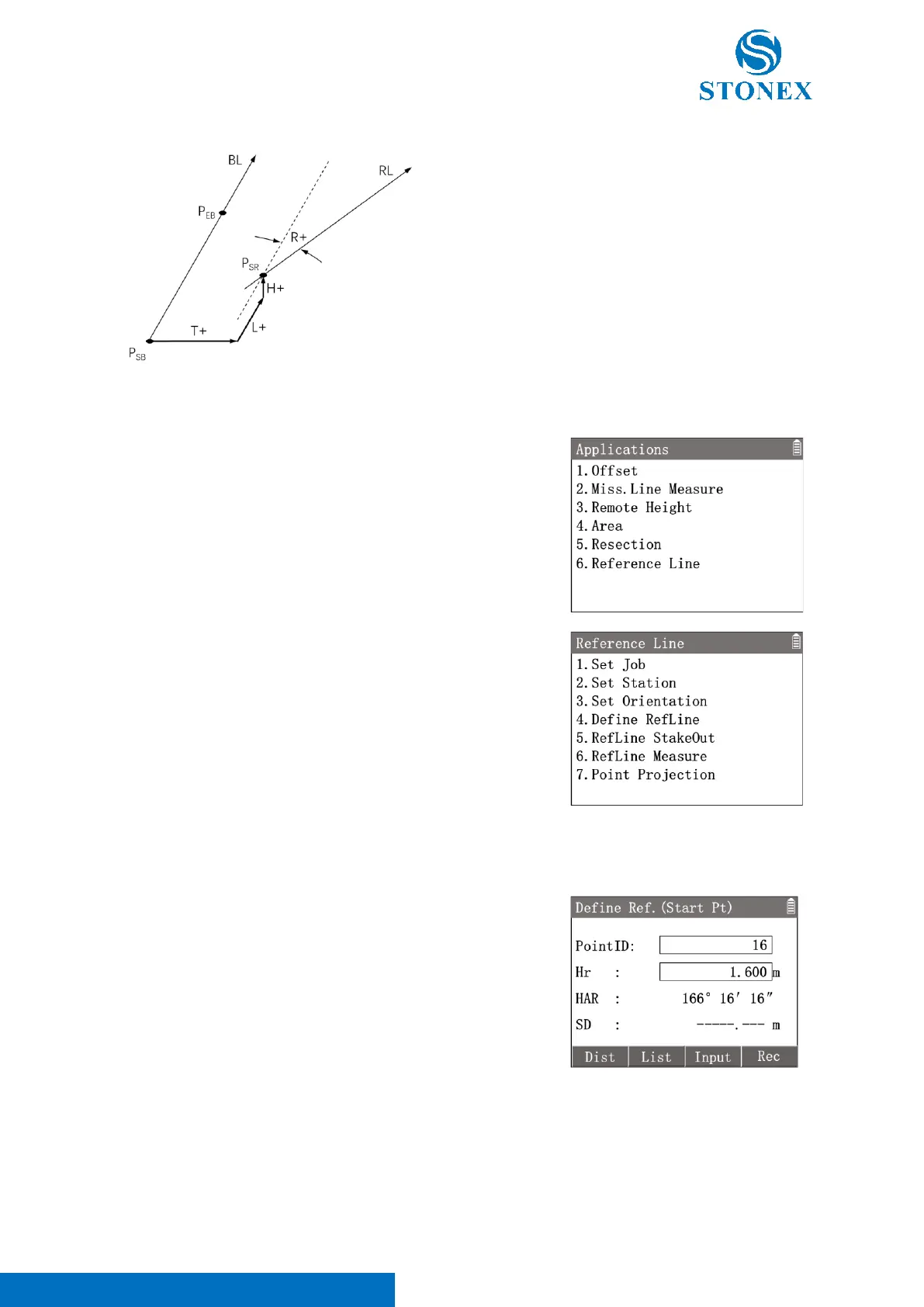
1. In the measurement interface, press [M] to enter {Main Menu}.
2. Use the navigation keys to select 〈3.Apps〉and press [ENT],
or simply press the numeric key [3] to enter {Applications}.
3. Press [6] 〈6.Reference Line〉to enter {Reference Line}.
4. Perform pre-settings.
Define Reference Line:
Reference line is defined by a base line or offsett base line. The base line is defined by two base points. The base
point can be measured, selected from memory or input manually.
1. Press[4]〈4.Define RefLine〉to enter in {Define Ref. (Start
Pt)}.Define the start base point by one of three methods.
[F1]【Dist】: Aim at the start point then press to measure it.
[F2]【List】: Enter {Known Point List} to select a known point as the
start point.
[F3]【Input】: Enter {New Point} to create a start point by manual
input.
After entering the start point, press [F4] 【 Rec 】 to Record the
coordinates. Enter in {Define Ref. (End Pt)}
2. Define the end base point by one of three methods in {Define
Ref. (End Pt)} . Press [F4]【Rec】to Record the coordinates.
Enter in {Define Refline(1)} to check the base line.



 To Next Page