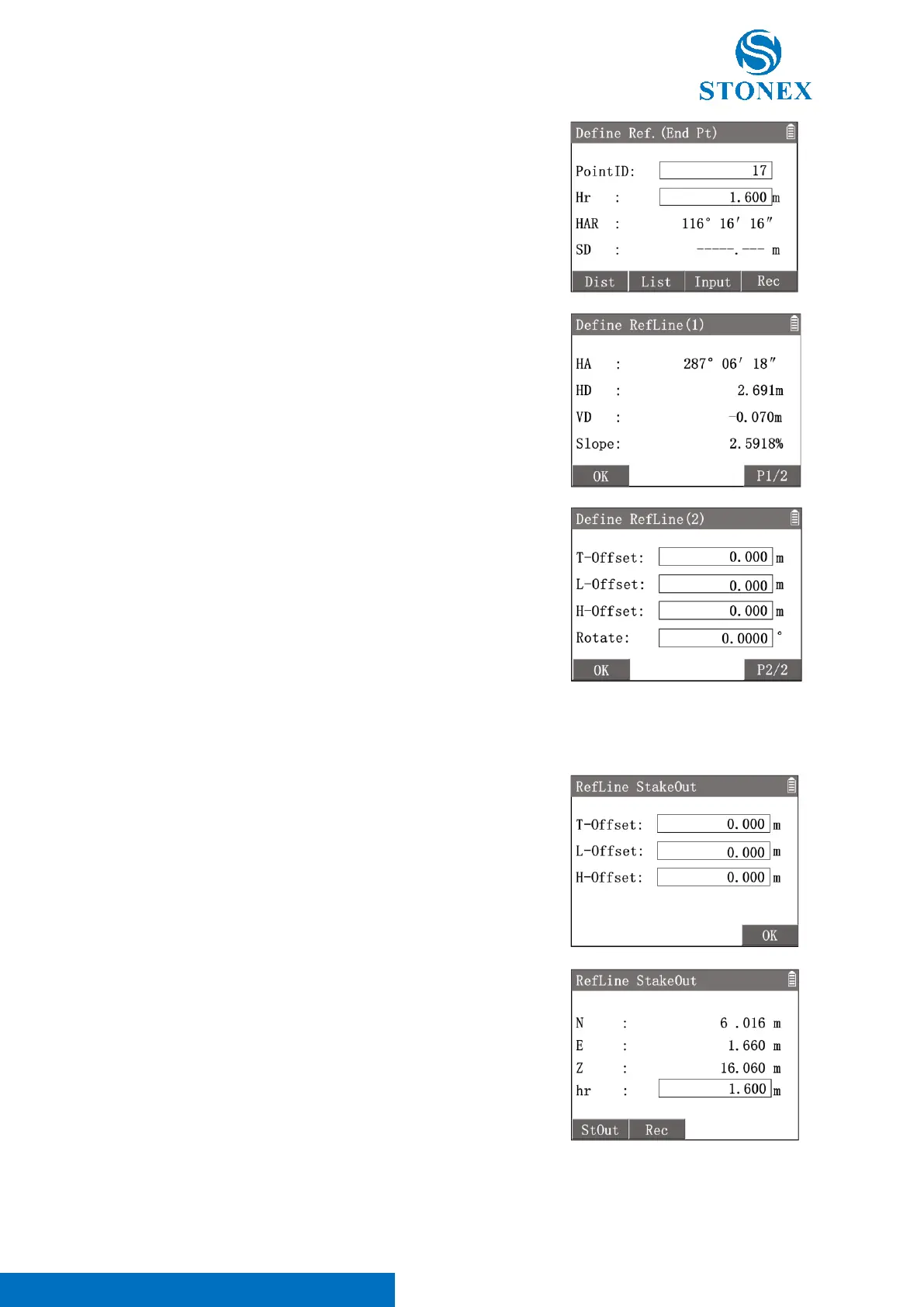
〈HA〉: Horizontal direction of the base line.
〈HD〉: HD between the start and end point.
〈VD〉: VD between the start and end point.
〈Slope〉: Slope of the base line.
3. Press [F4]【P1/2】to enter in {Define Refline(2)}. The
reference line can be offset either longitudinally, transversely or
vertically to the base line, or be rotated around the start base
point as required.
〈T-Offset〉: Transverse (parallel) offset of the base line. Rightward is
positive.
〈L-Offset〉: Longitudinal offset of the start base point. Direction from
the start point towards the end is positive.
〈H-Offset〉: Height (vertical) offset of the start base point. Upward is
positive.
〈Rotate〉: Horizontally rotate angle of the base line based on the start
point.
4. After inputting the offset values, press [F1]【OK】 to confirm
the reference line and back to {Reference Line}.
After defining a reference line.
1. Press[5]〈5.RefLine Stakeout〉to enter in {RefLine Stakeout}.
Input the stakeout point’s offset values of the reference line.
〈T-Offset〉: Transverse offset of the reference line. Right side is
positive.
〈L-Offset〉: Longitudinal offset of the start reference point. Direction
from the start point towards the end is positive.
〈H-Offset〉: Height (vertical) offset of the reference line. Above is
positive.
2. Press [F3]【OK】to calculate and display the coordinates of
stakeout point.
3. Press [F1]【StOut】to enter in {Stake Out} program. Following
the guide to stake out the target point. Refer to Stake Out.
[F3]【Rec】: Record the target point coordinates.



 To Next Page