Stonex R20 – User Manual 51
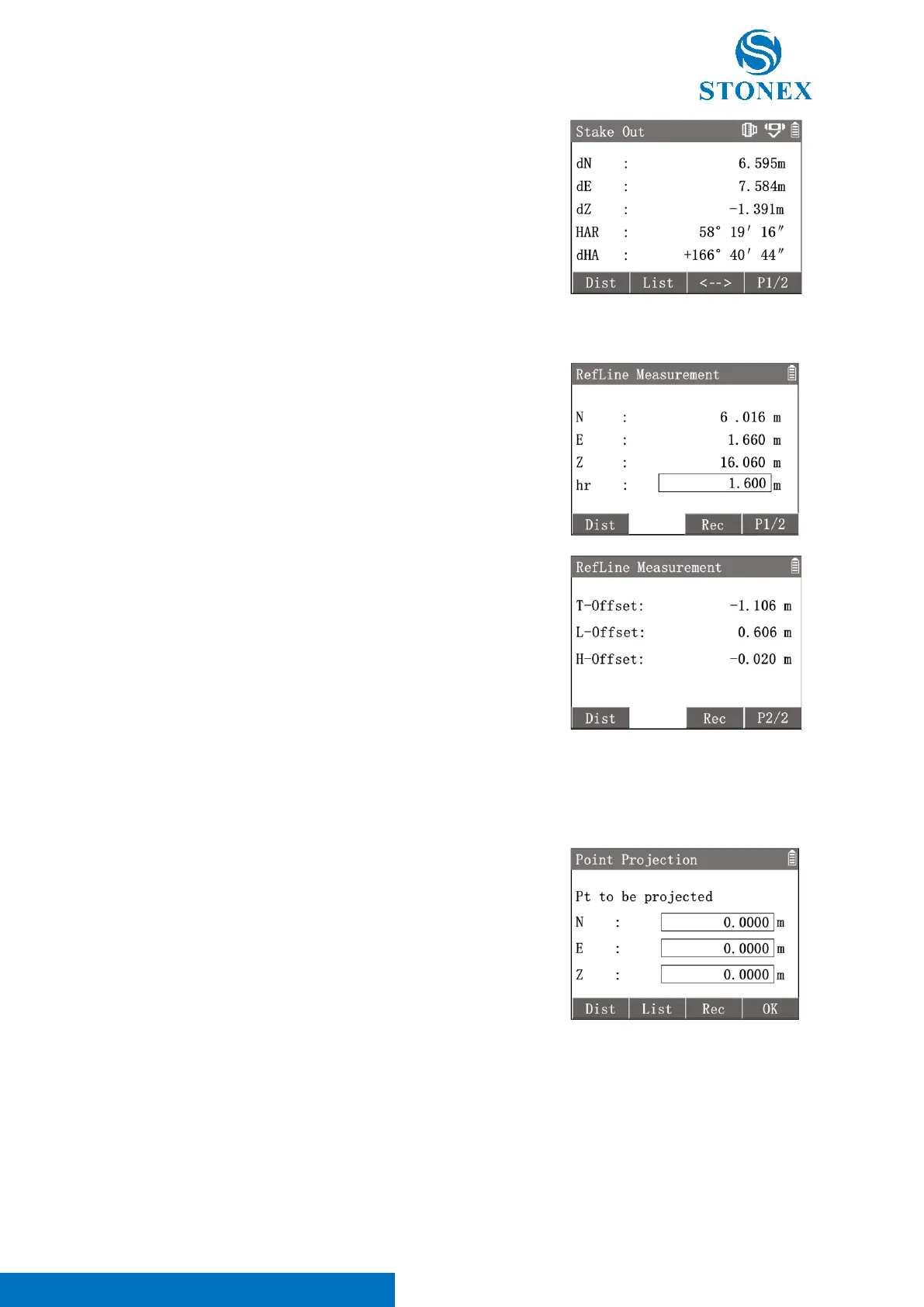
Reference Line Measurement:
The program measures a target point and calculates its offset values of the reference line.
After defining a reference line.
1. Press[3]〈Refline Measure〉to enter in {Refline
Measurement}.
2. Aim at the target point then press [F1]【Dist】to measure it.
Worksapce will display the coordinates.
3. Press[F4]【P1/2】to the 2
nd
interface. Worksapce will display
the target point’s offset values of the reference line.
[F3]【Rec】: Record the target point coordinates.
Point Projection:
The program can project a target point orthogonally onto the reference line and calculate the coordinates and
offset of the projection point. The target point coordinates can be measured, selected from memory or input
manually.
After defining a reference line.
1. Press[4]〈Point Projection〉to enter in {Point Projection}.
2. The target point can be inputted directly, selected from {Known
Point list} or measured. After entering the coordinates, press
[F4]【OK】to calculate the coordinates of projection point on
reference line.
[F1]【Dist】: Aim at the target point then press to measure it.
[F2]【List】: Enter {Known Point List} to select a known point as the
start point.
[F3]【Rec】: Record the target point coordinates.
3. Worksapce displays the projection point’s coordinates. Press[F4]
【P1/2】to the 2
nd
interface. Worksapce will display target
point’s offset values of the reference line.
4. Press [F1]【StOut】to enter in {Stake Out} program. Following



 To Next Page