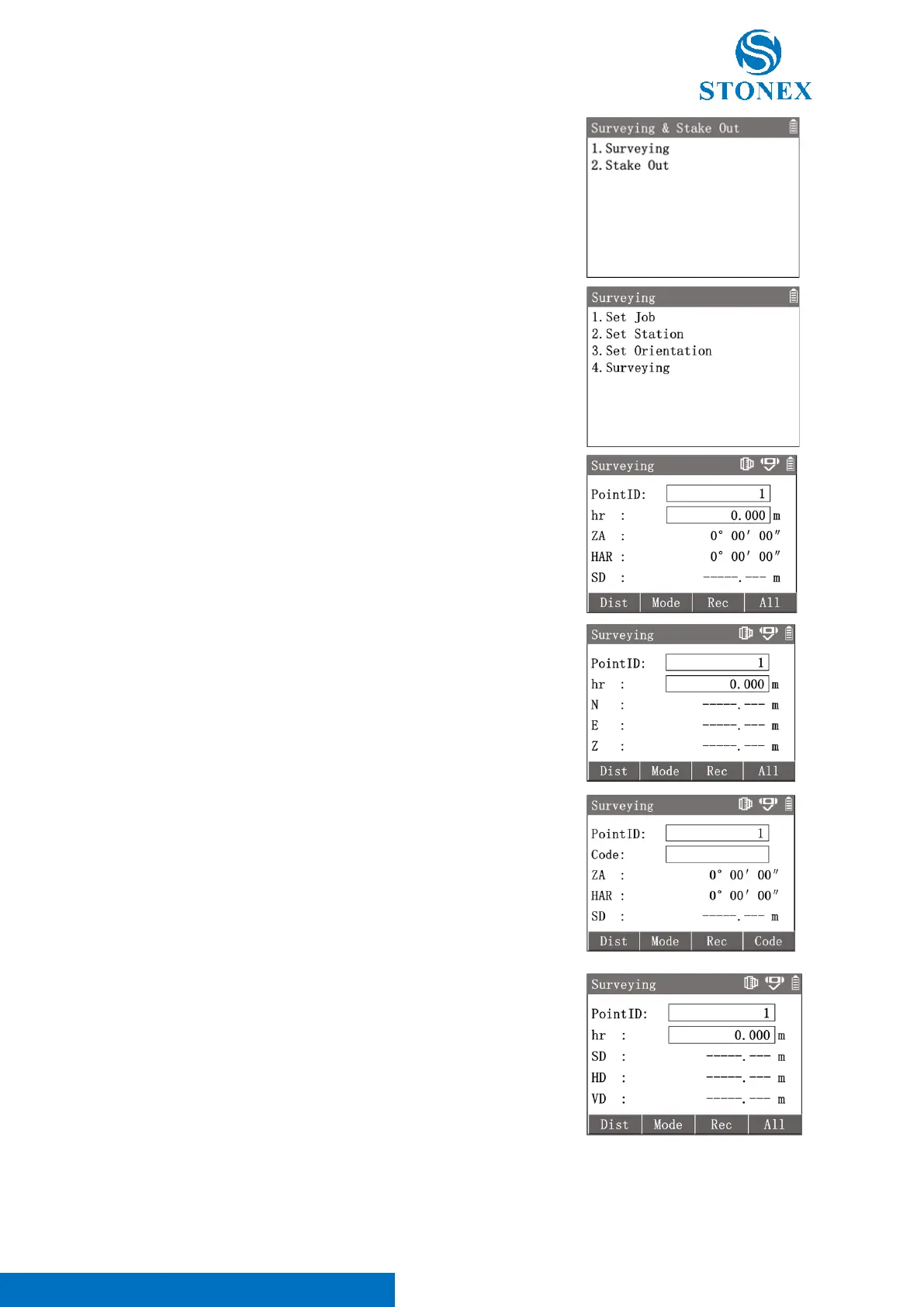
1. In the measurement interface, press [M] to enter {Main Menu}.
2. Use the navigation keys to select 〈2.Survey〉and press [ENT],
or simply press the numeric key [2] to enter {Surveying & Stake
Out}. Press [1] to enter {Surveying}.
3. Perform pre-settings.
4. Press [4] to enter {Surveying}. Input the〈PointID〉 and
〈hr〉.
5. Aim at the target then trigger the measurement.
[F1]【Dist】: Trigger the distance measurement and display the result.
[F2]【Mode】: Convert the display data between coordinates,
angle, and distance.
[F3]【Rec】: Record the measurement result. and 〈PointID〉
automatically adds 1.
[F4]【All】: Trigger the distance measurement and record the result. Then
〈PointID〉automatically adds 1.



 To Next Page