Stonex R20 – User Manual 39
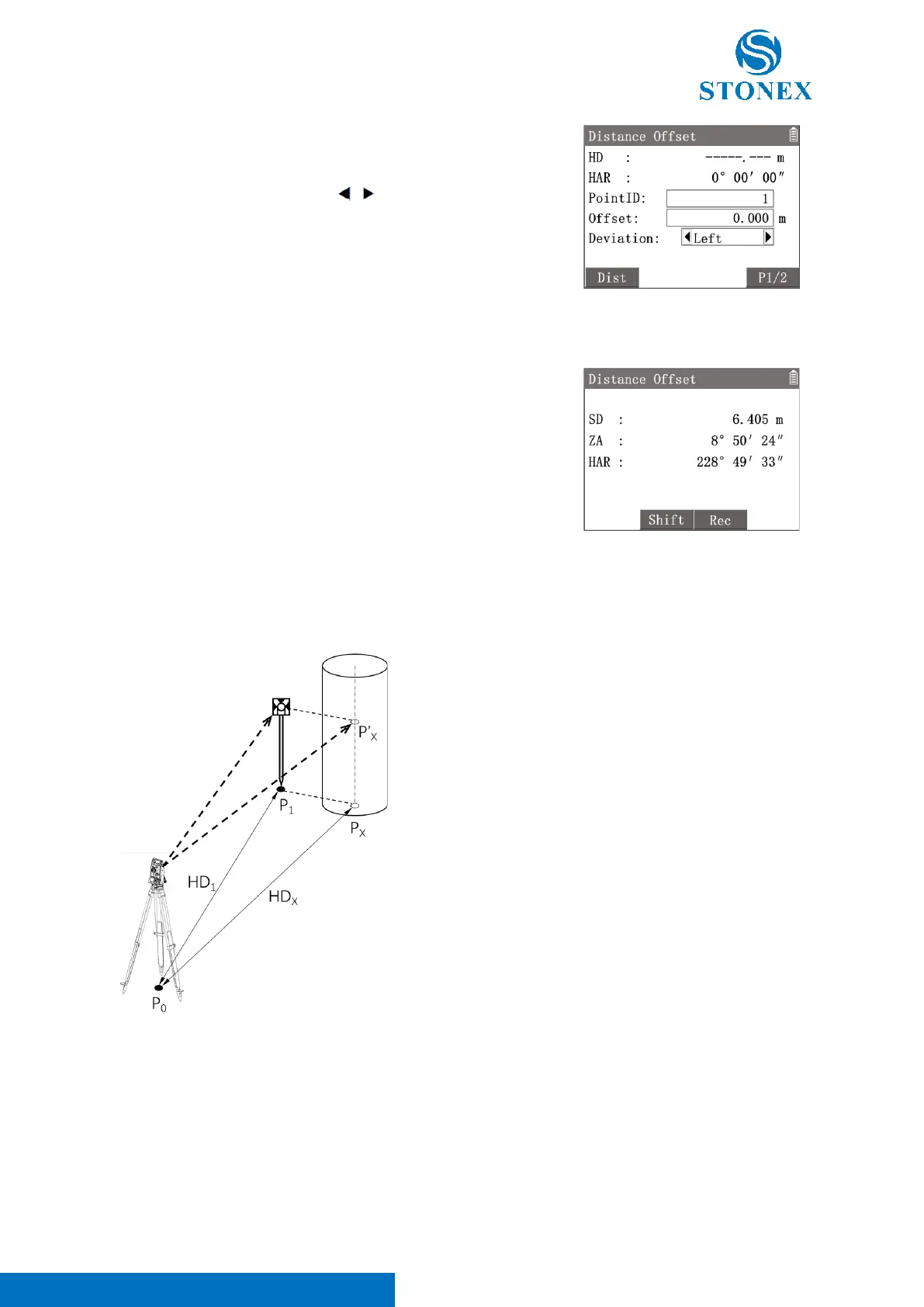
1. Press [4]〈4.Distance Offset〉to enter {Distance Offset}.
2. Use the navigation keys to select 〈Offset〉and input the offset
distance.
3. Select 〈Deviation〉then use [ ] [ ] to change the direction.
〈Left〉: The measurement point is to the left of the target point.
〈Right〉: The measurement point is to the right of the target point.
〈Front〉: The measurement point is in front of the target point.
〈Back〉: The measurement point is on the back side of the target point.
4. Aim at the measurement point and press [F1]【Dist】to trigger the
distance measurement. Then press [F3]【OK】.
5. Workspace display the calculated result of the target point.
[F3]【Shift】: Convert the display data format between polar and
coordinates.
[F4]【Rec】: Record the result data of target point.
When the measurement point is to the left or right of the target point, the angle between the measurement point
and the target point and the line between the measurement point and the station should be approximately equal
to 90 degrees. When the measurement point is located to the front or back side of the target point, the
measurement point should be located on the line between the target point and the station.
P
0
: Station
P
X
: Target point
P
1
: Measurement point
P’
X
: Virtual points in the same direction with target point
HD
1
: HD of the measurement point
HD
X
: HD of the target point
HD
1
=HD
X
Angle Offset:
Angle offset program requires that the target point and the measurement point are equal in height, and have
same distance to the station. For the measurement point, the distance and HA needs to be measured. For the
target point, only the HA needs to be measured. The application will calculate the coordinates of the target point
based on the distance value of the measurement point and the angle value of the target point. This method can



 To Next Page