Stonex R20 – User Manual 62
2
nd
page of
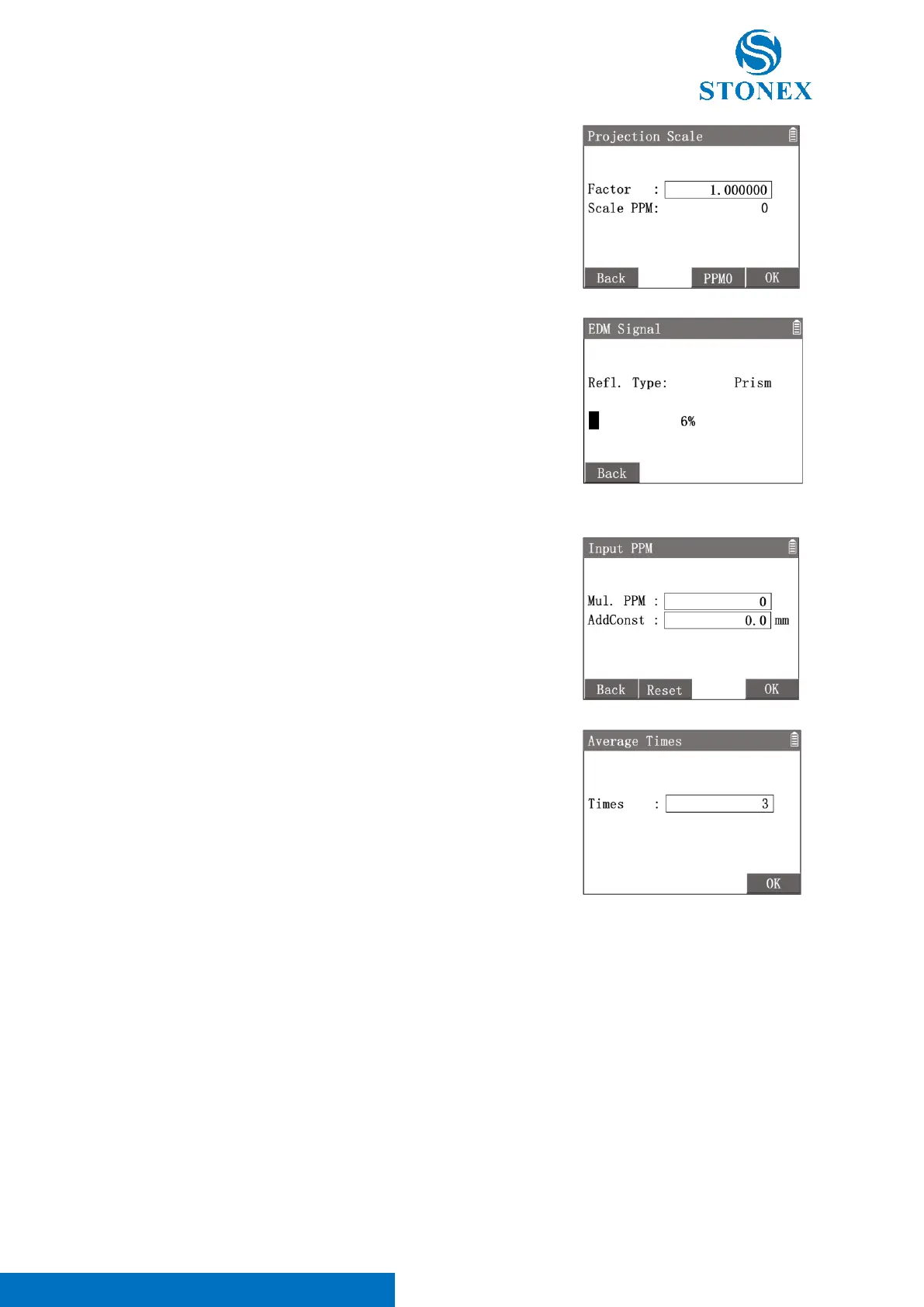
softkey [F1]【Scale】: Enter {Projection Scale}.
〈Factor〉: Set the projection correct scale value.
[F2]【PPM0】: Reset the factor to default value 1.
[F4]【OK】to confirm the setting.
2
nd
page of
softkey [F2]【Signal】: Enter {Signal} to test and display the
EDM signal (reflected return light intensity) in steps of 1%.
This function can help to improve the aim accuracy when the target prism cannot be accurately identified.
3
rd
page of softkey [F1]【PPM】: Enter {Input PPM} to set additional
multiplying and adding constants to correct the distance result directly
when necessary.
〈Mul.PPM〉: Input a multiplying constant (mm/km,10
-6
) for distance
measuring.
〈AddConst〉: Input an adding constant (mm) for distance measuring.
[F2]【Reset】: Reset all input values to 0.
[F4]【OK】to confirm the input values.
3
rd
page of softkey [F2]【Times】: Enter {Average Times} to set the
number of measuring times of 〈EDM Mode〉Average . The default
times is 3.
[F4]【OK】to confirm the input value.



 To Next Page