Stonex R20 – User Manual 71
• Hz-collimation
• V-index
• Zero error of the tilt compensator
1. In the measurement interface, press [M] to enter {Main Menu}.
2. Use the navigation keys to select 〈5.Calib〉and press [ENT], or
simply press the numeric key [5] to enter {Calibration}.
Before calibrating the instrument error, the instrument needs to be accurately levelled under the electronic
level indication of the {Level & Plummet} interface.
The relationship between the tribrach, tripod and the ground must be stable and avoid any vibration and impact
throughout the procedure.
The instrument must be acclimatised to the ambient temperature before the calibration. The acclimatisation time
is approximately 2 minutes for every 1°C difference in temperature from the storage environment to the working
environment. The total minimum acclimatisation time is at least 20 minutes. During the whole procedure, the
instrument must be protected from direct sunlight which can cause overheating on one side of the instrument.
The procedure for calibrating the HA-colimation and the V-index is the same and requires accurate double-faced
observation. While calibrating the V-index, the instrument will simultaneously calibrate the Zero error.
During the calibration, the instrument interfaces give clear operating instructions that the user can follow to
complete the operation.
Calibration Procedure:
1. Set up the tripod and instrument stable.
2. Power on the instrument. Precisely level the instrument under the
electronic level indication of {level & Plummet}.
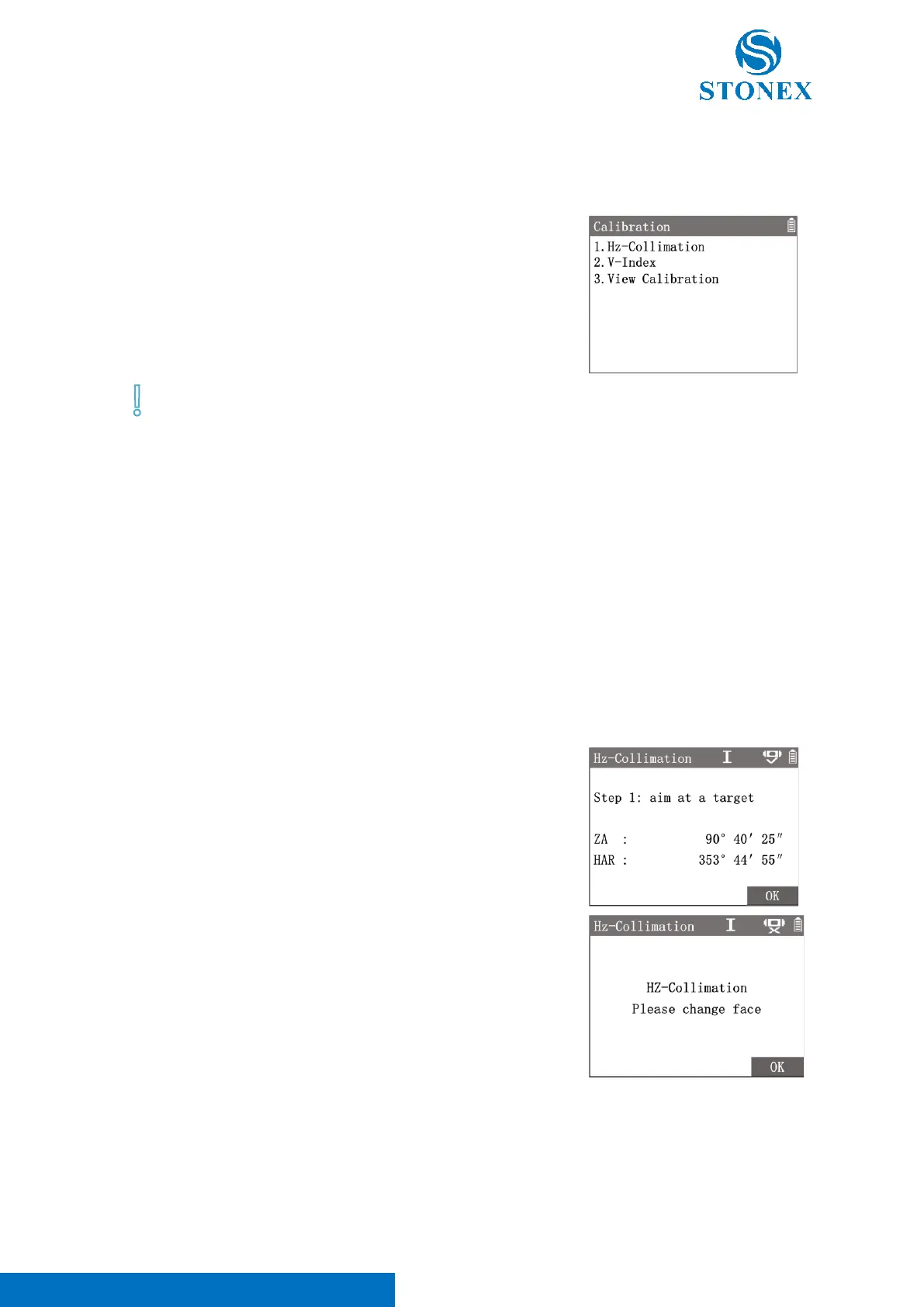
3. Enter in {Calibration} then choose〈1.Hz-collimation〉or〈2.V-
index〉to begin a calibration program.
4. In face I, accurately aim at a target about 100m away whose height
was similar as the instrument. Press [F4]【OK】.
5. Turn to face II, accurately aim at the same target again. Press [F4]
【OK】.
6. Workspace display the new calculated error value and the old value
stored.
7. Press [F4]【OK】to confirm the calibration.



 To Next Page