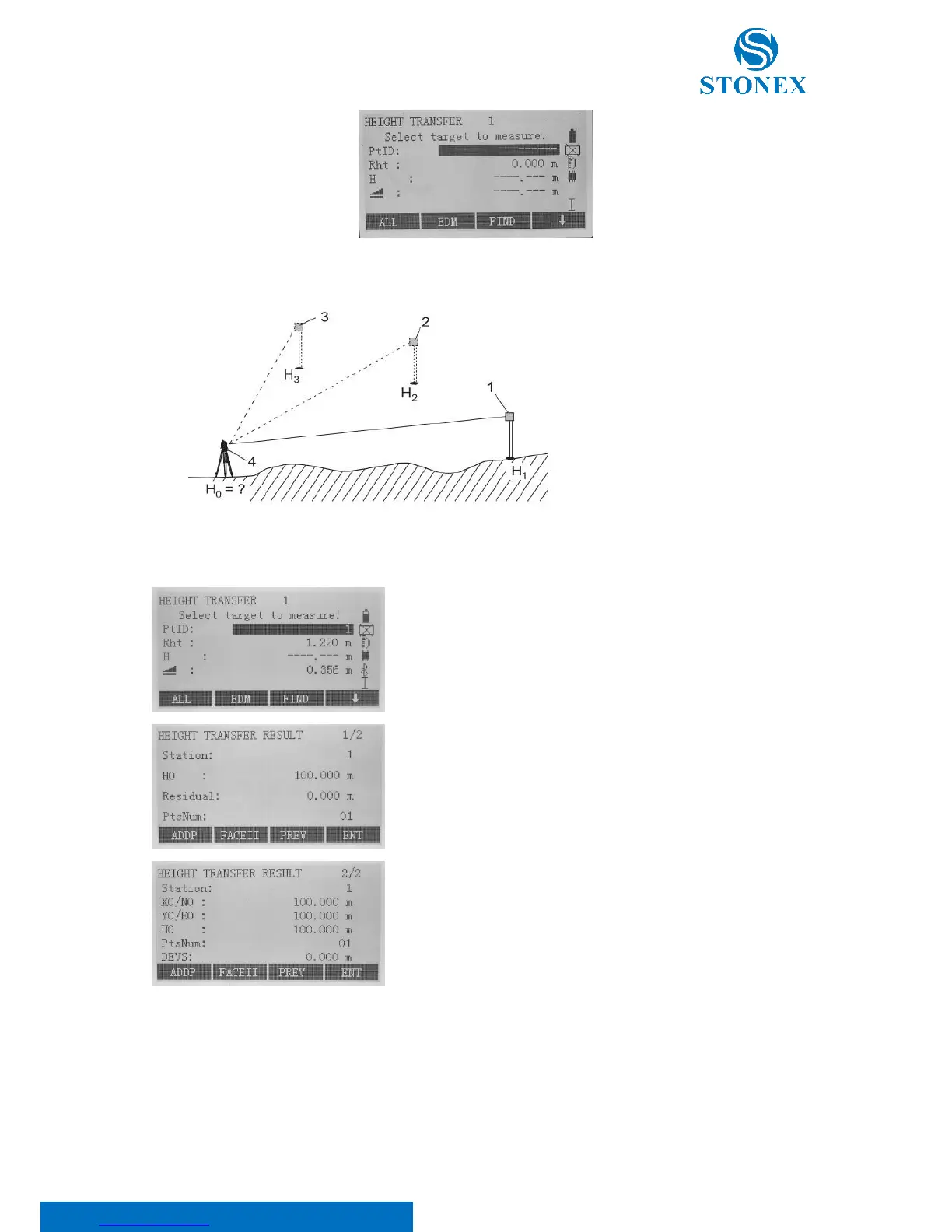
Select known point through [FIND]/[LIST] or enter point coordinates
using the [ENH]softkeys.
Input reflector height (Rht) and press F1[ALL] to measure
The calculated instrument height “H0” is displayed. Press {PAGE} key to
see the calculated coordinates and other results. Select:
• [ADDP] to add another height of a known point;
• [FACEII] to measure the same target in the second face;
• [PREV] to turn to the previous page;
• [ENT] to save and set the station.



 To Next Page