Stonex R25/R25LR Total Station - User Manual 73
Line & Offset Measuring
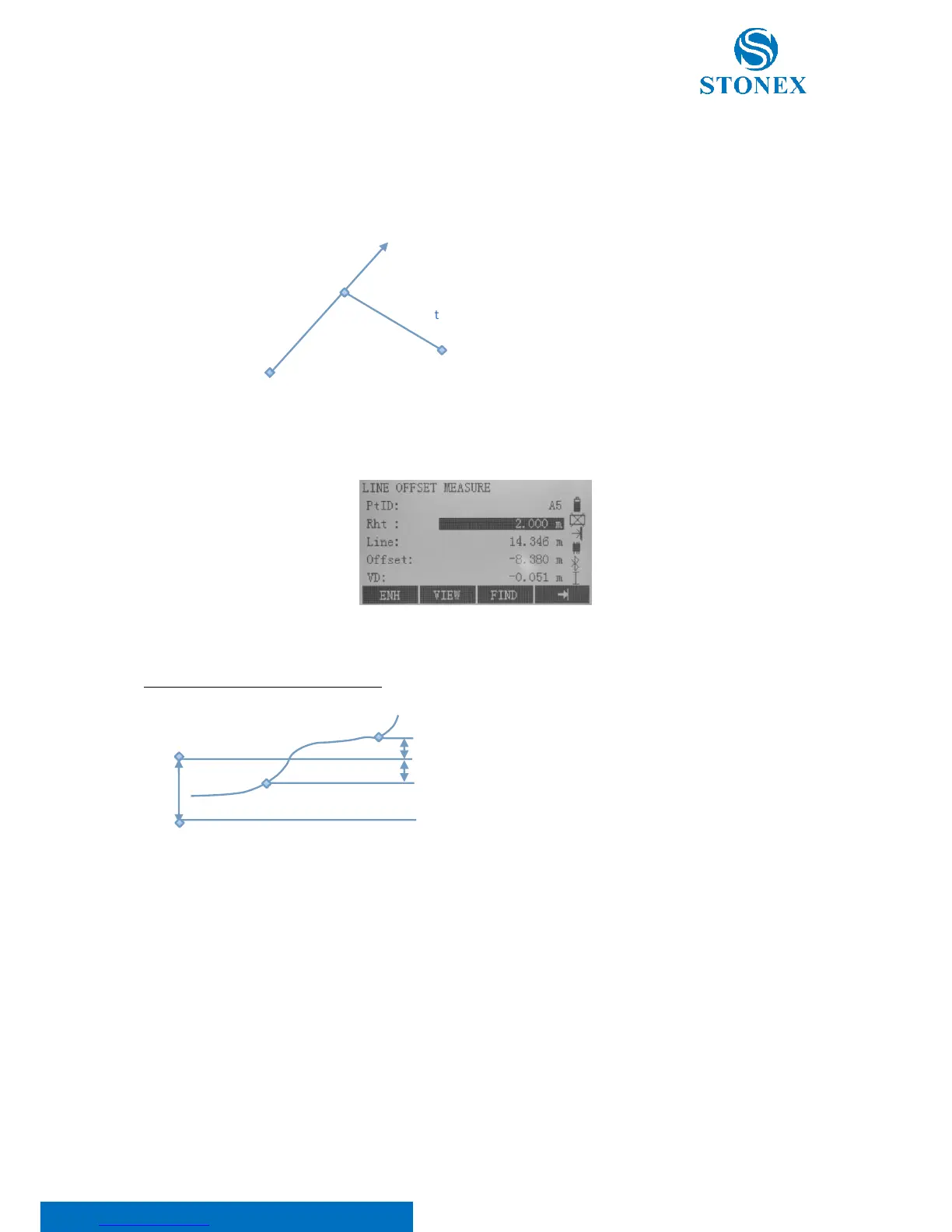
The “Line & Offset” application calculates from measurements or coordinates longitudinal, parallel and height
offsets of the target point in relation to the reference line.
1RP: 1st reference point
MP: Measured point
RL: Reference line
Line: Longitudinal offset
Offset: Parallel offset
Press F2[MEASURE] key from the line-main menu:
The calculated height difference is relative to the selected reference height (VD).
Example relative to “first reference point"
1RP: 1st reference point
1BP: 1st base point
RH: Reference height
Hd: Height difference between reference and base point
dH: Height difference from reference height (positive or
negative)
"Stake out" application
You can enter longitudinal, transverse and height offsets for the target points to be set-out relative to the reference
line. The program calculates the difference between a measured point and the calculated point. The program
displays the orthogonal (Line, Offset, dVD) and the polar (dHz, dHD, dVD) differences.
Press F2[MEASURE] key from the line-main menu. It will be required to input the orthogonal stake out elements.



 To Next Page