15
Chapter 2: Setting up the STONEX X300
2.1 Setting up
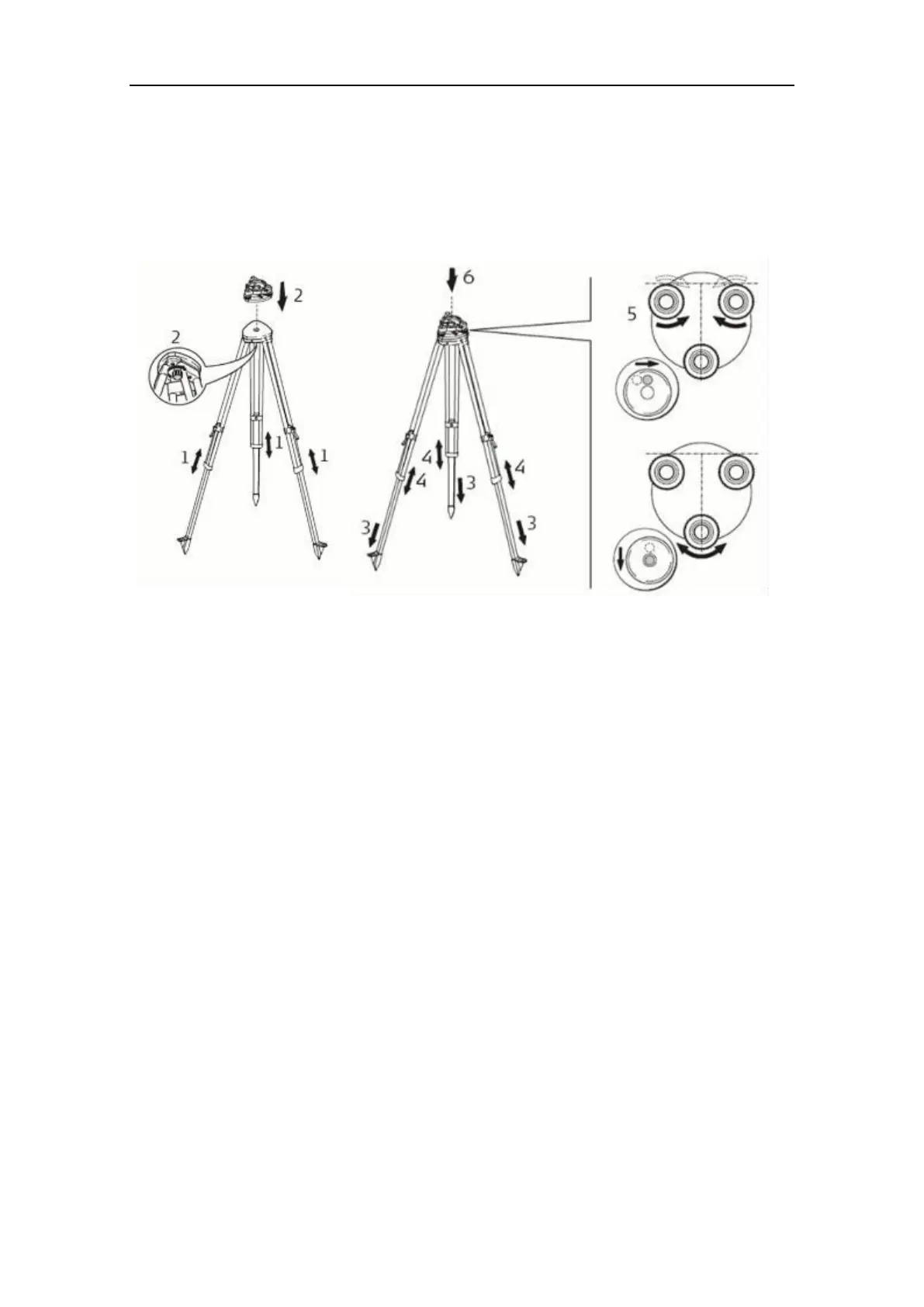
1. Extend the tripod legs to the same length to allow for a comfortable working
posture. Tighten the screws at the bottom of the legs.
Fold the handles down to detain the length of the legs.
2. Place the tribrach on the tripod and secure it with the central fixing screw.
3. Drive the tripod’s legs firmly into the ground.
4. Set up the tripod so that its plate is as horizontal as possible.
5. Level the tribrach using the circular level.
Turn two of the leveling screws simultaneously in opposite directions.
The index finger of your right hand indicates the direction in which the bubble
should move. Now use the third leveling screw to center the bubble.
6. Place the instrument on the tribrach and secure it with the tribrach’s locking knob.
7. Make sure that the instrument is leveled by checking the built-in bubble level.


 To Next Page