64
Chapter 4: Manage data with Stonex
Reconstructor software
The X300 Laser Scanner can export data in x3a file format.
The Stonex Reconstructor software can import x3s and jpeg file formats.
All file formats referring to X300 Laser Scanner are described hereunder.
4.1 X300 files format
1. ASCII comma separated values (DISCARDED from firmware ver. 0.5.74)
This is an interchange format that can be adapted to many software platforms, different
from Stonex Reconstructor.
The data format is X,Y,Z or X,Y,Z,R (“.” as decimal separator), where “R” is the raw
reflectance value acquired by the scanner (0≤ R ≤1).
The ASCII format cannot be processed with the camera blending algorithm and cannot
be merged with the pictures taken with the X300 integrated cameras.
From 0.7.00 firmware version, this format is available only converting the x3a format
with X300 Manager tool (see par. 4.3.2), because the download from the X300 Laser
Scanner used to take too much time.
2. Stonex cloud file (x3s) (DISCARDED from firmware ver. 0.5.74)
This is the binary format ready for Stonex Reconstructor.
It can be equipped with camera pictures that can be used to create the “color” layer
when imported in Stonex Reconstructor.
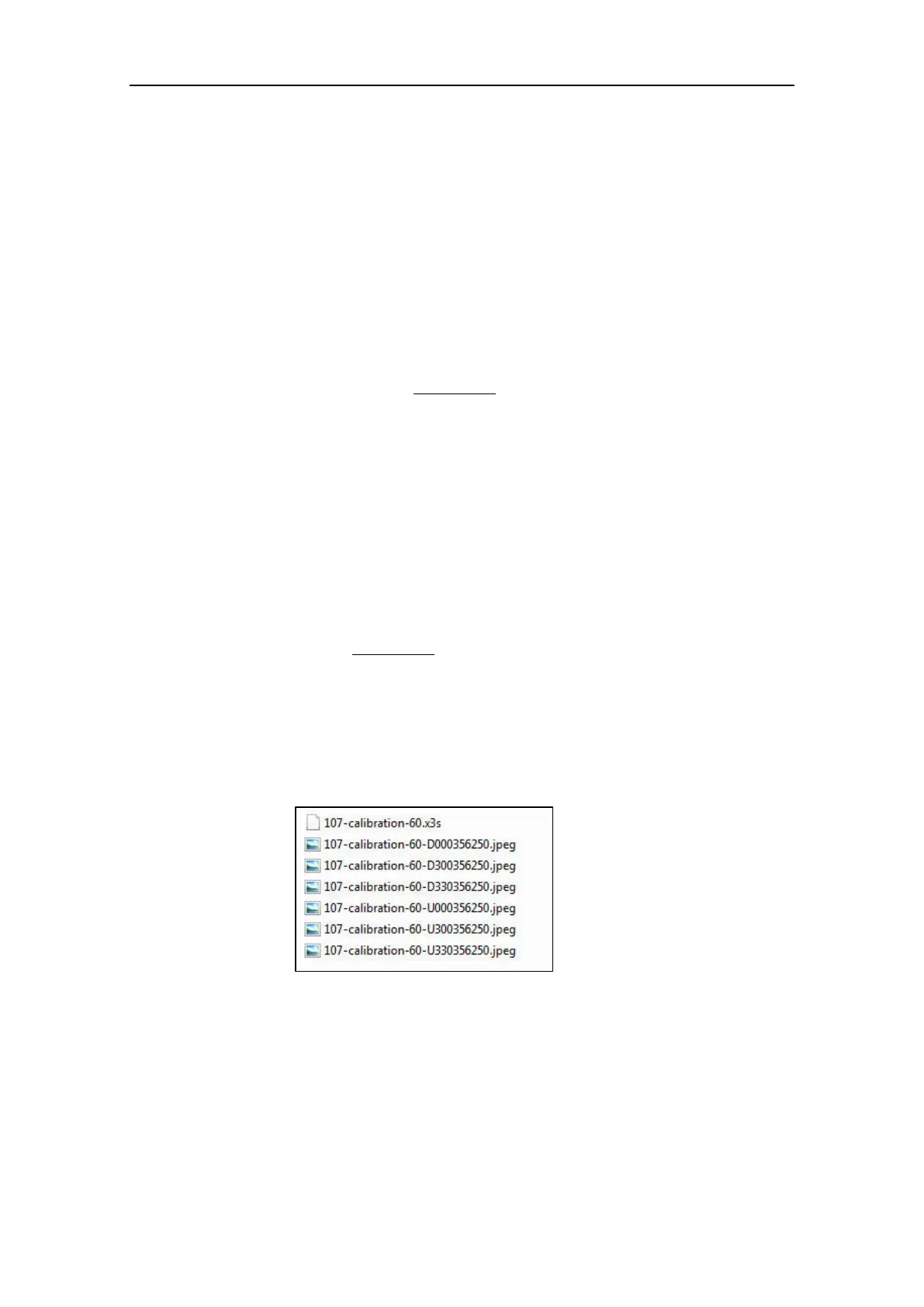
If a scan project is equipped with camera pictures, the final dataset is made by:
namefile.x3s: one file containing the scan;
namefile-value.jpeg: several files containing the pictures related to the scan.
The number of the pictures varies according to the width of the horizontal scan angle.
From 0.7.00 firmware version, this format is available only converting the x3a format
with X300 Manager tool (see par. 4.3.2).



 To Next Page