17
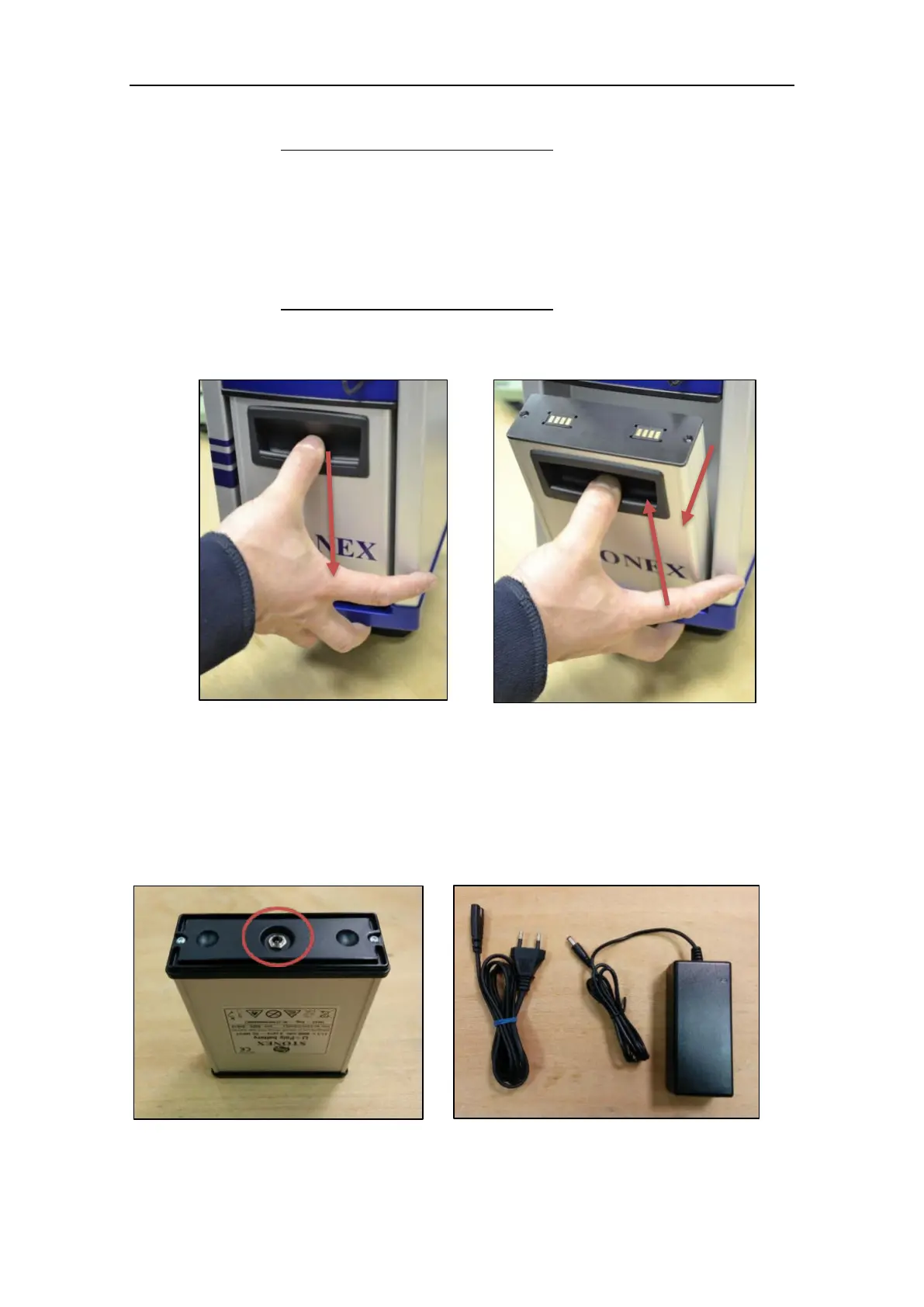
1. Insert the lower edge of the battery into the housing, placing it on the pushing supports.
2. Use the handle to press down the battery until stroke end.
3. Tilt the battery in vertical position.
4. Release the battery upward until it is firmly seated.
2.2.2 Remove the X300 Battery
To remove the battery, follow the instructions described in Figure 7 and Figure 8.
1. Use the handle to press down the battery until stroke end.
2. Tilt the battery outward until the upper edge is out of the housing.
3. Lift out the battery from the pushing supports.
2.3 Charge the battery
The X300 battery can be charged directly using the appropriate battery charger, included
in the bundle (Figure 10).
Power specifications:
Figure 8: Unplug the battery pack
Figure 7: Unplug the battery pack
Figure 9: Battery power plug
Figure 10: Battery charger



 To Next Page