67
4.3.2 X300 Manager: convert x3r, x3i and x3a files
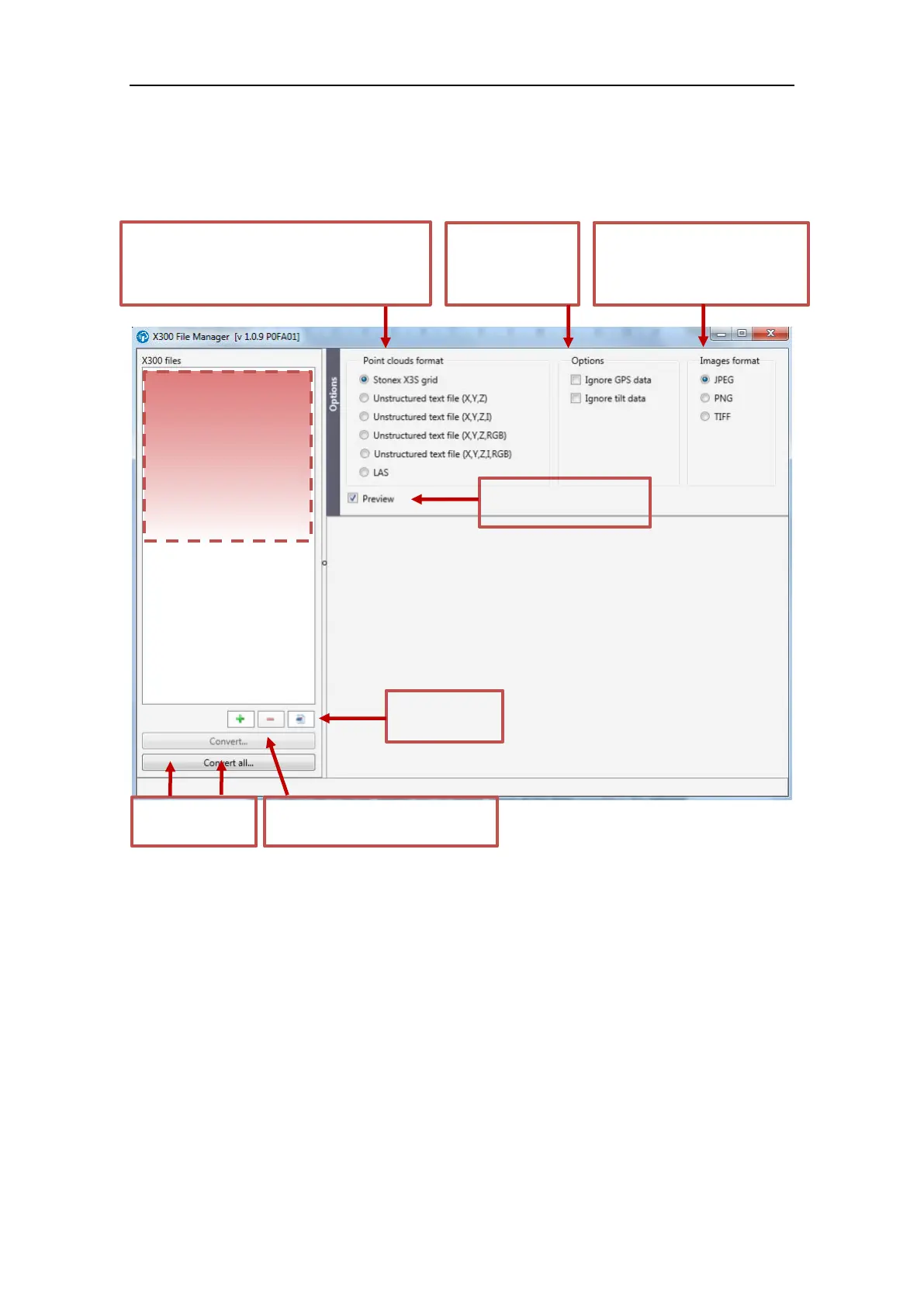
X300 raw files archive (x3a) can be easily converted to Stonex Reconstructor format (and others)
using the free “X300 Manager” tool.
If you select a file in the list, another box will appear, where all the items included in the selected
file will be displaied. If you select an item of the detailed list and you flag the preview option, it
shows a preview thumbnail (this option is available for scans, pictures and calibration files).
Drop here files
to be converted
x3a
x3r
x3i
x3s
Flag here to see a preview
of the current file
You can decide to
ignore GPS and/or
tilt data saved
during scanning.
Select in which format you want
to convert the pictures captured
by X300. Stonex Reconstructor
imports jpeg format.
Select in which format you want to convert the
point cloud file.
Stonex Reconstructor imports x3s format. You can
export even LAS format (if manager is licensed).
Click to convert
one or more files
+ : browse to add a file to convert
- : delete all flagged file from the list
Delete all files
from the list



 To Next Page