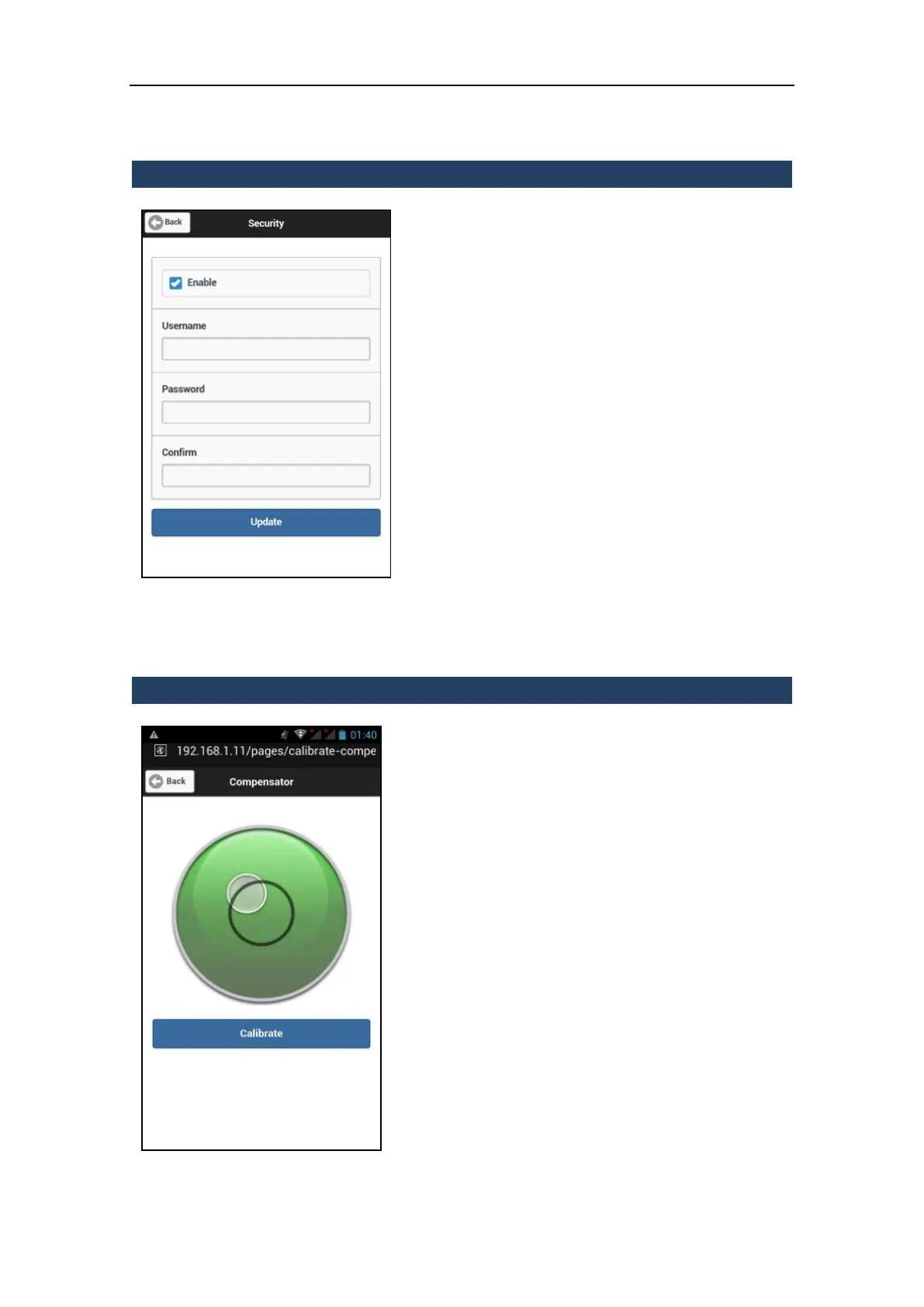
3.5.8.2 Security
In this menu it is possible to enable/disable
the network authentication.
When the network authentication is enabled,
username and password are requested by the
web browser, in order to prevent
unauthorized access to the X300 web
interface.
Username and password are user-defined
settings, so Stonex has no way of knowing or
recovering the authentication settings
defined by the users.
Username: enter or change the username
for the network authentication (factory
setting: x300 or X300)
Password/Confirm: enter or change the
password for the network authentication
(factory setting: 1234).
Press Update button to apply the changes.
3.5.8.3 Compensator
In this menu it is possible to check if the X300
Laser Scanner is leveled and if the internal
compensator of the X300 is correctly set.
It’s important to verify if the compensator is
properly calibrated or not. In fact, the Z axis
of the dataset is calculated using the data of
the internal compensator.
The calibration of the compensator is part of
the X300 production procedure but sudden
movements, transportation on the field and
slight impacts could deteriorate the
compensator accuracy.
It is therefore good practice to periodically
check and adjust the calibration of the
electronic compensator:



 To Next Page