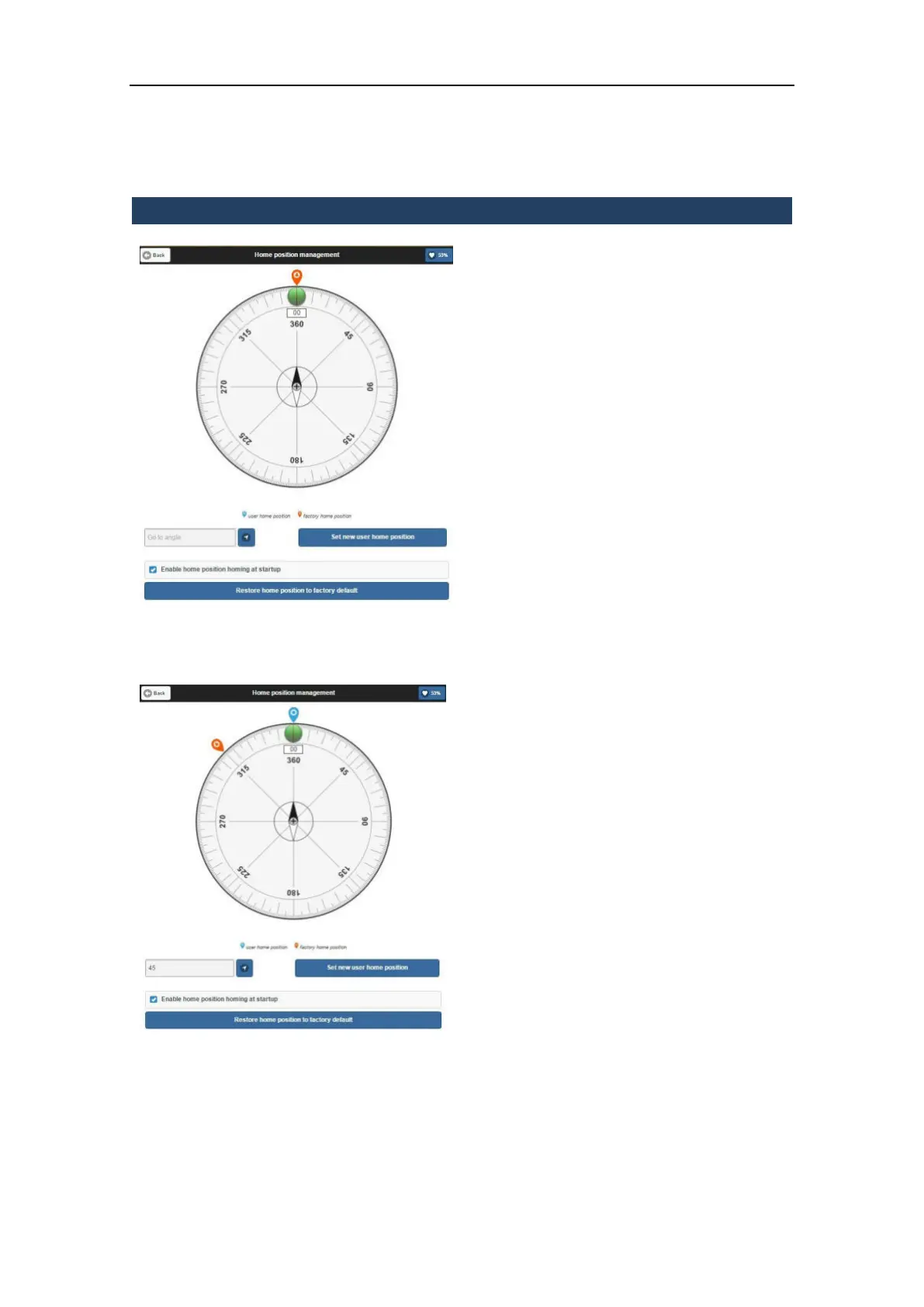
3.5.8.4 Home position management
In this menu it is possible to set the X300
Laser Scanner home position choosing if:
1. Maintain the factory home position
2. Move to a specific angle (it isn’t
possible to set a negative value) and set
it as “new user home position”
3. Enable (or not) home position homing
at sturtup
4. Restore home position to factory
default (if user as changed it)
Move to a specific angle:
1. Insert a value into “Go to angle” or
rotate manually the Laser Scanner
2. Set it as new home position: User
Home Position will be the “Blue”
symbol and Factory Home Position
will be the “Red” one.
When you choose for example to do a simple
scan you can set as starting position “Actual”
if you move manually the Laser Scanner or
“Index” position that refers to the last set
home position.
When you turn off your Laser Scanner and
you startup it, Laser will move on last
memorized Home Position: User if you have
set it or Factory if you haven’t changed it.
Enable home position homing at startup
You can choose if enable or not index at
startup on machine that, if you disable this
function, will not move to search index at
startup.
Restore hom position to factory default
Restore the factory home position



 To Next Page