61
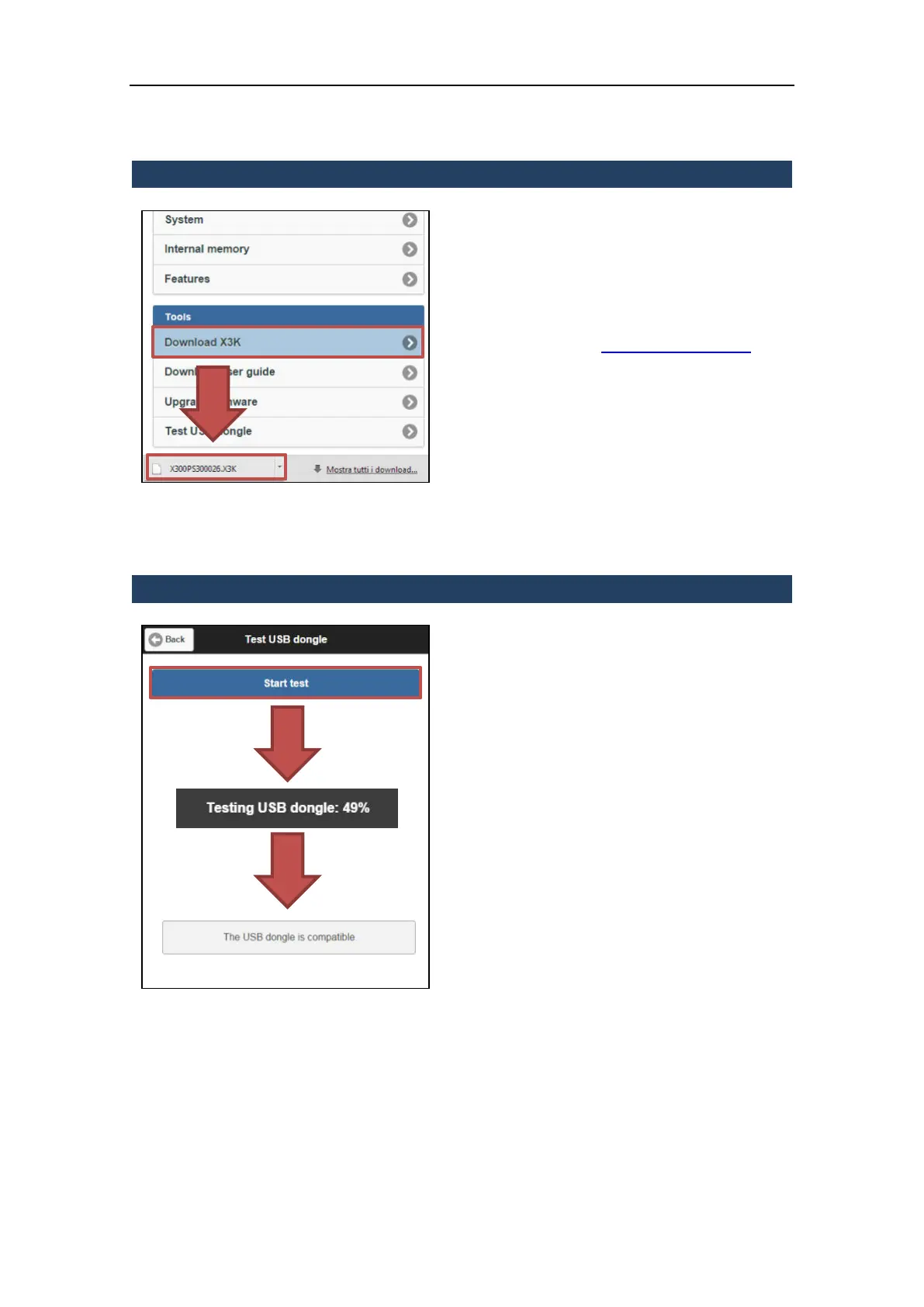
3.5.9.5 Download X3K
The X3K file is a technical file (unique for each
X300 unit) used as log-system file, useful to
check the configuration of the scanner in case
of malfunction.
If required by Stonex Support, download and
send it via mail to:
Laser.Team@stonex.it
To download it, click on “Download X3K” and
the X3K file will be directly downloaded on
the controller.
3.5.9.6 Test USB dongle
This function performs a write/read testing
on the connected USB memory drive in order
to verify the compatibility of the support
(existing data will not be deleted).
NOTE
Requisite: at least 140 Mb of free space
available on the support.
3.5.9.7 Automatic shutdown
From firmware version 08.07 was introduced an emergency procedure which provides for the
automatic shutdown of the machine.
Laser Scanner, reached 25% of battery power, signals with a popup that reached 18% of the
battery charge will proceed to the Laser Scanner X300 tunring off.
The machine at that time will stop any activity that is doing (not saving any data of partial scans)
and shut down.



 To Next Page