16
2.2 Insert/remove the battery
There are different power supplies available for the STONEX X300:
1. X300 battery pack (for wireless operation, included in the bundle)
2. X300 external power unit (thanks to the optional X300 Smartcable)
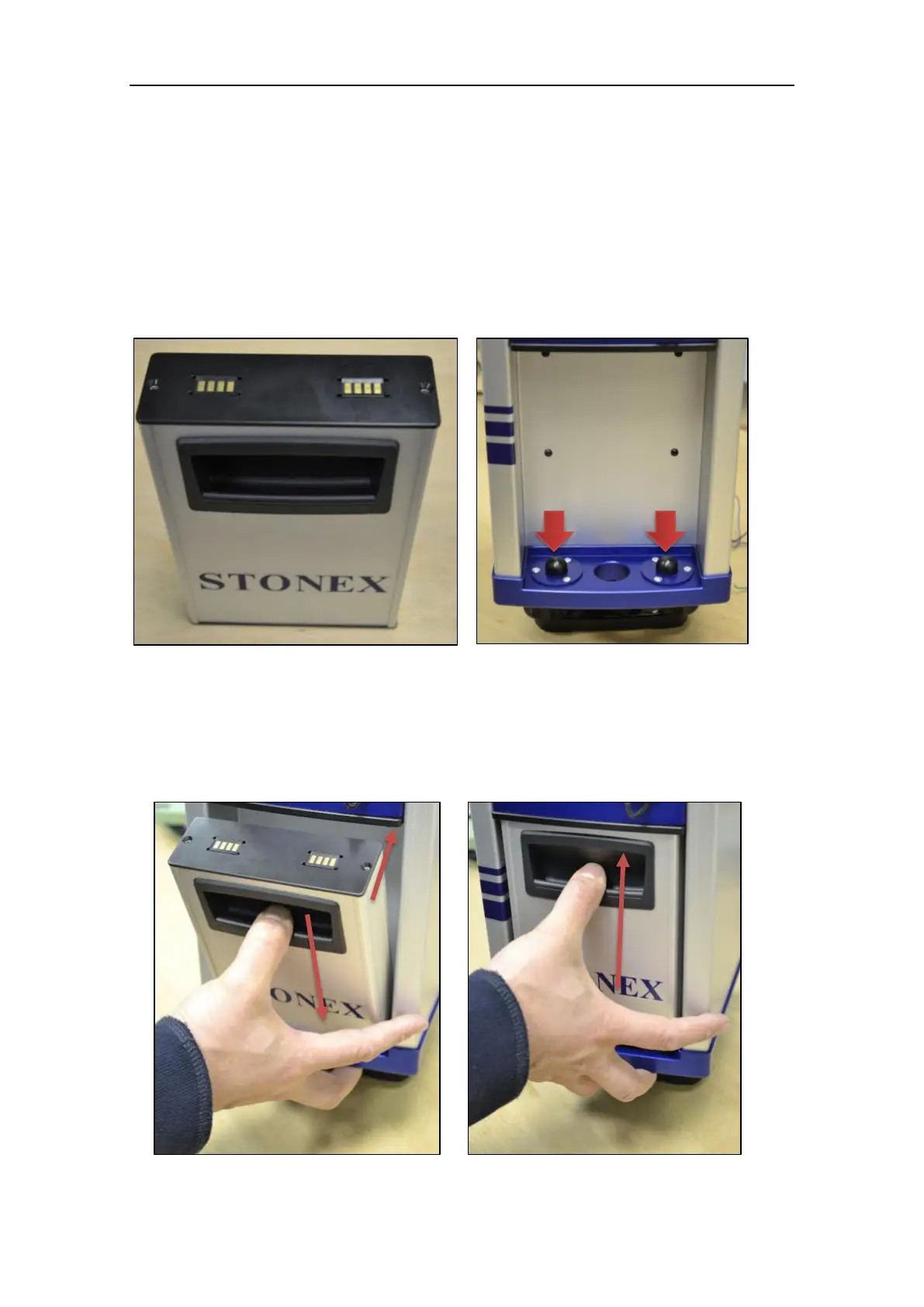
Figure 3 represents the X300 battery pack: for proper mounting, the connectors must be
facing up and the handle must be on the outer side.
Figure 4 represents the X300 battery housing, placed in the rear side of the scanner.
2.2.1 Plug the X300 Battery
To plug the battery pack, follow the instructions described in Figure 5 and Figure 6.
Figure 3: X300 battery pack
Figure 4: X300 battery housing
Figure 5: Plug the battery pack
Figure 6: Plug the battery pack



 To Next Page