55
3.5.8.5 Upgrade firmware
Stonex releases periodically new firmware versions for the X300 Laser Scanner.
The need to update the firmware may have several reasons: release of new functions, bug fixing
and improvements of existing software features.
Firmware update can be carried out either by Stonex authorized dealers and end users.
If you need further instructions or have questions about the procedure, please contact the
Stonex LaserTeam support at:
Laser.Team@stonex.it
Follow carefully the steps to upgrade the
X300 firmware:
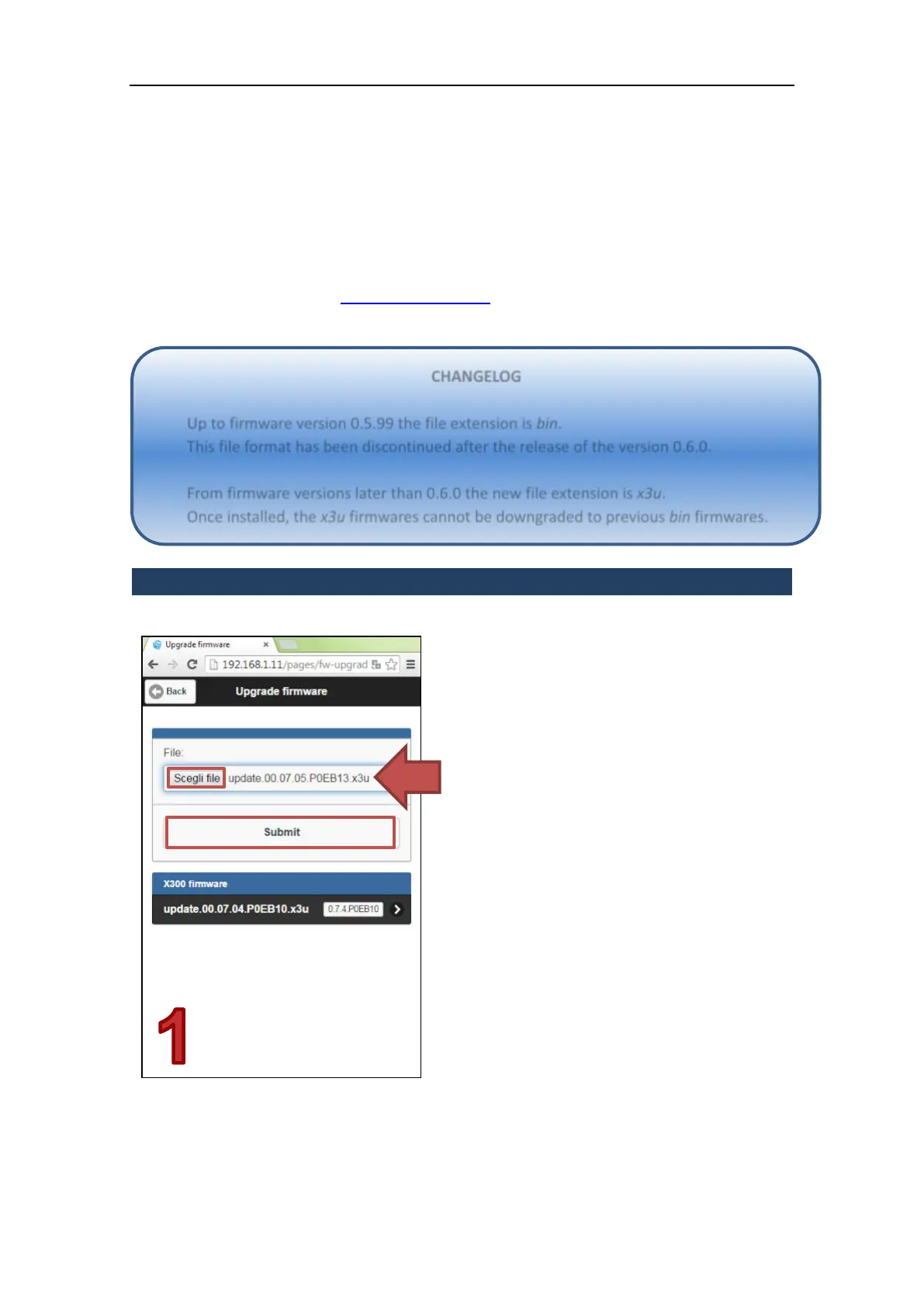
Step 1
Browse your computer or server to locate
the firmware file (*.bin or *.x3u) provided by
Stonex or Stonex authorized dealers.
Press the Submit button to upload the
firmware file onto the X300 flash memory.
Step 2
CHANGELOG
Up to firmware version 0.5.99 the file extension is bin.
This file format has been discontinued after the release of the version 0.6.0.
From firmware versions later than 0.6.0 the new file extension is x3u.
Once installed, the x3u firmwares cannot be downgraded to previous bin firmwares.



 To Next Page