10 EN
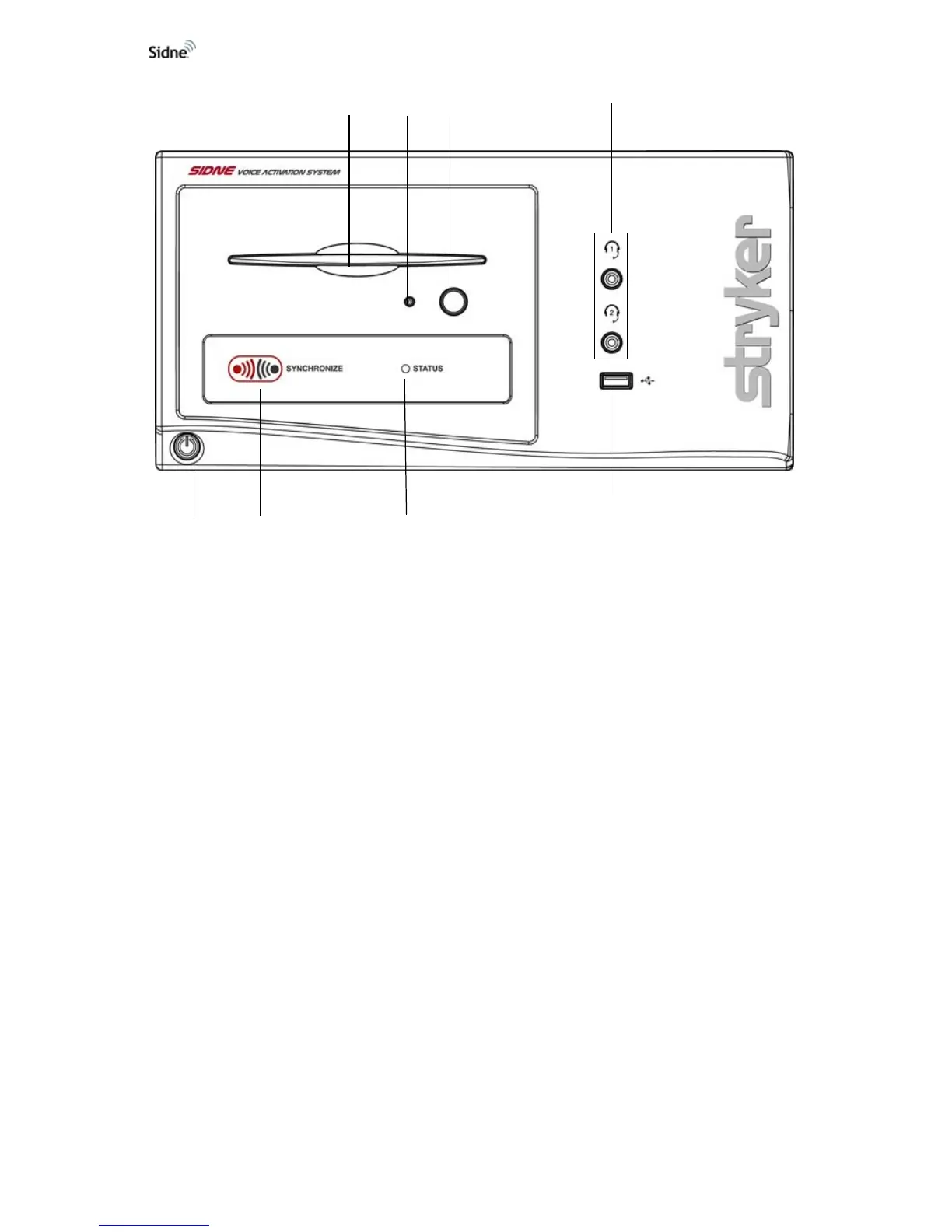
Figure 2: The Sidne™ console, front panel
1. CD-ROM Drive: Will play compact discs with a future Sidne
driver. Insert the CD with the bottom side facing the CD eject
button.
2. CD-ROM Indicator Light: Indicates the presence of a disk in the
CD-ROM drive.
3. CD Eject Button: Ejects CDs from the CD-ROM Drive.
4. Microphone Headset Jacks: Connect microphone headsets to
the console for voice-controlled operation.
5. Device-Driver Dongle Port: Connects to a USB dongle for
uploading device drivers to the Sidne™ system.
6. System Status LED: Blinks green while the console boots up;
shines green when the console is ready for use.
7. Tablet Synchronization Button: Synchronizes wireless
communication between the console and the tablet.
8. Power On/Off Button: Powers on the console when pressed
once; powers off the console when pressed again.
87 6
5
4
321












 To Next Page