Product Description / Intended Use
11 EN
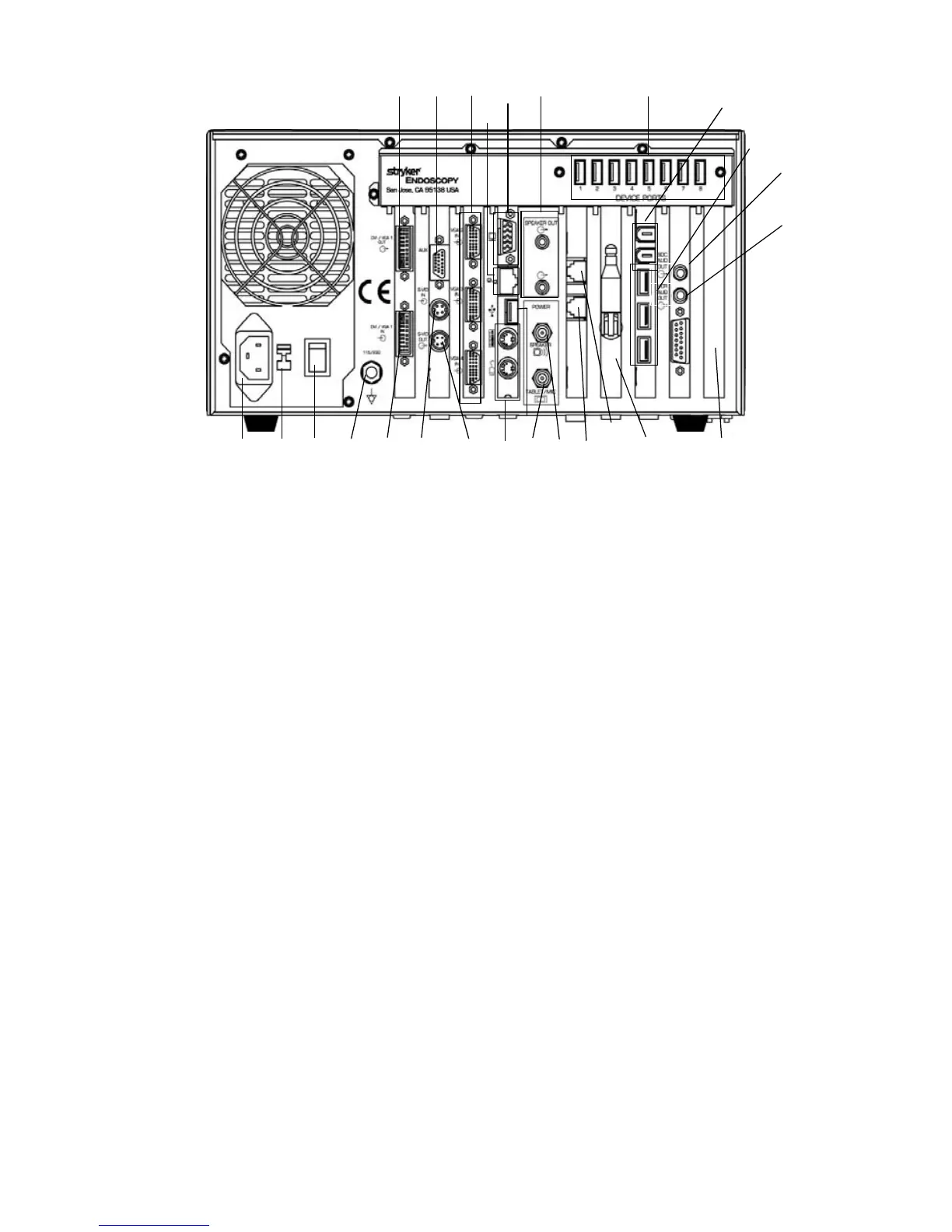
Figure 3: The Sidne™ console, rear panel
1. DVI-I / XGA Output: Connects to a flat-panel monitor.
2. Analog video In/Out: Connects with the video in/out breakout
cable, which provides S-video connections 2 through 4, one
Composite in, and one Composite out.
3. XGA Inputs 2, 3, and 4: Connect to a surgical camera.
4. For service use only: Do not use.
5. Audio Out: Connects to external speakers.
6. Device Ports: Connect operating-room devices to the Sidne™
console.
7. Voice Output for SDC: Connects to audio input on an SDC for
dictation onto a CD/DVD.
8. Voice Output for VCR: Connects to audio input on a VCR for
dictation onto a VHS tape.
9. Wireless Receiver Antenna: Receives wireless communication
signals from the tablet.
10. Disabled: Do not use.
11. Phone Line In: Brings dial tone from a wall jack to the Sidne™
console.
12. Phone: Gives dial tone from the Sidne™ console to a regular
telephone.
13. Speaker Power Jack: Supplies power to external speakers.
14. Tablet/Mic Power Jack: Connects to the tablet power cable,
which powers the tablet and two wireless-headset receivers.
15. S-Video Out: Connects to devices such as a monitor, video
printer, VCR, or SDC .
16. S-Video 1 In: Connects to a surgical camera.
12345 6
7
8
10
11
9
13
1415161718192021
23
22
12
4
24
25












 To Next Page