am
ENGINE
(DIAGNOSTICS)
INSPECTION
MODE
5)
Connect the Subaru Select Monitor to data link
connector
.
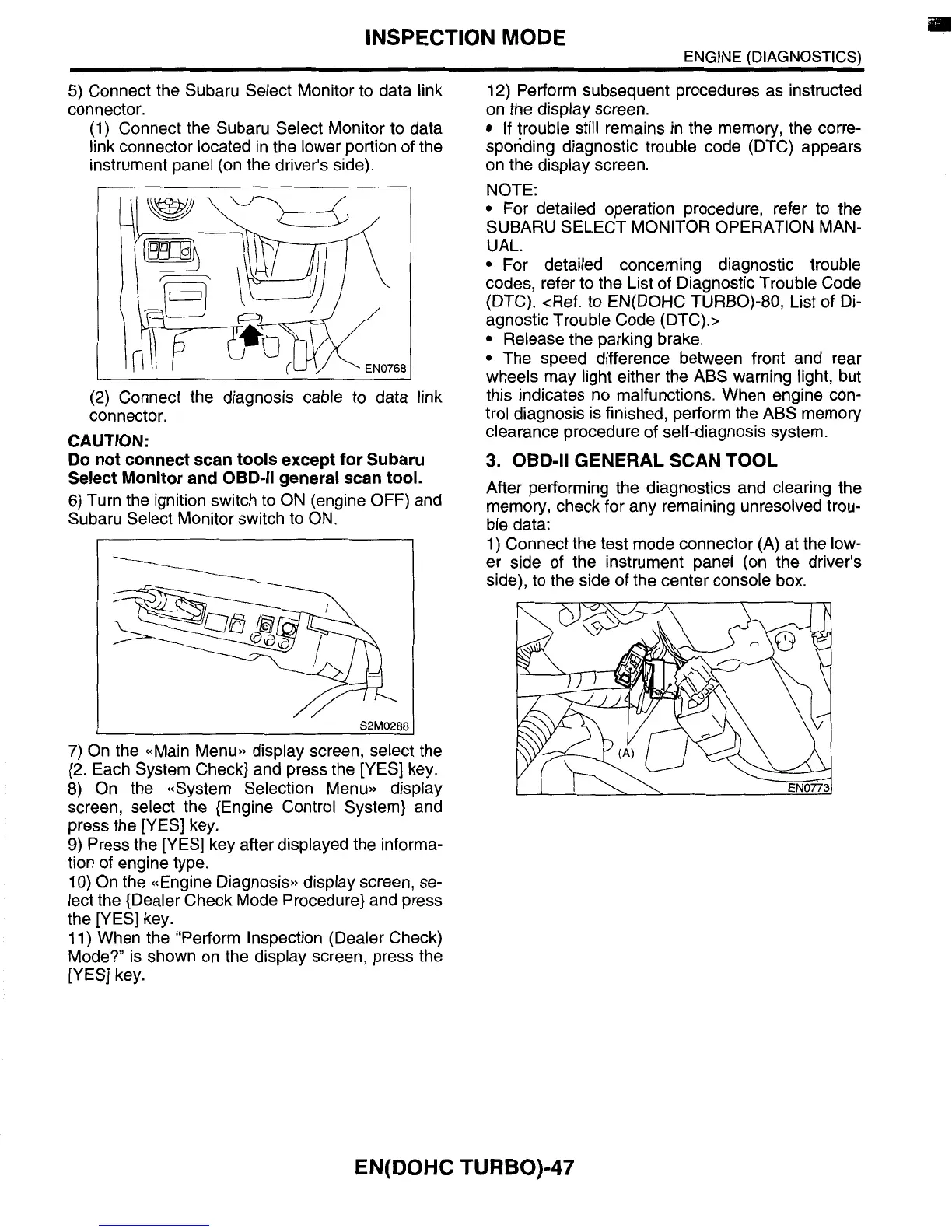
(1) Connect the Subaru Select Monitor
to
data
link connector located in the lower portion of the
instrument panel (on the driver’s side).
I
I
..
I
(2) Connect the diagnosis cable to data link
connector.
CAUTION:
Do
not connect scan tools except for Subaru
Select Monitor and
OBD-II general scan tool.
6)
Turn the ignition switch to ON (engine OFF) and
Subaru Select Monitor switch to ON.
.-
S2M0288
I
7)
On the ((Main Menu,, display screen, select the
{2. Each System Check} and press the [YES] key.
8) On the ((System Selection Menu,) display
screen, select the {Engine Control System} and
press the [YES] key.
9)
Press the [YES] key after displayed the informa-
tion of engine type.
10)
On the ((Engine Diagnosis,, display screen, se-
lect the {Dealer Check Mode Procedure} and press
the [YES] key.
11) When the “Perform Inspection (Dealer Check)
Mode?” is shown on the display screen, press the
[YES] key.
12) Perform subsequent procedures as instructed
on the display screen.
If
trouble still remains in the memory, the corre-
sponding diagnostic trouble code (DTC) appears
on the display screen.
NOTE:
For detailed operation procedure, refer to the
UAL.
For detailed concerning diagnostic trouble
codes, refer to the List
of
Diagnostic Trouble Code
(DTC). <Ref.
to
EN(D0HC TURBO)-80, List of Di-
agnostic Trouble Code (DTC).>
Release the parking brake.
The speed difference between front and rear
wheels may light either the ABS warning light, but
this indicates no malfunctions. When engine con-
trol diagnosis is finished, perform the ABS memory
clearance procedure of self-diagnosis system.
After performing the diagnostics and clearing the
memory, check for any remaining unresolved trou-
ble data:
1) Connect the test mode connector (A) at the low-
er side of the instrument panel (on the driver’s
side), to the side of the center console box.
SUBARU SELECT MONITOR OPERATION MAN-
3.
OBD-II
GENERAL SCAN TOOL
EN(D0HC TURBO)-47














 To Next Page