3-10 Sun Fire X4100/X4100 M2 and X4200/X4200 M2 Servers Service Manual • August 2009
3.8 Removing the Main Cover of the Sun Fire
X4200/X4200 M2 Servers
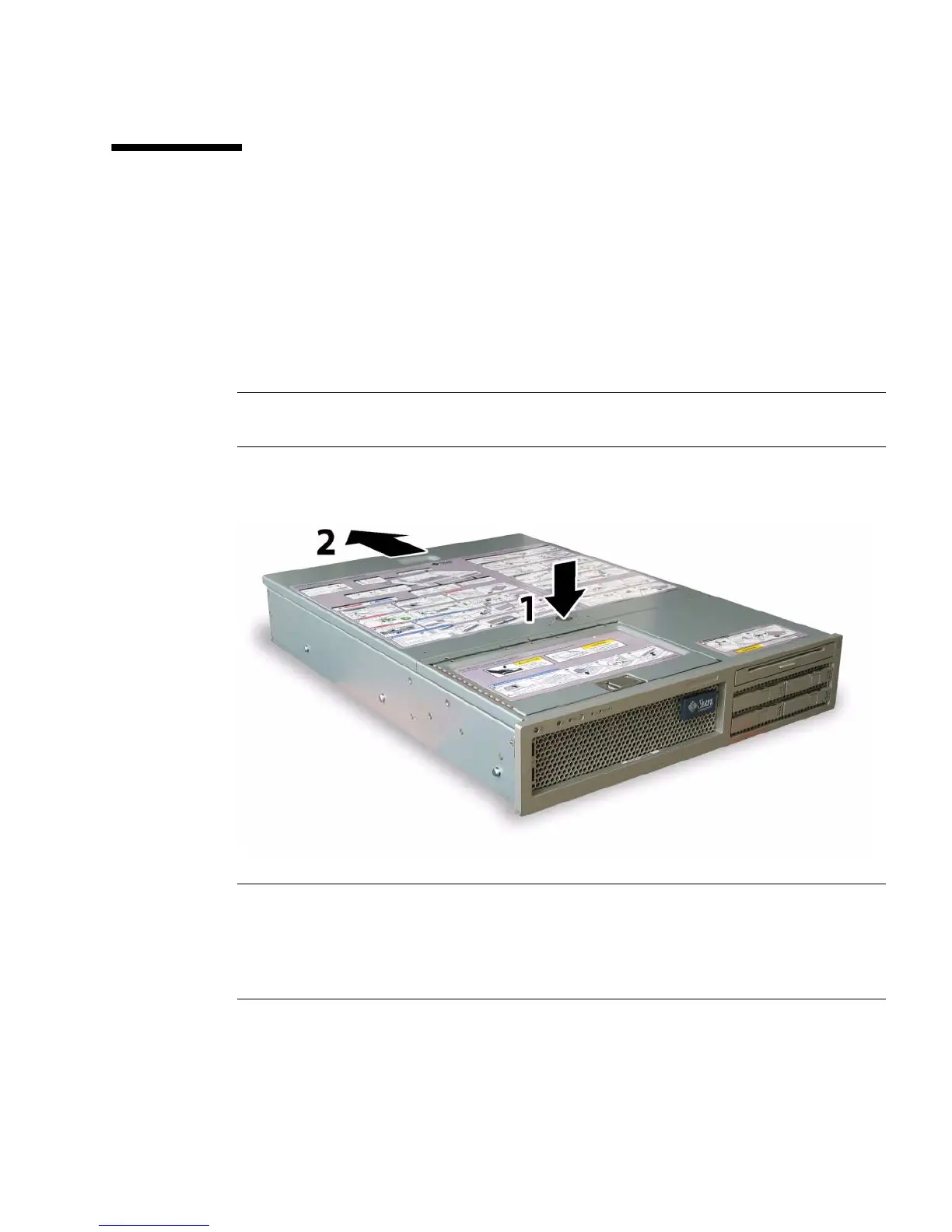
1. Press down on the cover release and, using the indent for leverage, slide the
main cover toward the rear of the chassis approximately 0.5 inch (12 mm). See
FIGURE 3-6.
2. Grasp the cover by its rear edge and lift it straight up from the chassis.
Note – When you remove any cover, the intrusion switch that is on the front I/O
board automatically powers down the system to standby mode.
FIGURE 3-6 Removing the Main Cover
Note – Unclog Heatsinks and Fans – System cooling is affected by dust and
contaminant build-up. Therefore, you should open and check systems approximately
every six months (or more often in dirty operating environments). Check system
heatsinks, fans, and air openings. If necessary, clean systems by carefully brushing,
blowing, or vacuuming contaminants from the system.













 To Next Page