Chapter 3 Maintaining the Sun Fire Servers 3-89
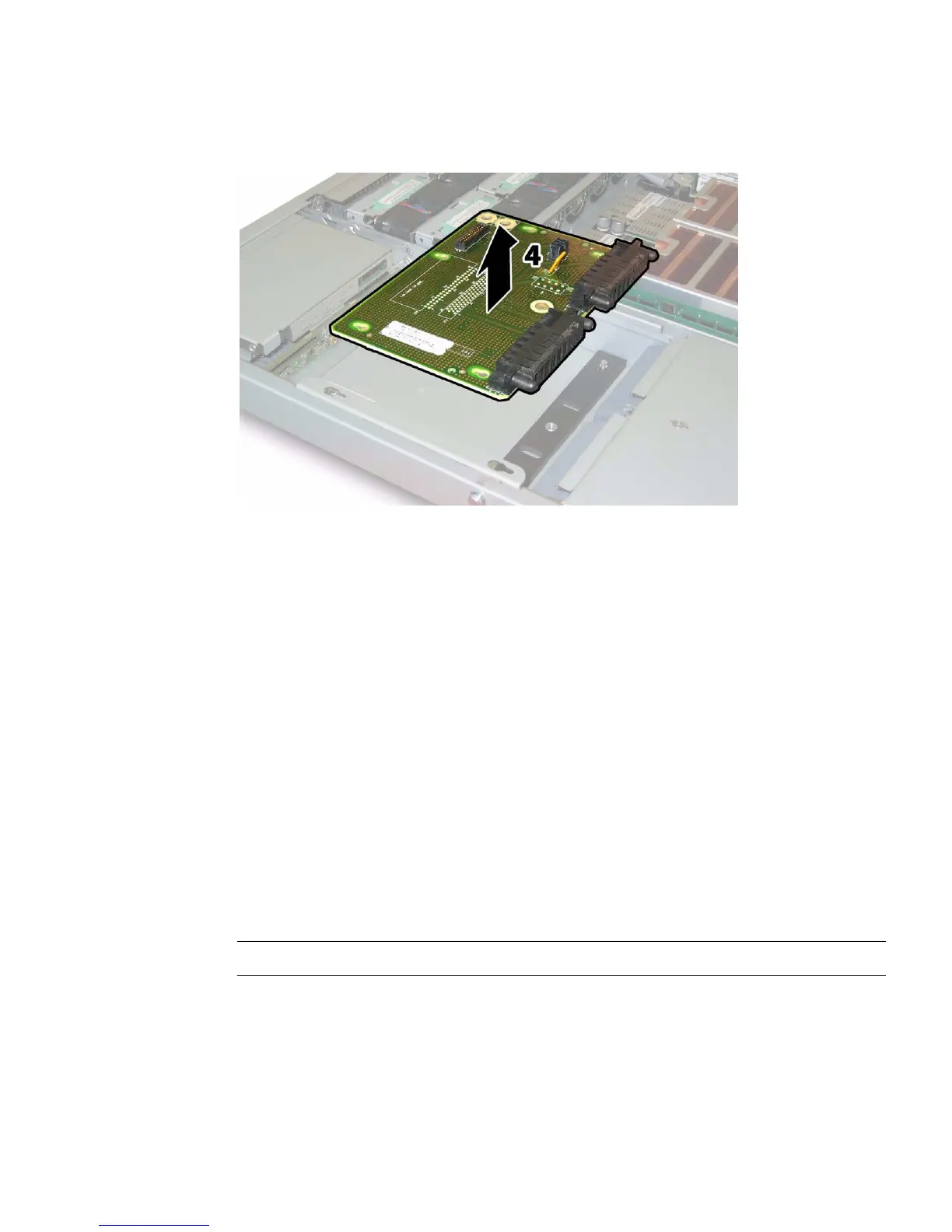
FIGURE 3-72 Removing the Power Distribution Board
3.12.19.1 Installing the New Power Distribution Board
Installation is the reverse of this procedure. Note the following:
■ When reinstalling screws, tighten to 7 in-lbs (0.8 Nm) using an adjustable torque
driver.
■ Replace the old cap-style bus bar nuts on the motherboard with new M5
flange-nuts that are included with your replacement power distribution board.
Tighten the flange-nuts onto the bus bar studs to 18 in-lbs (2.0 Nm). Vibration can
loosen the old style cap nuts; the new flange style nuts correct this.
■ When you reinstall the power distribution board, ensure that the plastic air baffles
on the chassis are fully raised to provide clearance for the rear of the board.
3.12.20 Replacing the Rear Fan Tray (Sun Fire
X4200/X4200 M2 Servers)
Note – This component is a hot-swappable CRU and can be replaced by anyone.
Supported components and their part numbers are subject to change over time. For
the most up-to-date list of replaceable components for these servers, refer to:
http://sunsolve.sun.com/handbook_pub/Systems













 To Next Page