Chapter 3 Maintaining the Sun Fire Servers 3-11
3.9 Removing the Front Bezel of the Sun Fire
X4200/X4200 M2 Servers
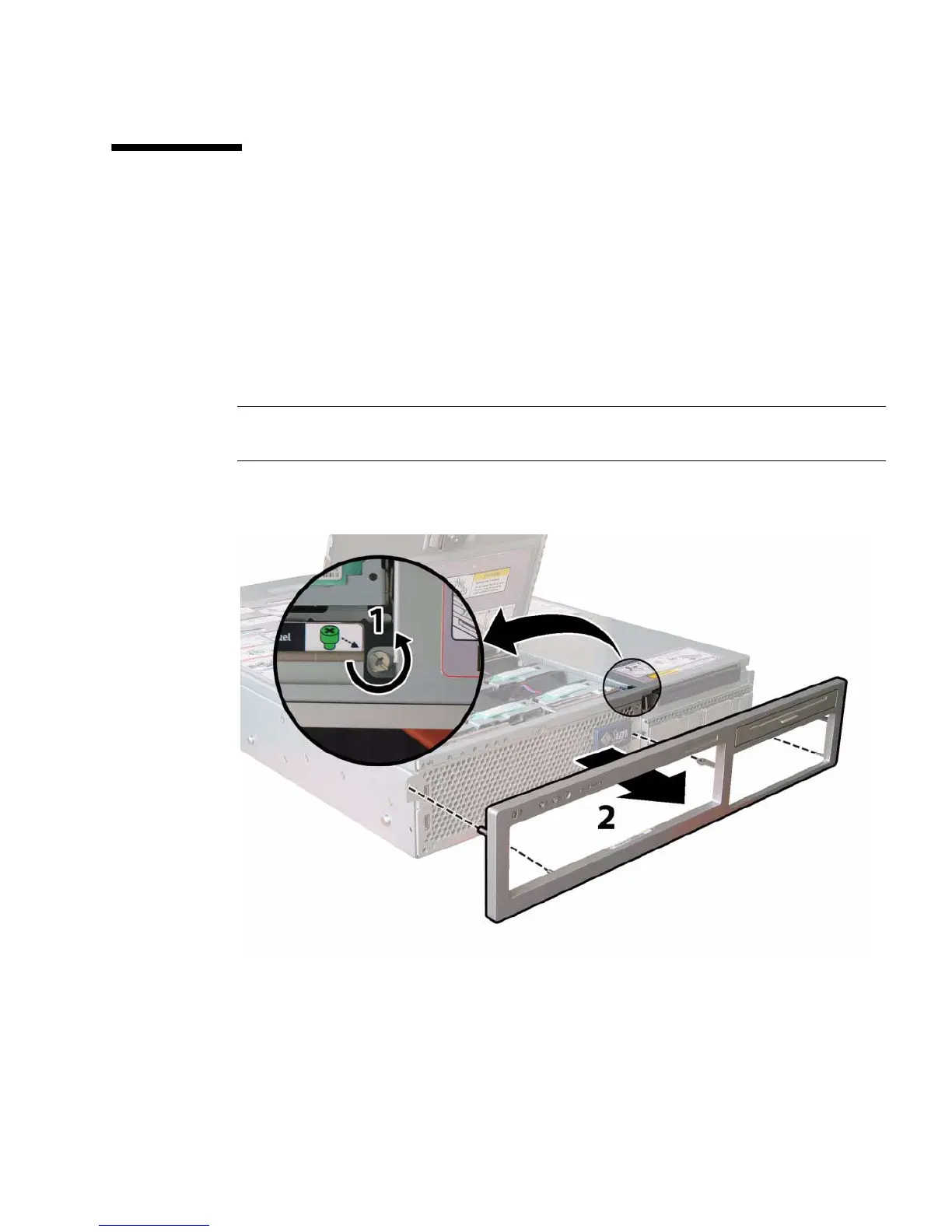
Remove the bezel from the front of the chassis by following these steps.
1. Open the fan bay door and use a No. 2 Phillips screwdriver to unfasten the
captive screw that locks the bezel in place. See
FIGURE 3-7.
2. Pull the bezel away from the chassis.
Note – Be careful to avoid bending the bezel by gradually pulling it from the middle
and both ends simultaneously.
FIGURE 3-7 Unfastening the Front Bezel Locking Screw













 To Next Page